Instructions for Use RAUMEDIC
MPR2 logO
Manufacturer: zwo-400EN
RAUMEDIC AG, Hermann-Staudinger-Strasse 2, 95233 Helmbrechts, Germany Rev. 9 2020-09-22
Page 64 of 99
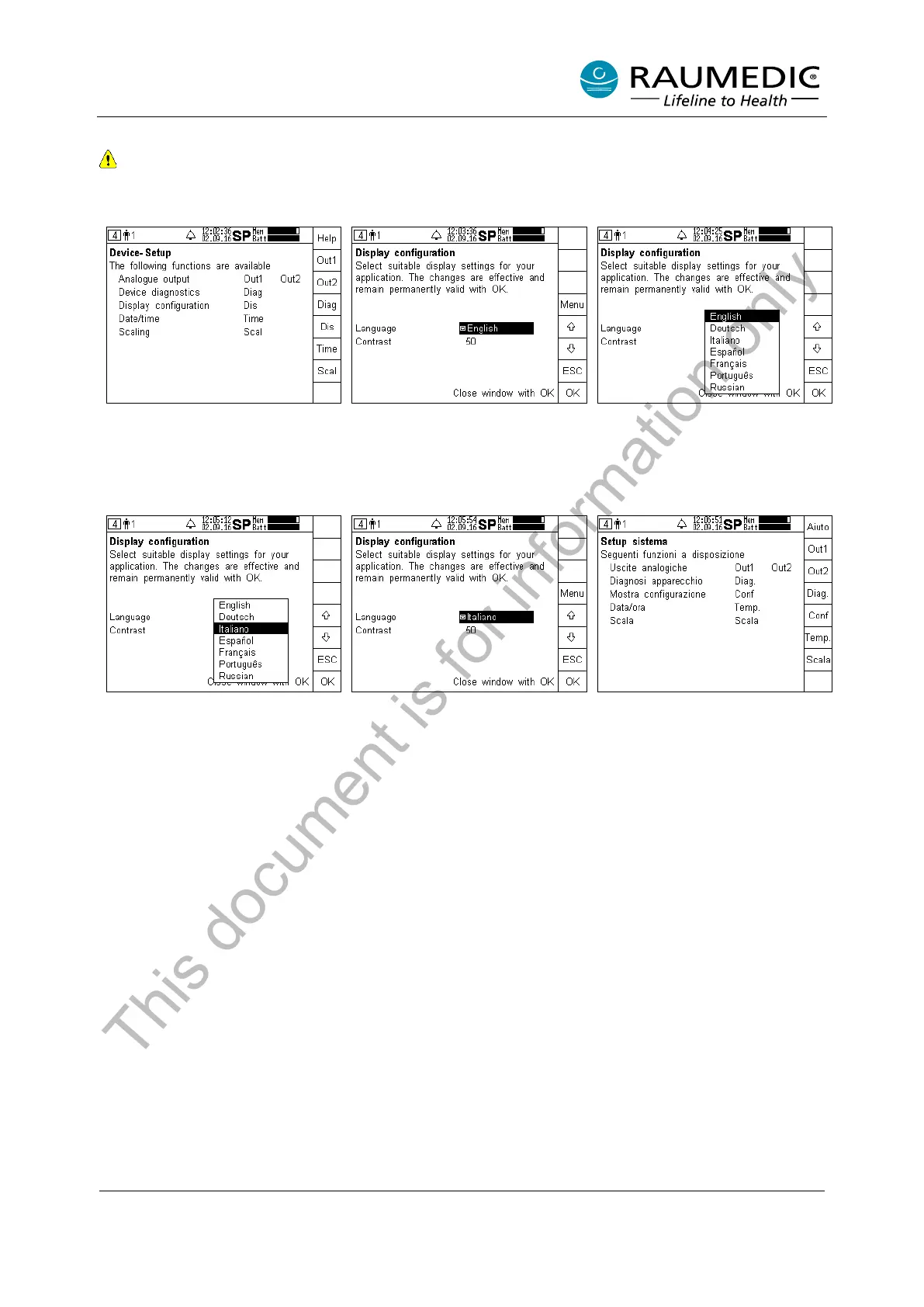
4.6.4 Setting the language version
Currently the following language versions are stored: German, English, Italian, Spanish, French,
Portuguese, Russian. For the availability of other language versions, please get in touch with the
manufacturer.
Step 1:
Call the Device setup
the Dis key.
Step 2:
Press the Menu key.
Step 3:
Use the arrow keys to change to
the requested language.
Step 4:
Press the OK key.
Step 5:
Acknowledge the newly selected
language by pressing OK.
Step 6:
The new
language version
selected is active.
This document is for information only



 To Next Page