Instructions for Use RAUMEDIC
MPR2 logO
Manufacturer: zwo-400EN
RAUMEDIC AG, Hermann-Staudinger-Strasse 2, 95233 Helmbrechts, Germany Rev. 9 2020-09-22
Page 32 of 99
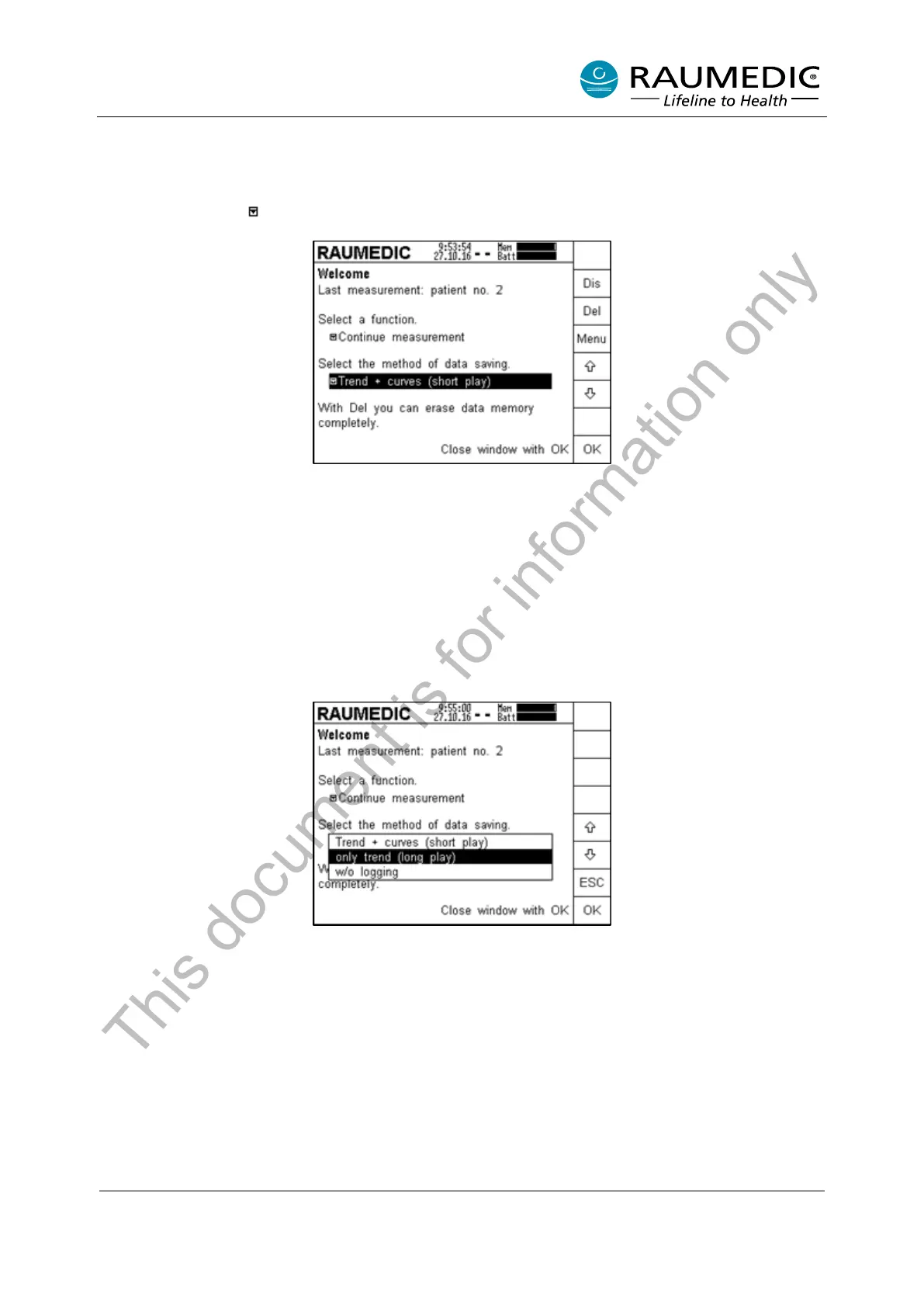
4.2.4 Selecting the memory mode
In the next step, the memory mode can be selected. This step is not obligatory.
For the selection of the memory mode, use an arrow key to navigate to the next pull-down menu which can
be recognised by the symbol.
If the memory mode displayed is okay, no other selection needs to be done. If you want to continue with
the displayed memory mode, press the Menu key first of all. The works settings are „Trend + curves (short
play)“.
Two memory modes are available:
• Trend + curves (short play)
• only trend (long play)
If you want to set long-play mode, use the arrow key to navigate to “only trend (long play)”. If you want to
accept the selected setting, you can now press OK. If you want to discard your selection, press the ESC
key to return to the previous step.
This document is for information only



 To Next Page