Instructions for Use RAUMEDIC
MPR2 logO
Manufacturer: zwo-400EN
RAUMEDIC AG, Hermann-Staudinger-Strasse 2, 95233 Helmbrechts, Germany Rev. 9 2020-09-22
Page 61 of 99
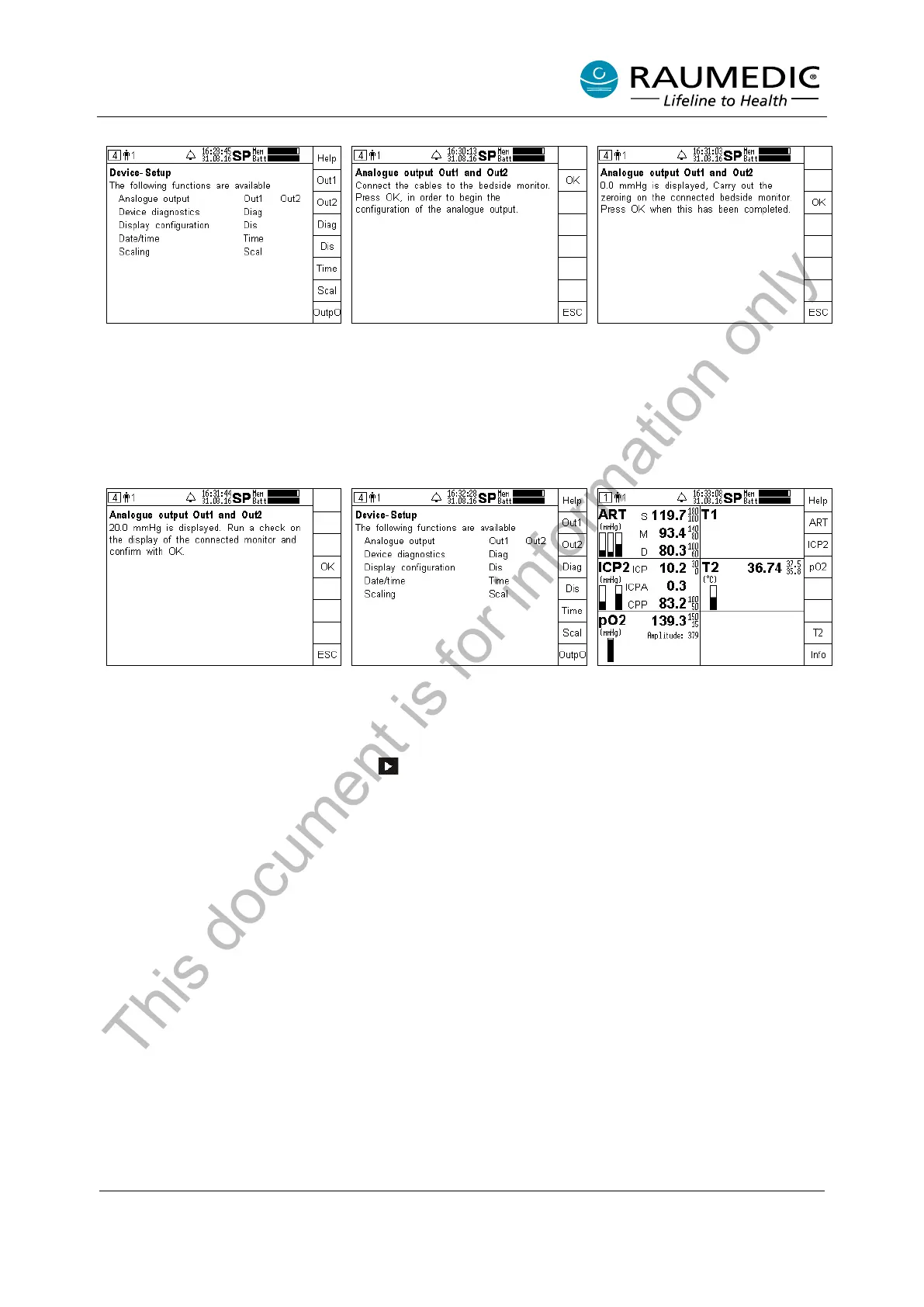
Step 1:
Call device setup
special function OutpO
Step 2:
Make the cable connections as
described and then press the OK
key
Step 3:
Carry out a null measurement at
the pressure inputs of the external
system. Press the OK key once
the null measurement has
successfully completed for both
pressure inputs
Step 4:
A control signal of 20 mmHg is
output on both
Check the displays on the external
system and confirm
Step 5:
After the OK confirmation in step
4, enter device setup (figure 4).
Exit screen 4 by pressing the next
key
Step 6:
pO2 is forwarded via Out1 and
ICP2 via Out2.
This document is for information only



 To Next Page