Instructions for Use RAUMEDIC
MPR2 logO
Manufacturer: zwo-400EN
RAUMEDIC AG, Hermann-Staudinger-Strasse 2, 95233 Helmbrechts, Germany Rev. 9 2020-09-22
Page 30 of 99
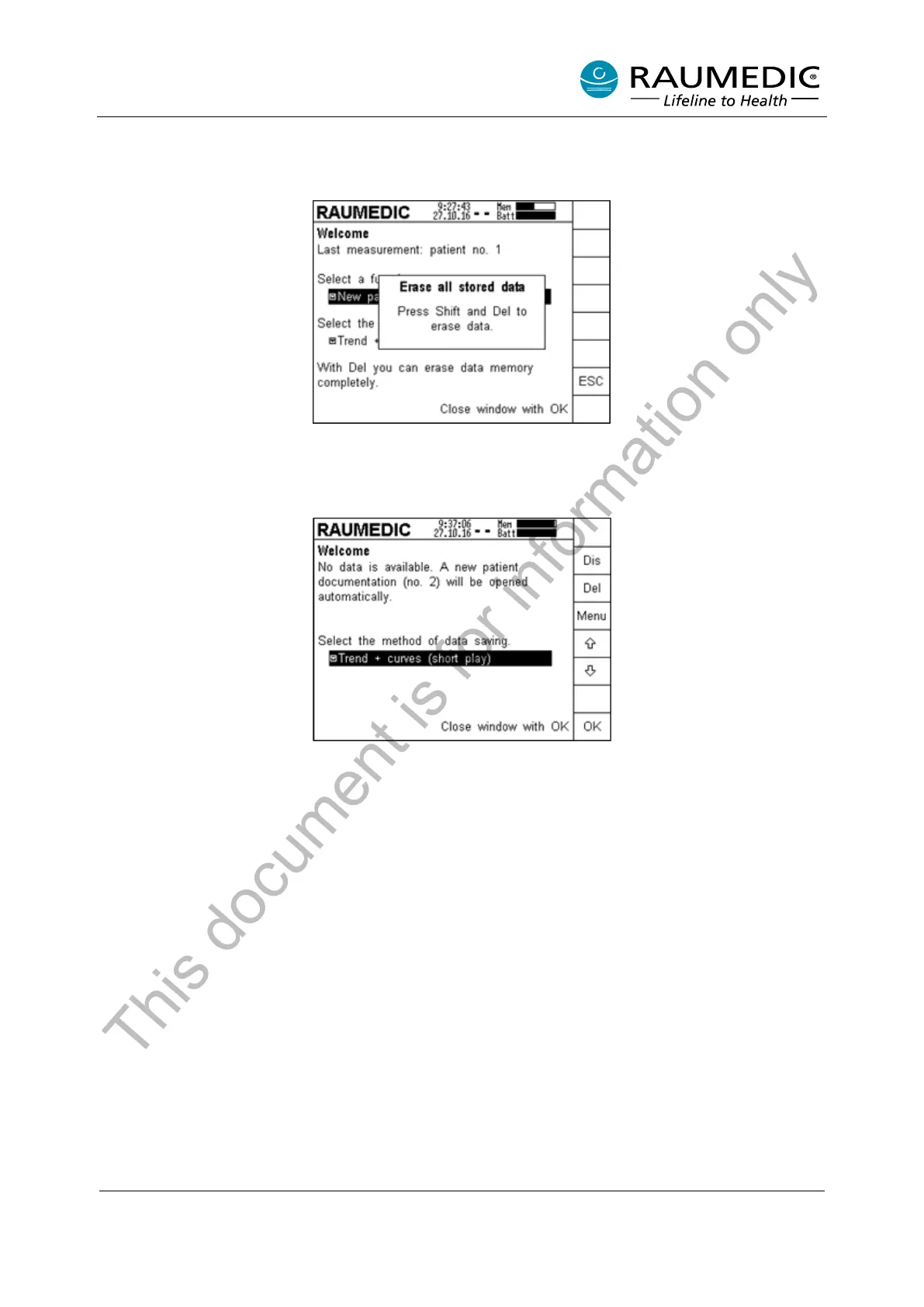
After the Del key has been pressed, the memory is not deleted immediately, but a confirmation enquiry is
displayed beforehand. This action prevents an erasure of the saved data by accidental actuation of the Del
key.
For irretrievable erasure of the data saved, press the Del delete key. The successful deletion of the data is
confirmed by an acoustic signal as well as a short note on the screen. After the deletion, the memory bar
is completely black.
As the available data have been erased, you cannot continue with the previous patient in this case, instead
a new patient documentation is opened automatically. At this point you can only select the memory mode.
This document is for information only



 To Next Page