Fishfinderchannels—Element™HVdisplays
ThefollowingfishfinderchannelsareavailableonElement™HVdisplays,
dependingonyourconnectedtransducer
.
R
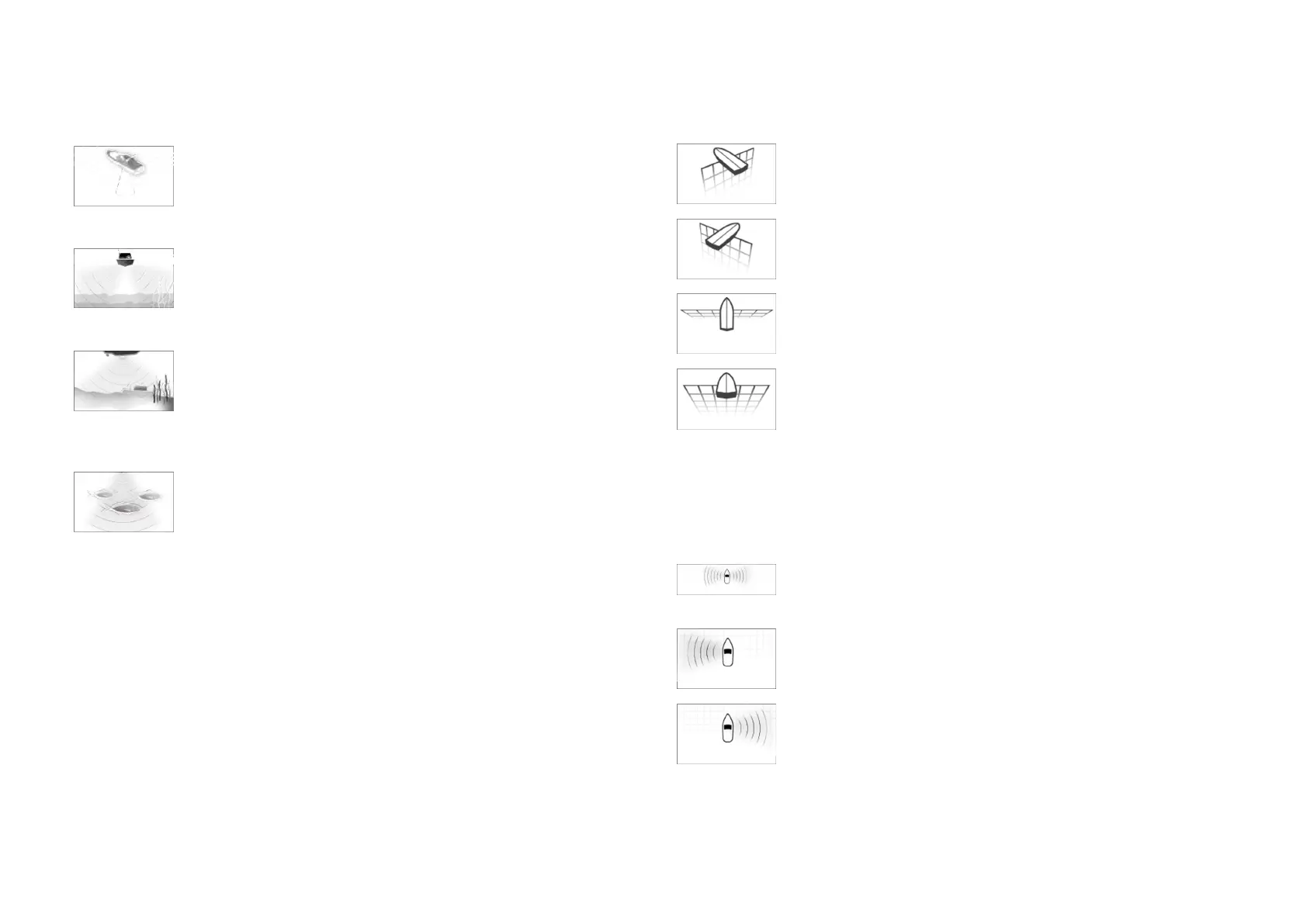
ealVision™3Dchannel(350kHz/1.2MHz)
TheRealVision™3Dchannelisavailablewhenconnectedto
aHyperVision™transducer.
TheRealVision™3Dfishfinderchannelprovidesascrolling
3Dviewofthewaterbehindandtothesidesofyourvessel.
Side
Vision™channel(350kHz/1.2MHz)
TheSideVision™channelisavailablewhenconnectedto
aHyperVision™transducer.
TheSideVision™fishfinderchannelprovidesaphotolike
Scrolling2Dviewofthewateroneachsideofyourvessel.
DownVision™channel(350kHz/1.2MHz)
TheDownVision™channelisavailablewhenconnectedtoa
HyperVision™orDownVision™transducer.
TheDownVision™fishfinderchannelprovidesaphotolike
scrolling2Dviewofthewaterbeneathandtothesidesof
yourvessel.
Sonarchannel(ConicalhighCHIRP(200kHz))
Thesonarchannelisavailablewhenconnectedtoany
compatibletransducer.
Theconicalbeamfishfinderchannelprovidesatraditional
scrolling2Dviewofthewaterbeneathyourvessel.
S witchingfishfinderchannelfrequency
OnElement™HVvariantdisplaysDownVision™,SideVision™andRealVision™
3Dchannelsareavailableinboth350kHz(Standard)and1.2MHz(Hyper)
frequencies.
WitheitherDownVision™,SideVision™orRealVision™3Dchanneldisplayed:
1.Pressthe[Menu]button.
2.Selectthe[Freq:]option.
3.Selecteither[Standard(350kHz)]or[HyperVision(1.2MHz)]asrequired.
HyperVision™channelsprovidehigherresolutionthanstandardchannels
withreducedrange.
RealVision™modes
WhentheRealVision™fishfinderchannelisselectedtheRealVision™fishfinder
modeswillbeavailablefromthemainmenu.
[OFFSETPOR
T]
Offsetportprovidesascrolling,3Dviewlookingatyour
vesselfromtheportside.
[OFFSETS
TBD]
Offsetstbdprovidesascrolling,3Dviewlookingatyour
vesselfromthestarboardside.
[ABOVE]
Aboveprovidesascrolling,3Dviewlookingdownatyour
vesselfromabove.
[FOLLOW]
Followprovidesascrolling,3Dviewlookingatyourvessel
fromoffthestern.
SideVision™modes
WhentheSideVision™fishfinderchannelisselectedtheSideVision™fishfinder
modeswillbeavailablefromthemainmenu.
[LEFT/RIGHT]
Left/rightmodeisaphotolike,scrolling,2Dviewofthe
wateronbothsidesofyourvessel.
[LEFT]
Leftmodeisaphotolike,scrolling,2Dviewofthewateron
theportsideofyourvessel.
[RIGHT]
Rightmodeisaphotolike,scrolling,2Dviewofthewater
onthestarboardsideofyourvessel.
Fishfinderapp
99





 To Next Page