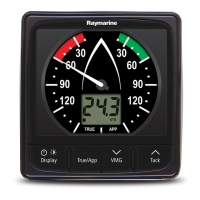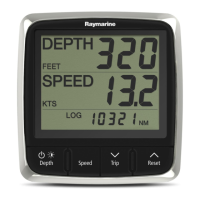
Why is my Raymarine A series Marine Equipment showing the wrong speed?
F
farmerlaurenSep 3, 2025
If you're getting an incorrect speed reading (DST) on your Raymarine Marine Equipment, check that the paddle wheel is clean. Add a speed offset if no speed offset is currently set. Re-calibrate the equipment. If the transducer does not have a speed element, install a transducer with a speed element to enable speed readings.
M
Michael DickersonAug 25, 2025
Why is the bearing of a target on the Raymarine A series radar screen incorrect?
M
mrobinsonAug 25, 2025
If the bearing of a target is incorrect on your Raymarine radar screen, it's likely that the radar bearing alignment needs adjustment. Check and adjust the radar bearing alignment to correct this issue.
S
Susan WalkerNov 27, 2025
Why won't my Raymarine A series product turn on or keeps turning off?
J
Justin SanchezNov 27, 2025
There could be several reasons why your Raymarine marine equipment isn't powering on or keeps shutting down. It might be due to a blown fuse or tripped breaker. Inspect all relevant fuses, breakers, and connections, and replace any that are faulty. If fuses repeatedly blow, check for damaged cables, broken connector pins, or incorrect wiring. Another cause could be a poor, damaged, or insecure power supply cable or connection. Ensure the power cable connector is fully inserted and locked. Inspect the cable and connectors for damage or corrosion and replace if needed. Flex the power cable near the display connector while the unit is on to check for reboots or power loss, and replace the cable if necessary. Also, verify the vessel's battery voltage and the condition of the battery terminals ...
J
Julie WattsSep 9, 2025
Why are the controls erratic or unresponsive on my Raymarine A series?
T
Thomas TorresSep 9, 2025
If you are experiencing erratic or unresponsive controls on your Raymarine Marine Equipment, check that the controller and thermal camera are correctly connected to the network. Verify the status of the Raymarine network switch, and ensure that SeaTalkhs / RayNet cables are free from damage. Make sure that no other controllers are in use at the same time. Check the power and network cabling to the controller and PoE injector (if used). If available, check other controllers to eliminate the possibility of a more fundamental camera fault.
X
xchangSep 15, 2025
Why do I have no media player control on my Raymarine A series?
C
Christina HumphreySep 15, 2025
If you have no media player control on your Raymarine Marine Equipment, it may be because the media player device is not compatible with the Bluetooth AVRCP protocol (version 2.1 or higher). Check the Bluetooth AVRCP compatibility with the device manufacturer. If the device is not Bluetooth AVRCP compatible then it is not suitable for wireless use with the multifunction display. Also, ensure that “Audio Control” is enabled on the multifunction display (Homescreen: > Set-Up > System Settings > Connections > Connections Manager > Audio Control > On).
M
Michelle NguyenSep 6, 2025
Why is the image upside down on my Raymarine Marine Equipment?
B
Bryan FrancisSep 6, 2025
If the image on your Raymarine Marine Equipment is inverted (upside down), ensure that the Ball down setting within the thermal camera system setup menu is set correctly.
K
Kathleen CookAug 31, 2025
Why are the controls on my Raymarine A series erratic?
K
kentrobertAug 31, 2025
If you are experiencing erratic or unresponsive controls on your Raymarine Marine Equipment, check that the controller and thermal camera are correctly connected to the network. Verify the status of the Raymarine network switch and ensure that SeaTalkhs/RayNet cables are free from damage. Ensure that no other controllers are in use at the same time to avoid control conflicts. Check the power/network cabling to the controller and PoE injector (if PoE is only used with optional Joystick Control Unit). If available, check other controllers to eliminate the possibility of a more fundamental camera fault.
D
Debra MorganSep 22, 2025
How to fix problematic depth readings or sonar image on Raymarine Boating Equipment?
S
Sean MillsSep 22, 2025
In case of problematic depth readings or sonar images, check the sonar presets, gain, and frequency settings as they might be inappropriate for the current conditions. Also, check the voltage from the power supply; if it's too low, it can affect the transmitting power of the unit. Ensure that the power, transducer, and all other cables to the unit are properly connected and free from damage. Verify that the transducer is mounted correctly and is clean. Adjust scroll speed.
L
Lisa RobersonSep 12, 2025
What does 'No signal' message mean on Raymarine A series?
N
Nicholas BoyleSep 12, 2025
If you see a 'No signal' message on the screen of your Raymarine Marine Equipment, check that the connections are sound and free from corrosion.
A
Amanda CarterAug 28, 2025
What to do if my Raymarine A series Marine Equipment product will not boot up (re-boot loop)?
Q
quinnrandyAug 28, 2025
If your Raymarine product is stuck in a reboot loop, the issue might stem from the power supply and connection, so check the solutions for ‘Products does not turn on or keeps turning off’. Another potential cause is software corruption. In that case, try re-flashing the latest software from the Raymarine website. As a last resort on display products, you can perform a ‘Power on Reset’. Be aware that this will erase all your settings, presets, and user data, reverting the unit to factory defaults.