5.
10Selectinganetworktype
Whenconnectingyourradiotootherdevicesitisimportanttoensureyouselectthenetwork
connectionandtypethatyouwantdatatobetransmittedover.
FromtheMainmenu:
1.Select
Set-up.
2.Select
Networkoutput.
Thefollowingnetworktypesareavailable:
•NMEA2000(default)
•0183Highspeed
•0183Stdspeed
3.Selectthenetworktyperelevanttothedevicesconnectedtoyourradio .Ifyourradioisnot
connectedtoanyotherdevicesanyoptioncanbeselected.
Selecting 0183Stdspeedwilldisablethebuilt-inAISreceiver,whereapplicable.
The NetworkoutputsettingdeterminesthebaudrateoftheNMEA0183input:
NetworkoutputsettingNMEA0183inputbaudrate
NMEA2000
S tandardspeed(4,800)
NMEA0183HighSpeed
Highspeed(38,400)
NMEA0183S tandardSpeed
Standardspeed(4,800)
5. 11EnteringyourMMSInumber
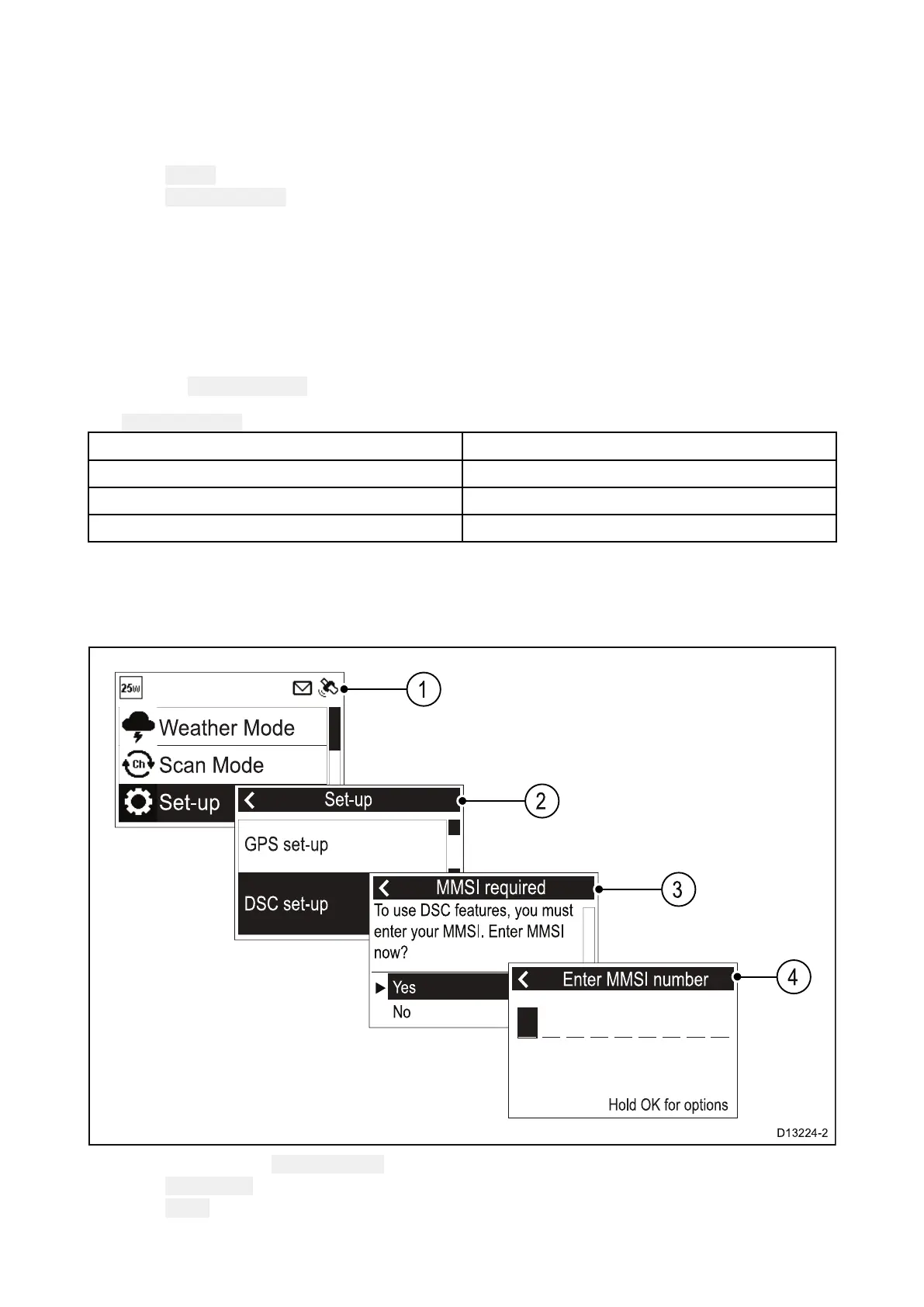
ToprogramyourradiowithyourMMSInumberfollowthestepsbelow.
FromtheSet-upmenu:( Menu>Set-up)
1.SelectDSCset-up.
2.SelectMMSI.
TheMMSIrequiredmessagewillbedisplayedifnoMMSInumberhasbeenset.
Gettingstarted
75



 To Next Page
 Loading...










