EasyManua.ls Logo

Raymarine ST60+ - User Manual

Raymarine ST60+
70 pages
Print Icon
To Next Page IconTo Next Page
Loading...
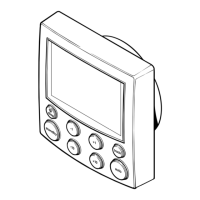
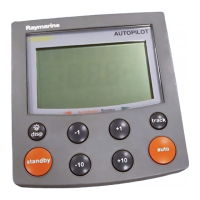
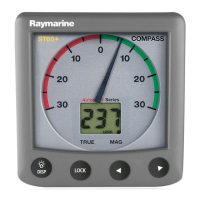
ST60+ Graphic
Display
Owner’s Handbook
Document reference: 81268-3
Date: August 2006
81268_3.book Page 1 Tuesday, August 1, 2006 8:05 AM

Table of Contents

Other manuals for Raymarine ST60+

Questions and Answers

  • D
    Donna AndersonJul 31, 2025
    What to do if Raymarine ST60+ Marine Equipment LAST flashes when under way?
    • M
      Margaret HooverJul 31, 2025
      If the LAST indication flashes when your Raymarine Marine Equipment is underway, it is likely due to aerated water caused by boat wakes or propeller wash. Ensure the reading stabilizes when clear of disturbed water.
  • A
    afullerAug 7, 2025
    What to do if Raymarine ST60+ LAST is flashing or dashes displayed continuously?
    • A
      Andrea WilsonAug 7, 2025
      If LAST is flashing or dashes are continuously displayed on your Raymarine Marine Equipment (with depth greater than 3 ft), it suggests a transducer cable or connector fault. Check the condition of the transducer cable and ensure the connections are secure.
  • L
    Luis BeckerAug 15, 2025
    Why is there no transfer of information between Raymarine SeaTalk Marine Equipment instruments?
    • J
      Jennifer AndersonAug 15, 2025
      A lack of information transfer between Raymarine SeaTalk instruments may stem from a SeaTalk cable or connector fault. Try these steps: * Check the security of SeaTalk connectors. * Check the condition of SeaTalk cables. * Isolate the faulty instrument by disconnecting instruments one by one.
  • C
    Carol WilliamsAug 21, 2025
    Why is a group of Raymarine SeaTalk Marine Equipment instruments failing?
    • Z
      zburnsAug 21, 2025
      If a group of Raymarine SeaTalk Marine Equipment instruments is failing, the problem might be a SeaTalk cable or connector fault. Check the security of SeaTalk connectors between functioning and non-functioning instruments.

Summary

Preface

Important Information

Contains critical warnings for installation, operation, electrical safety, and navigation.

EMC Conformance

Discusses adherence to Electromagnetic Compatibility (EMC) standards for Raymarine equipment.

Handbook Information

States the accuracy of information at the time of printing and policies on product improvements.

Product Disposal

Explains compliance with the Waste Electrical and Electronic (WEEE) Directive for product disposal.

Introduction to ST60+ Display

Introduces the ST60+ Graphic Display and its capabilities.

Data Inputs and SeaTalk System

Explains data reception via SeaTalk and NMEA, and details the SeaTalk system.

Remote Control and Mounting Options

Details remote operation via SeaTalk Keypad and available mounting methods.

Parts Supplied

Lists all components included with the ST60+ Graphic Display.

Chapter 1: Operation

Getting Started

Covers initial information display, calibration needs, and switching the instrument on/off.

Accessing Information

Explains how to navigate chapters/pages, display types, rolling road, and graphs.

Chapter and Page Details

Lists detailed information for Depth, Speed, Wind, and Heading chapters.

Using Favorite Pages

Explains how to set up and use custom Favorite pages for frequently accessed data.

Autopilot and Alarm Information

Details autopilot status display, track button usage, and alarm messages.

Display Settings

Covers adjusting display illumination (backlighting) and contrast levels.

Chapter 2: Maintenance & Troubleshooting

Maintenance

Provides guidelines for safe servicing, instrument care, cleaning, and cable inspection.

Troubleshooting

Offers preliminary checks, fault finding, and details on technical support channels.

Chapter 3: Installation

Planning and Site Requirements

Covers installation planning, site requirements, and critical warnings for dryness and EMC.

Installation Procedures

Details unpacking, fitting options (surface, flush, bracket), and safety precautions.

Connecting the Display

Explains mandatory SeaTalk connections, optional NMEA connections, and power requirements.

NMEA and External Connections

Details NMEA IN/OUT connectors, supported NMEA data, and connection procedures.

Chapter 4: Calibration

Introduction and User Calibration

Introduces calibration and lists functions configurable via User calibration.

User Calibration Details

Covers Favorite page rollover, chapter titles, heading type, and depth offset settings.

Setting Depth Offset

Emphasizes the critical importance of setting the depth offset correctly to avoid grounding.

Advanced User Settings

Details battery alarm threshold, internal alarms, variation, date/time formats, units, NMEA OUT, pilot pop-up.

Instrument Configuration

Explains how to define which pages are available for display during normal operation.

Dealer Calibration

Outlines Dealer calibration procedures for response settings, battery voltage, default reset, and self-test.

Operation Checks

Advises on performing basic checks and NMEA connectivity tests after calibration.

Glossary

Index

Raymarine ST60+ Specifications

General IconGeneral
BrandRaymarine
ModelST60+
CategoryMarine Equipment
LanguageEnglish

Related product manuals