11
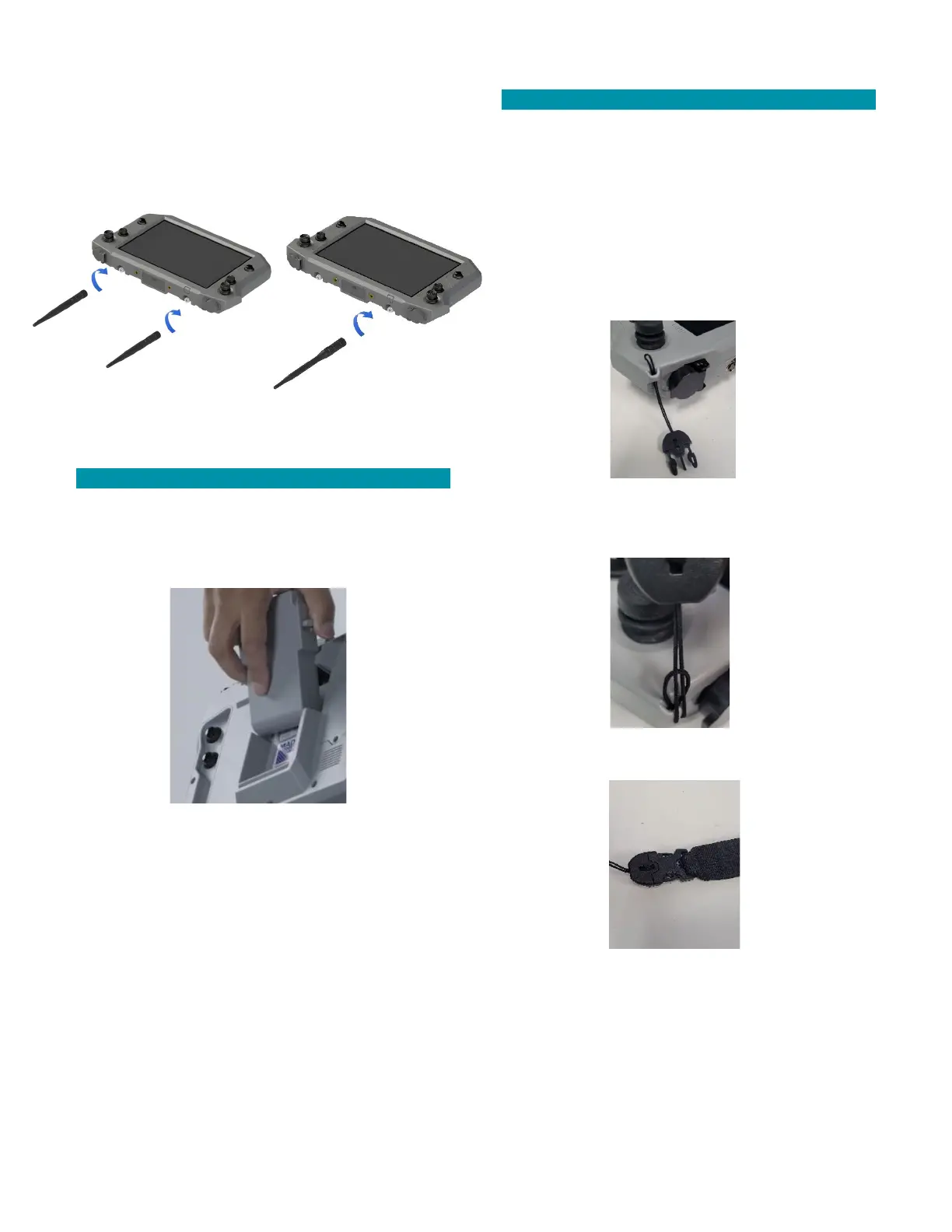
If not already installed, attach the antenna(s) by
securely screwing the end in a clockwise direction onto
the TNC connector(s) on the TAC.
MIMO
Antenna
TAC BATTERY PACK
Insert and securely latch a fully charged Teal
Performance Battery Pack into the TAC battery
compartment.
Verify that both battery pack side latches are fully
engaged with the TAC housing to securely capture the
battery.
TAC OPTIONAL 4-POINT HARNESS
A 4-point adjustable harness is included with the TAC
kit is that can be attached to the TAC. This is optional
but may help prevent operator fatigue by supporting
the weight of the TAC and to help maintain the TAC in
an optimal operating position.
Unbuckle the four (4) loop ends from the harness.
Feed each buckle cord loop through an attachment
point at each corner of the TAC.
Feed each buckle through its own cord loop and pull it
tight.
Reattach the four (4) loop-end buckles to the harness.
Make sure that the two (2) harness straps with the
plastic loops are the ones attached to the top two (2)
attachment points.



 To Next Page