33
VIDEO MODE
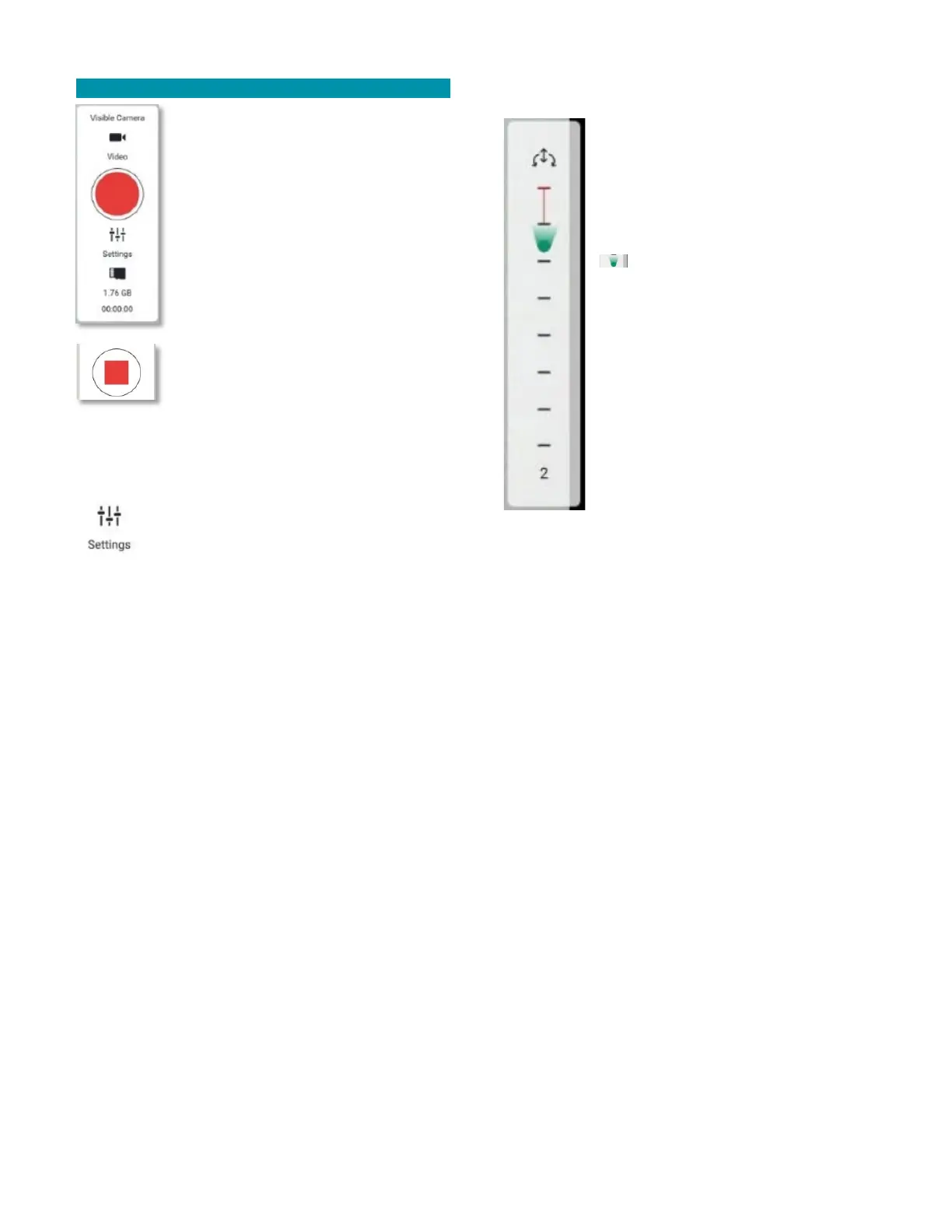
Touch the red circular trigger to start
video recording. The button will
change to a red square inside the
circle, indicating video is being
recorded. Touch this red square to stop
video recording. The red circle icon will
reappear.
The amount of storage remaining is
indicated below the SETTINGS icon,
and the elapsed time of the current
video is also seen at the very bottom of
the window. When not recording, the
elapsed time counter shows 00:00:00.
Alternatively, press the front lower
right button on the TAC to also start and stop video
recording. The icons will behave as described above to
indicate whether video is being recorded.
Touch the SETTINGS icon to open the
VIDEO SETTINGS window. Here you can
select either the EO or IR cameras,
select whether the video screen will fit screen height or
stretch, and turn on/off screen grid on the FLY SCREEN.
Alternatively, press the upper left switch button on
the rear-panel of the TAC to toggle the active camera
between EO and IR.
GIMBAL CONTROL PANEL
The gimbal pitch scale is simply a vertical
bar with 8 tick marks providing a quick
visual indication for the current gimbal
pitch position relative to its minimum
and maximum limits.
The gimbal yaw/pitch angle indicator (
) simultaneously provides a quick
visual indication of the current gimbal
pitch.
This indicator also roughly shows the
gimbal pitch angle by its relative vertical
position on the gimbal pitch scale. The
indicator slides up and down the scale as
the gimbal is pitched up and down,
respectively.
Touch and slide the gimbal pitch scale to
directly control the gimbal pitch angle.
Alternatively, you can use the GIMBAL CONTROL
CIRCLE (see the next section) or the TAC rear-panel
buttons to adjust the gimbal pitch angle.
At the bottom of the panel is a number indicating the
gimbal pitch angle in degrees (represented by the
number 2 in the example above). The Teal 2 gimbal
pitch angle ranges from about -110° to about +35° up,
with 0° being the absolute forward camera direction.



 To Next Page