54
SYSTEM SOFTWARE
DETAILS
ACCESSING THE APPS
The TAC is built around a Samsung Galaxy Tab Active
Pro tablet running the Android operating system. A
number of Android applications are installed on the
TAC.
The Teal QGroundControl (Teal QGC)
app is launched upon system bootup.
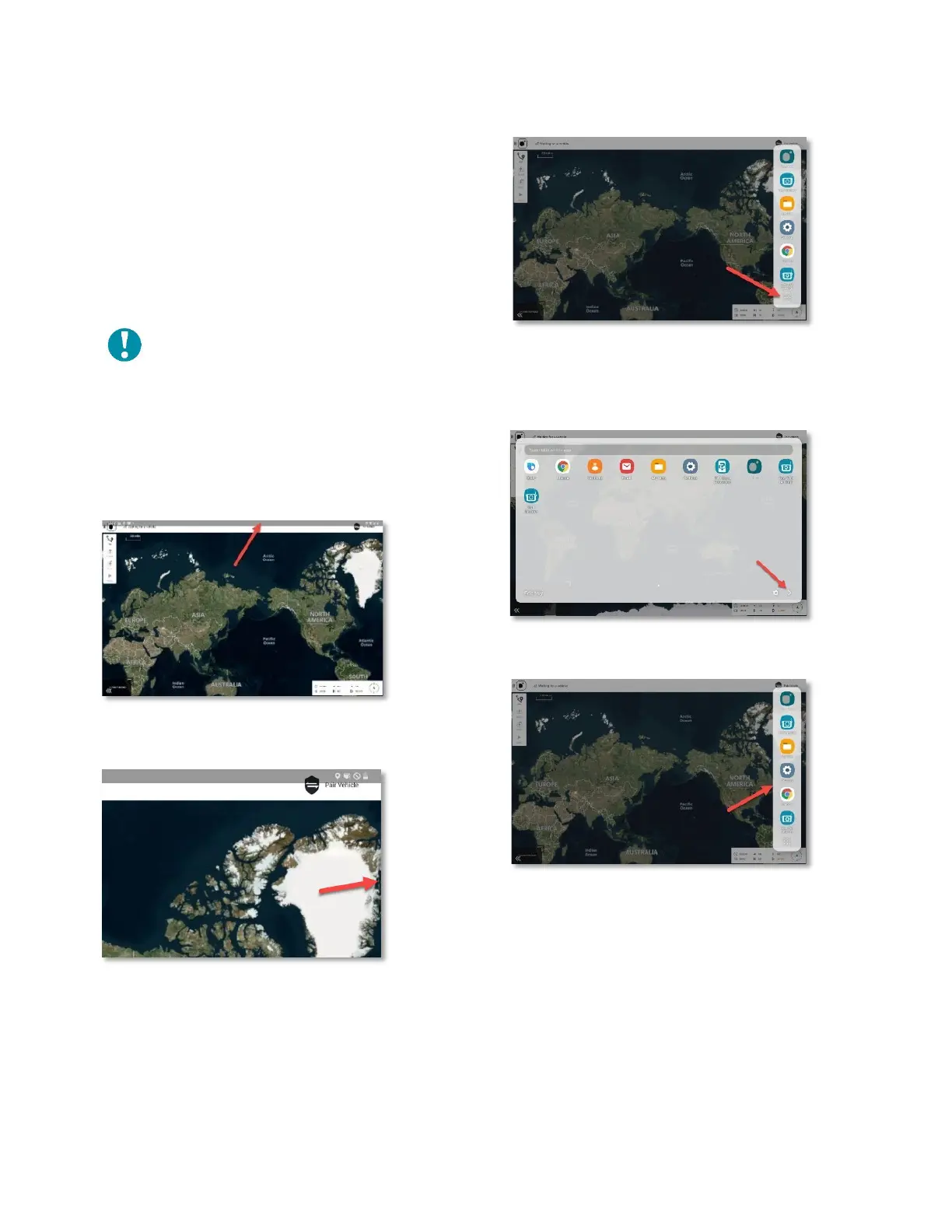
Touch anywhere along the top edge of the screen and
swipe downward.
Four (4) small dots appear the right edge of the screen.
Touch and slide these dots to the left. This opens a
vertical sidebar menu.
Touch the 9-dot icon to expand the sidebar to show all
the available apps.
Touch the right-pointing arrow at the lower-right-hand
corner of the tray to collapse the window back to the
compact sidebar menu.
Touch the icon to launch the desired app.



 To Next Page