10
PREPARE THE TEAL 2
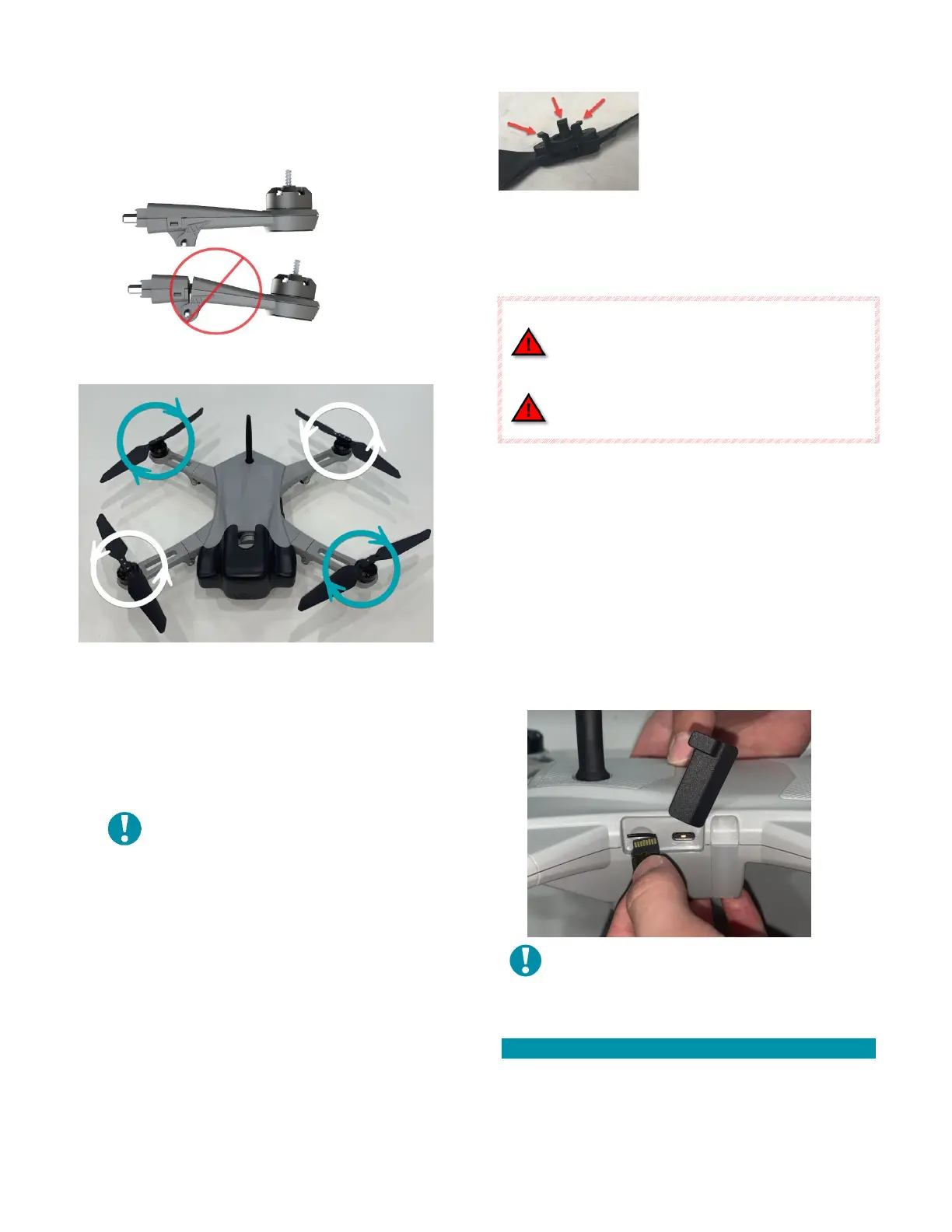
Unfold all four (4) arms and securely lock each into
their fully extended position.
Attach the propeller (prop) assemblies to the motors
by matching up the hardware:
The two (2) clockwise (CW) prop assemblies have black
rivets securing their blades, and the two (2) CW
propeller motors have a black ring below the spring.
The two (2) counterclockwise (CCW) prop assemblies
have silver rivets securing their blades, and the two (2)
CCW propeller motors have a silver ring below the
spring.
NOTE: CW prop assemblies lock into
place by turning it in a CCW direction,
and CCW prop assemblies lock into
place by turning it in a CW direction.
To attach a prop assembly to a
motor, line up and insert the
three (3) bent legs on the
underside of the prop assembly
into the three (3) slots on the
motor.
Push down to compress the spring on the shaft, then
rotate a quarter turn until it hits its mechanical limit.
Allow the spring to push the hub up into its locked
position.
Replace the arm if the arm lock mechanism
is worn and does not securely lock.
Replace any propellers if they are nicked or
cracked.
Remove the gimbal protective cover by pulling it
directly away from the drone.
Insert and securely latch a fully charged battery pack
into the battery compartment of the drone, located on
the bottom of the drone airframe.
Verify that both battery pack latches are fully engaged
with the drone airframe to securely capture the battery
pack.
Insert the optional SD Card into the card slot in the
airframe.
NOTE: The SD Card MUST be inserted with
the gold pads up (this is normally
considered “upside-down”)!
PREPARE THE TAC
You will need to attach the antenna(s), insert a fully
charged battery pack, and secure the optional 4-point
harness before operating the TAC.
TAC ANTENNA(S)



 To Next Page