55
TEAL QGC APP
Teal QGC is the ground control application software
running in Android on the TAC. It is the primary user
application for flying the Teal 2. Teal QGC launches by
default when the TAC is powered on.
Teal QGC is Teal’s customized version of Auterion’s
open-source QGroundControl (https://auterion.com/
)
with customizations and enhancements added to
optimize robustness and usability.
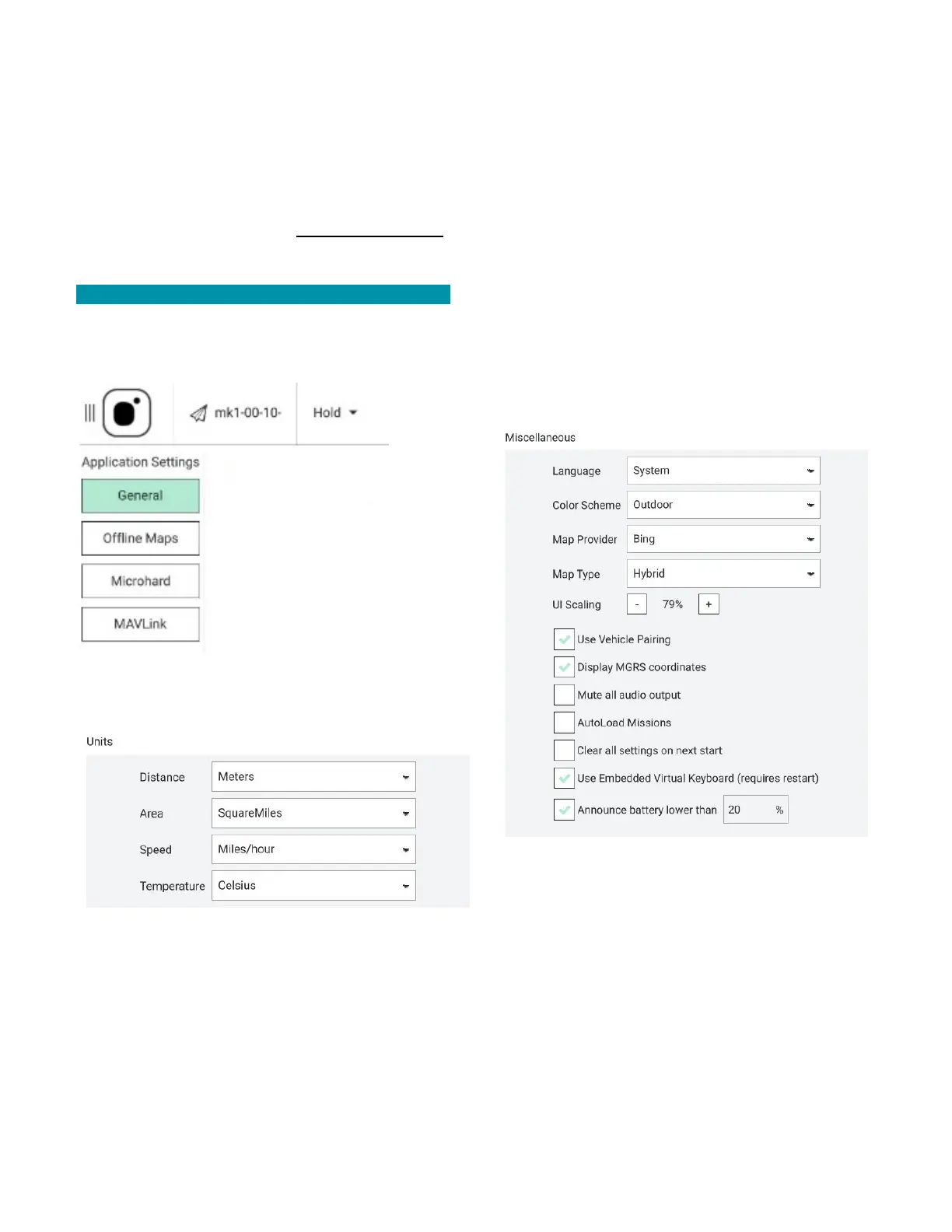
GENERAL SETTINGS
The general settings screen is used to view and manage
a variety of Teal QGC software application settings:
UNITS: Set units of measurement for distance, area,
speed, and temperature. Choose between feet and
meters, imperial and metric, and Celsius and
Fahrenheit.
MISCELLANEOUS: Customize or enable/disable the
following features:
• Language
• Outdoor/indoor read modes (light/dark screen
modes)
• Map provider
• Map type
• UI scaling
• Display MGRS coordinates
• Mute all audio output
• Autoload missions
• Clear all settings on next start
• Turn on/off the embedded virtual keyboard
• Announce low battery charge levels
DATA PERSISTENCE: Disabling this option will result in
telemetry logging and map tile caching to not be
written to disk. This can be useful for security reasons
but can also result in unintentional data loss.



 To Next Page