134
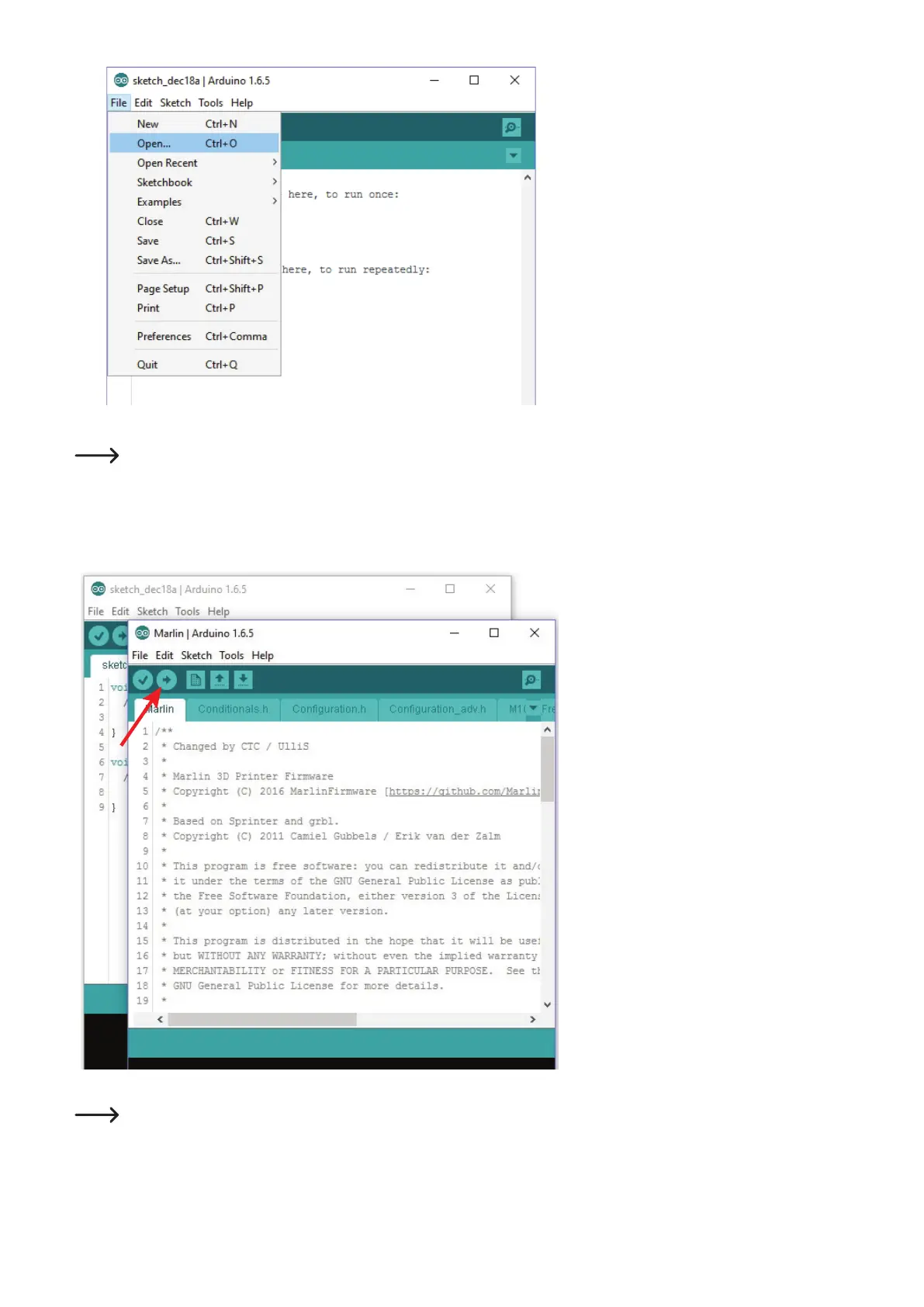
• Inthemenu"File", choose the option "Open..."andselectthele"Marlin.ino" from the download package.
Thele"Marlin.ino" can be found under the following directory path, depending on whether your printer has a heating bed installed
or not:
\DownloadBundelVx-x-x.zip\Firmware-Source\FirmwareRF500\Marlin-with-bed\Marlin-x.x.x\Marlin\Marlin.ino
\DownloadBundelVx-x-x.zip\Firmware-Source\FirmwareRF500\Marlin-without-bed\Marlin-x.x.x\Marlin\Marlin.ino
• Anewwindowopens.
• Inthenewwindow,clickthebuttonwiththearrowtotherightinordertotransferthenewrmwaretothe3D-printer.
Once the update has started, the USB connection to the printer must not be interrupted. This may cause irreparable damage.
• Afterasuccessfulrmwareupdate,the3D-printerwillstartagainandbrieydisplaythenewrmwareversionintherstdisplaylineafterthe
start.
1
2



 To Next Page