141
26. Annex
a)FineAdjustmentoftheFilamentInfeed
Thischapterdescribeshowtoadjustthelamentfeedprecisely,e.g.tocompensateforthetoleranceofthefeedknurl.
Preparation
• If it has not been done yet, install the software Repetier-Host incl. the drivers and connect the printer to the computer (see chapter
"19. Software "Repetier-Host"”).
• Ifnecessary,settheCOMportandconnecttheprinter.Thesymbolattheupperleftmustbegreenanditmustsay"Separate"below.
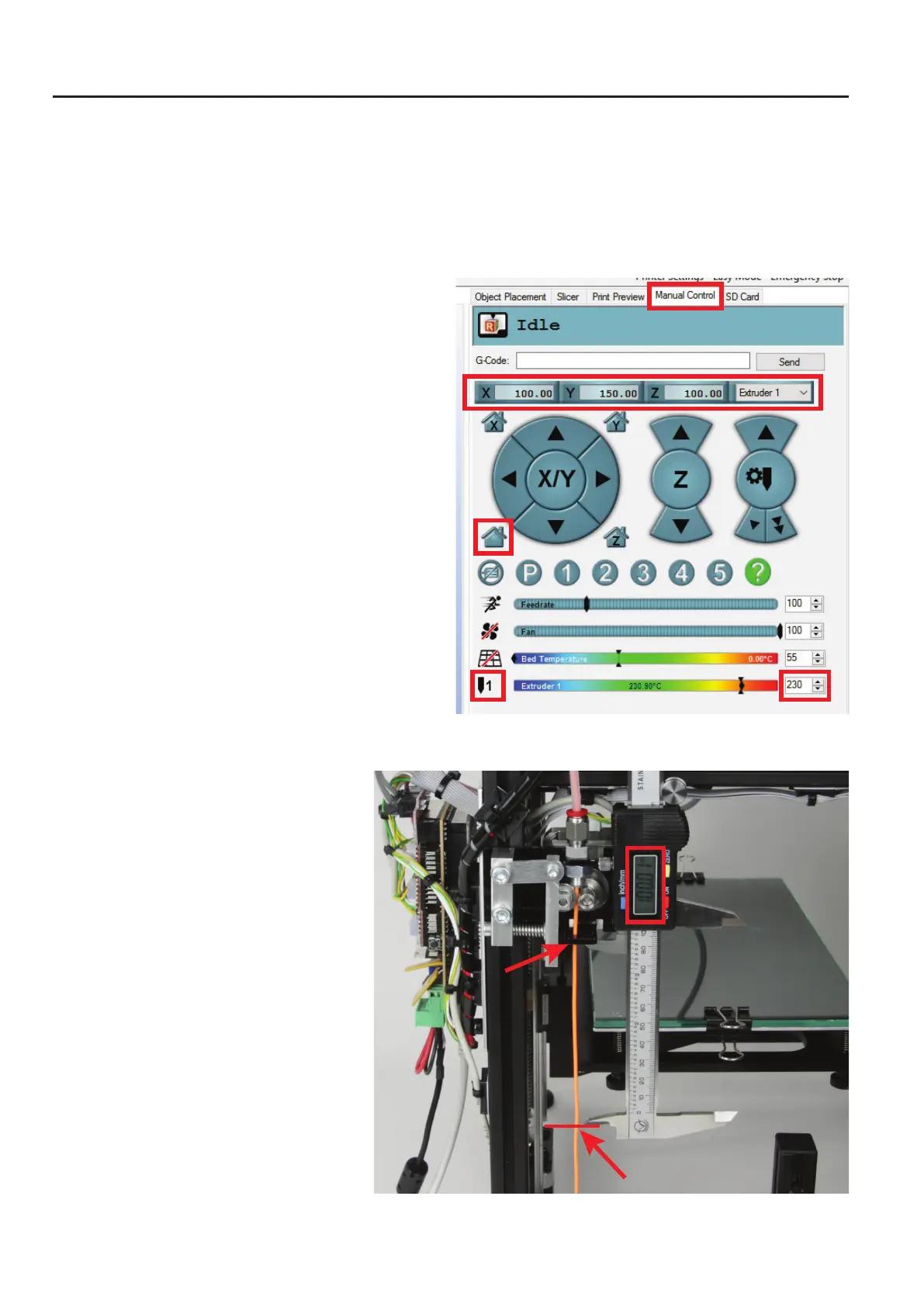
• Whentheprinterisconnected,switchto"Manual Control" in the
software.
The printer must only be controlled via the software throughout this
process.
• Moveallaxistothehomeposition.Forthis,clickthehouseiconat
the lower left.
• UsethearrowsX/YandZtomovetheheatingplateandtheex-
truder carriage roughly to the position indicated in the large red
box. This is about making the extruder accessible easily and ena-
blingthelamenttoexittheextruderwell.
• Heatuptheextrudertoprintingtemperatureandinsertalament.
Thenletitextrudealittlelament.Inourexample,weuseconven-
tionalPLAandthereforehavechosenatemperatureof230°C.
Measuringthefeed
• Mark 100 mm or 10 cm precisely at the inserted
lament,startingattheloweredgeofthepassing
through of the ball bearing.



 To Next Page