129
i)SettingupAnotherSlic3rVersion
This chapter describes how to set up another version of the slicer "Slic3r", e.g. if you want to use an older version as well or if a new
version has been published since.
• FirstdownloadyourdesiredversionofSlic3r.Youcanndthecorrespondingdownloadunderthefollowingaddress.
http://slic3r.org/download
Then click the button "Windows".
If you want to download an older version, click the folder "old/" in your web browser.
Downloadthedesiredle.
In our example, we have chosen experimental version 1.2.7 in 64 Bit and downloaded the following zip archive:
"slic3r-mswin-x64-1-2-7-experimental.zip"
• Oncethedownloadiscomplete,bestunpackthearchivestillinthedownloadfolder.
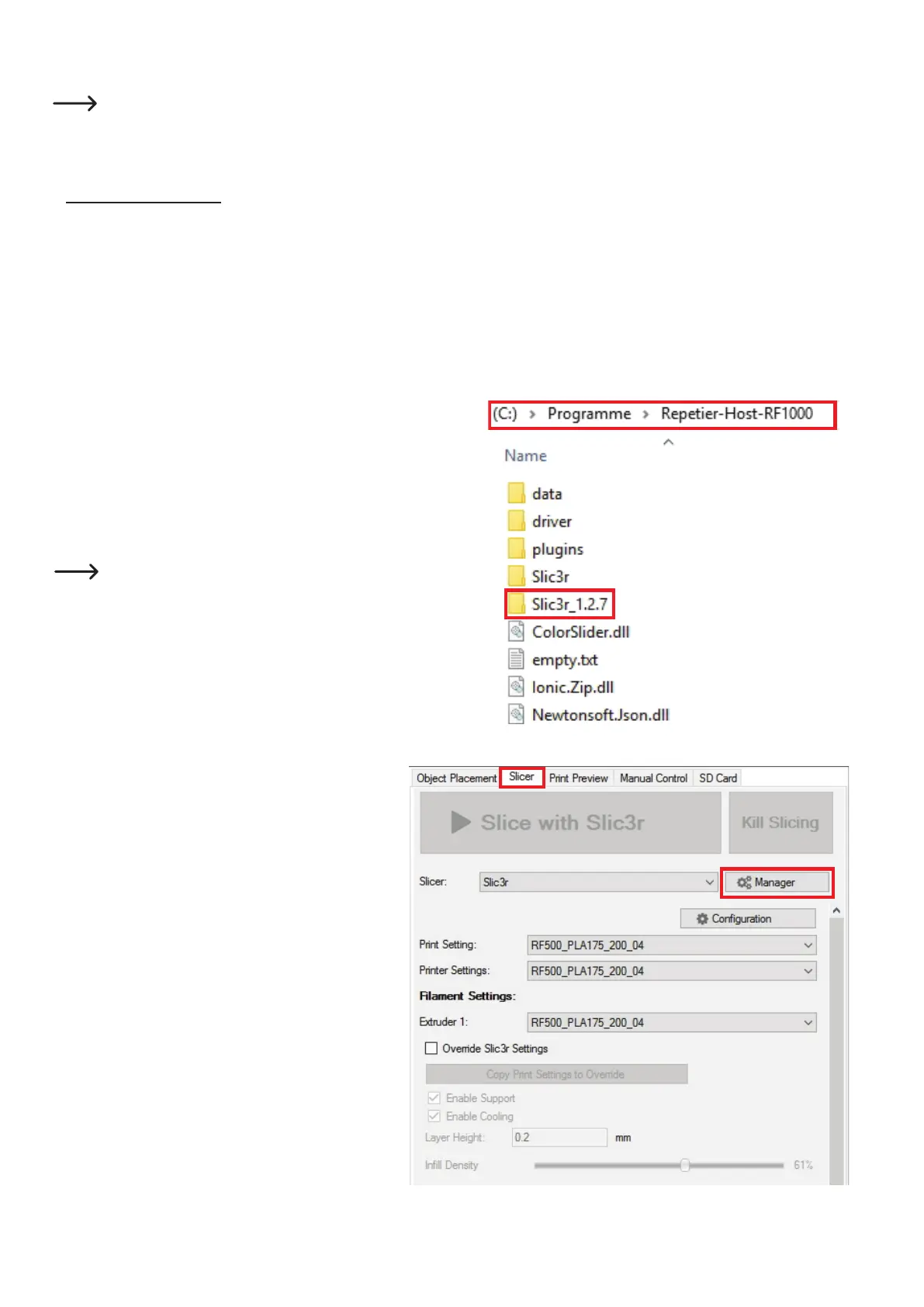
• Renametheunpackedfolder"Slic3r". Adding, e.g., the version number is
recommended here.
"Slic3r_1.2.7"
• Copy this renamed folder or, best, move it into the program directory
of the Repetier-Host software. This is also the program directory of the
original Slicer.
\Programme\Repetier-Host-RF1000\
Attention! If you do not rename the unpacked folder "Slic3r" and
still copy it into the directory, the already-existing folder "Slic3r"
in the directory "Repetier-Host-RF1000" will be overwritten!
• NowopentheRepetier-Hostsoftware.
• Clickthetab"Slicer" and then the button "Manager".



 To Next Page