117
f) Preparation for Print
Tobeabletoprinttheobject,itrstneedstobeslicedintoindividualprintinglayers.Thisprocessisreferredtoas"slicing".
Slicingoftheplacedprintingobject
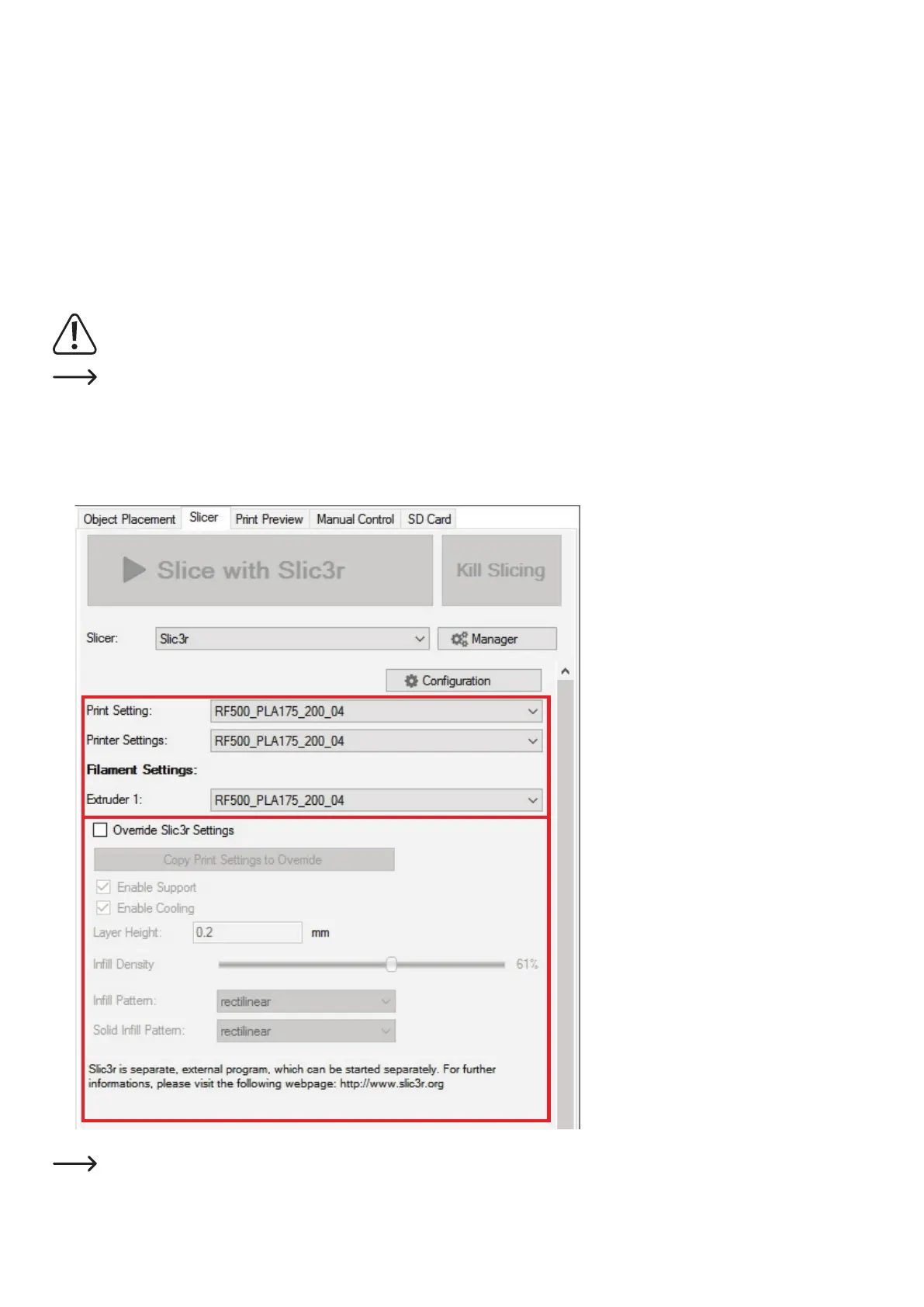
(1) Selectsuitableslicersettingsforyourprint.
The settings are always marked with the following routine:
Printer_Filamentmaterial_Layerthickness_Nozzlediameter
Example: RF500_PLA175_200_04=
RF500_1.75mmPLA_layerthickness200µm(=0.2mm)_nozzlediameter0.4mm
Alwaysusethesamesettingsintheinputelds"PrintSetting","PrinterSettings"and"Extruder1".
TheheatingintheprolesforPLAisswitchedoffbydefault.Ifyouwanttousethese,youneedtoactivatethefunctioninthecor-
respondingslicerprole(seechapter"19.h)MoreDetailedDescriptionoftheSlicerFunctions").
(2) Furthersettingscanbemadeoptionallyhere.However,thisshouldonlybedonebyexperiencedusers.Forfunctions,seetheonlinehelp
function of the software.
(3) Click"SlicewithSlic3r",toslicethe3Dle.
Thebestprintingresultscanbeachievedwiththeprolewiththesmallestlayerthickness.
Thiswouldbetheprole"RF500_PLA175_100_04". Printing will take longer accordingly.
1
2
3



 To Next Page