115
e)PlacementofaPrintingObjectintheSoftware
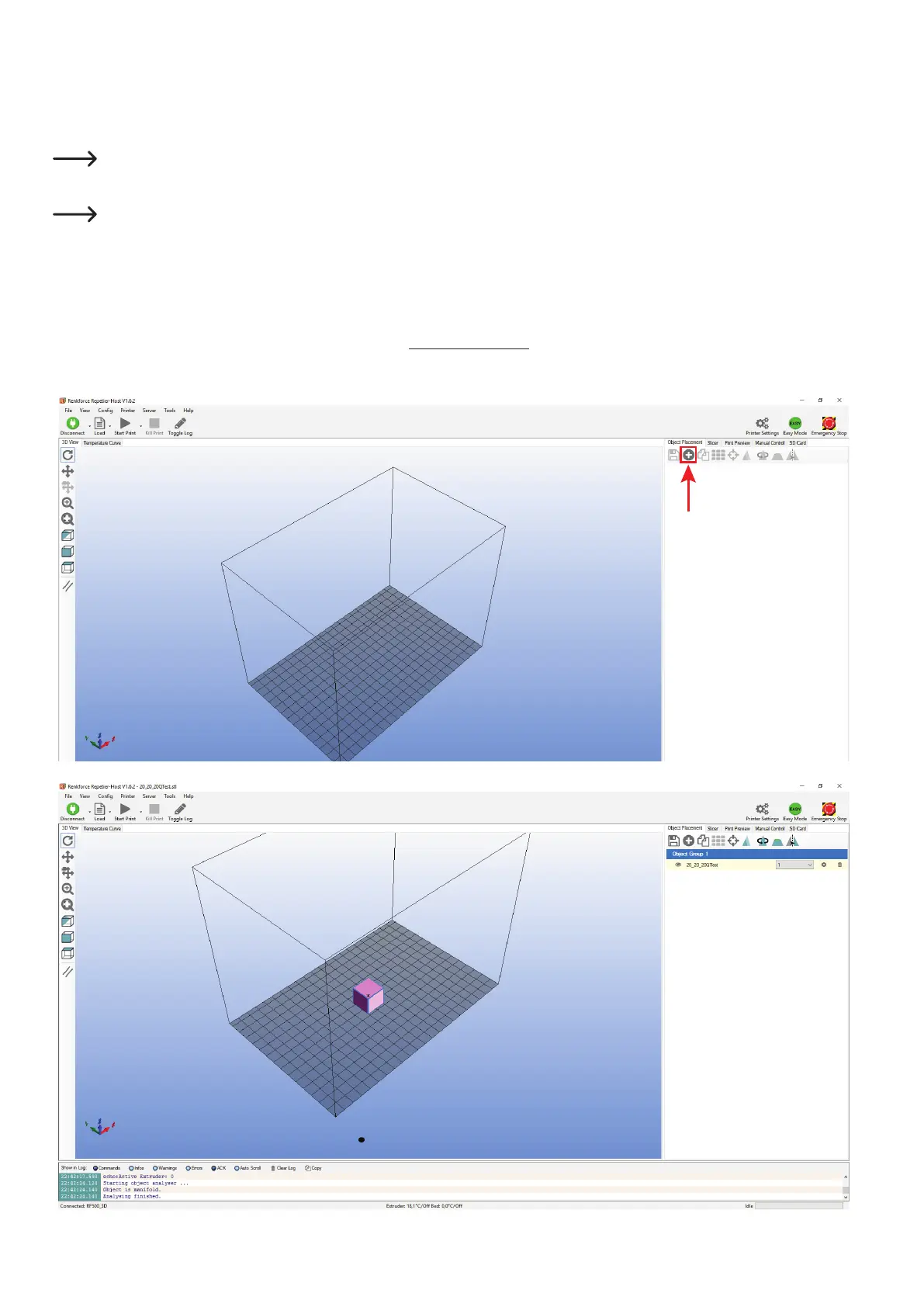
Click the "+" symbol on the main screen of the software in the object placement tab.
Selectthedesiredleandclick"OK".
Alternatively,youcanalsosimplypulltheleintothesoftware.
The 3D object "drops" onto the printing plate in the main window.
Thefollowingletypescanbeopenedwiththissoftware:
*.stl(STL-les)
*.obj(OBJ-les)
*.3ds(3D-Studio-les)
In the folder "STL"inthedownloadpackage,youwillndafewexamplesfortherstprintingattempts.However,therearemany
placesonlinewhereyoucandownload3Dles(e.g.www.thingiverse.com).
Alternatively, you can, of course, also use a 3D programme to make your own.



 To Next Page