121
h)MoreDetailedDescriptionoftheSlicerFunctions
Belowsomesettingsoftheslicerareexplainedthatareonlytobechangedbyexperiencedusers.Theuseofwrongset-
tingscanresultindamagetothe3Dprinterordefectiveprintouts.
Beginnersshouldrstworkwiththebasicsettingsthatareintegratedinthecustomversioninanycase.
Ifyoumakeanychangestothesettings,thesemustbesavedinthecongurationsettingsbyclickingthediscicon.
Savethedifferentsettingsasacongurationsetting.Assignuniquenamesforthedifferentcongurationsettingssothatyoucan
assignthemuniquelytothedifferentlamenttypes,printresolutions,etc.later.
For more information, read the integrated online help function.
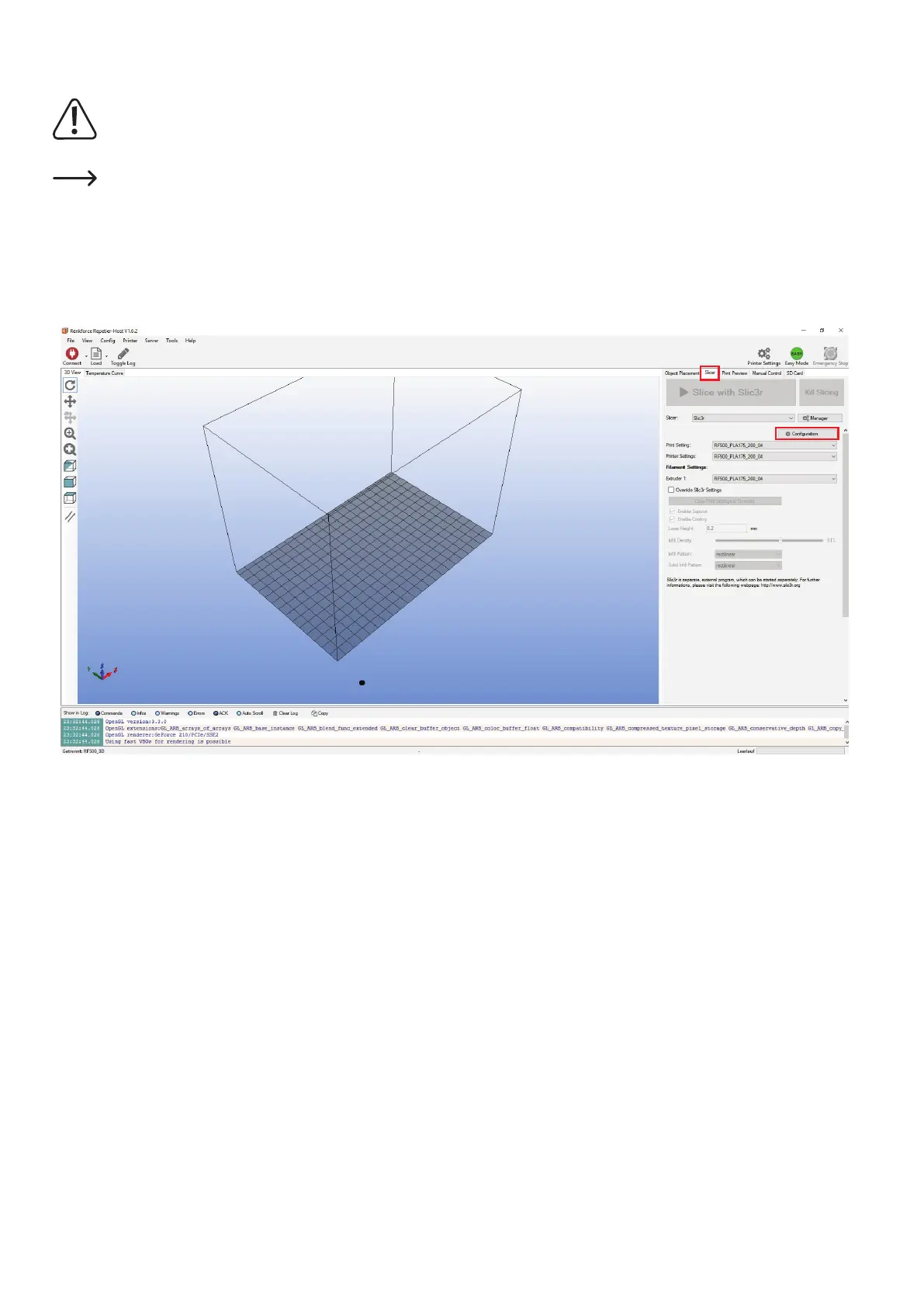
Click the software in the tab "Slicer"(1)to"Conguration"(2)intherightwindow.
TheSlicerwindowisopened(thismaytakeafewseconds).
1
2



 To Next Page