130
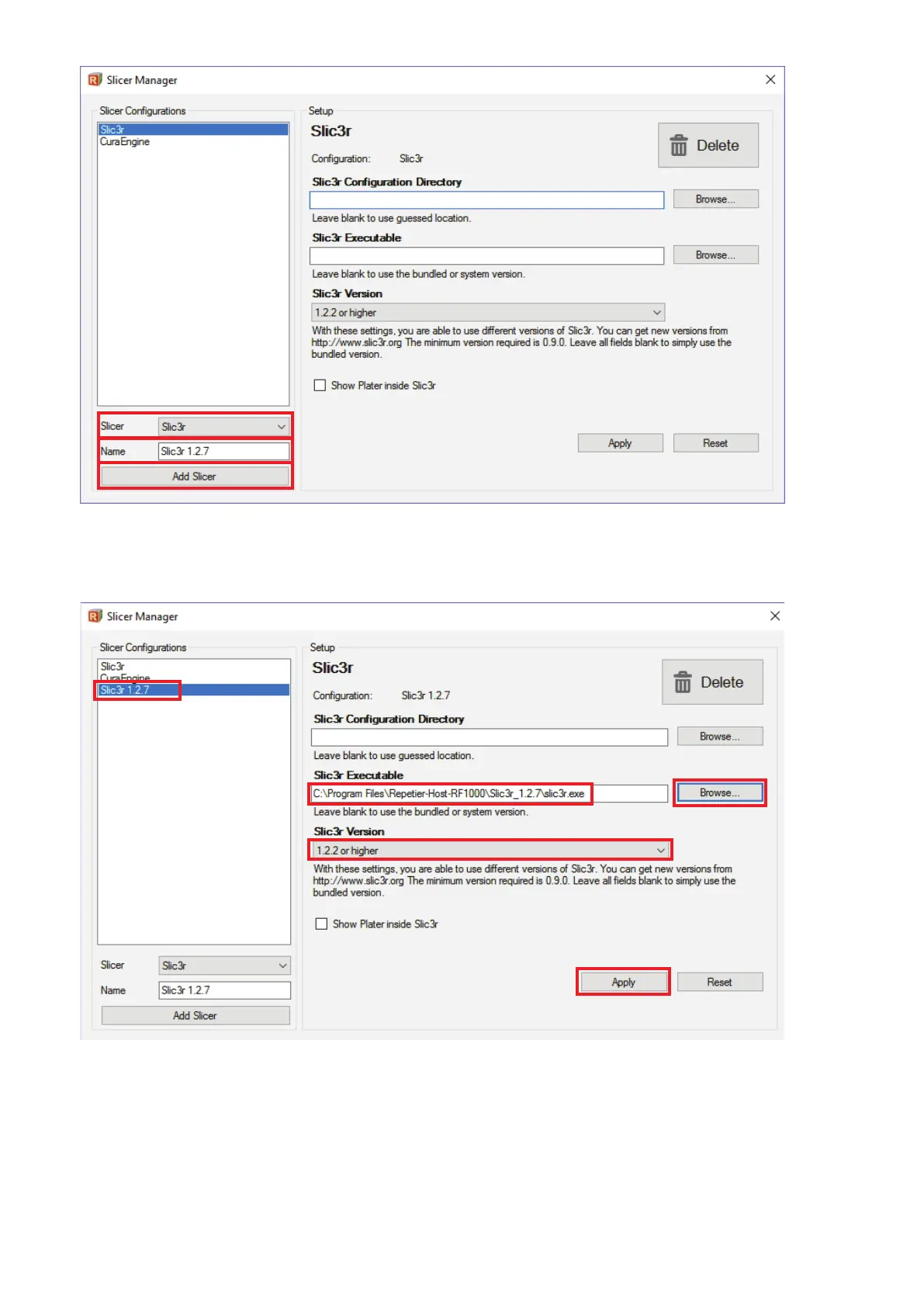
• Inthemenu"Slicer", choose the desired Slicer that you want to integrate. In our example, this would be the standard selection "Slic3r".
• Intheeld"Name",enterthedesirednameandconrmbyclicking"Add Slicer".
• SelectthenewlyaddedSlic3rbyclickingit(1).
• Right-click"Browse"(2).
• NavigatetothenewSlic3rprogramdirectoryinthewindowthatopensandselectthestartingle,inourexample"slic3r.exe", by double-
clicking(3).
• Selectthe"Slic3r"version(4)andconrmwith"Apply"(5).ClosethewindowwiththeXintheupperrightcorner(6).
1
3
5
4



 To Next Page