146
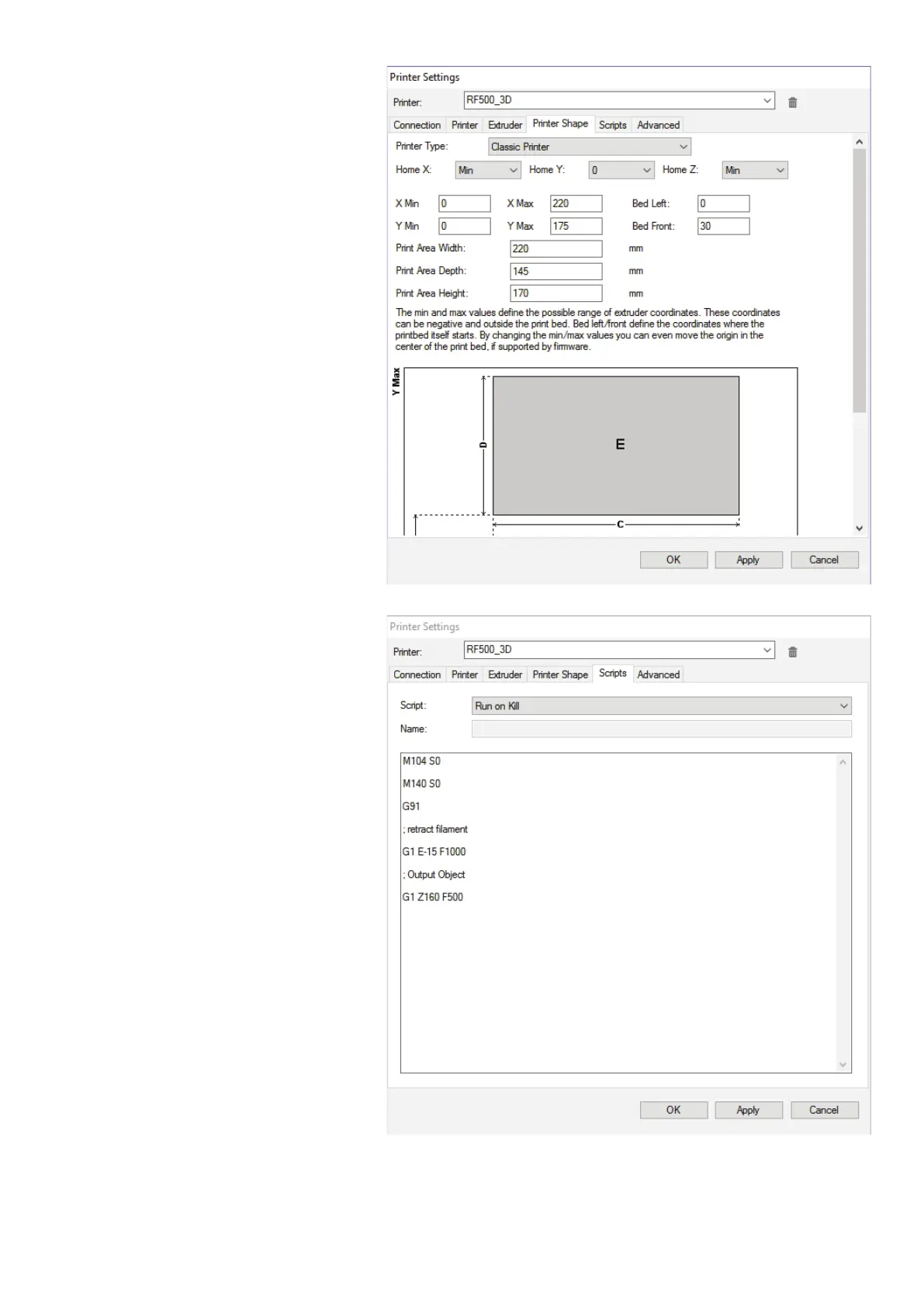
Click the tab "PrinterShape".
Transferthesettings1:1asshowninthefollowingg-
ure and click "Apply".
Click the tab "Scripts".
Here, you can enter, e.g., a special start code, end
code, etc.
Select the script "Run on Kill" or create it. Accept the
command lines as illustrated and click "Apply".
No settings are necessary in the tab "Advanced".
Click "OK".



 To Next Page