16
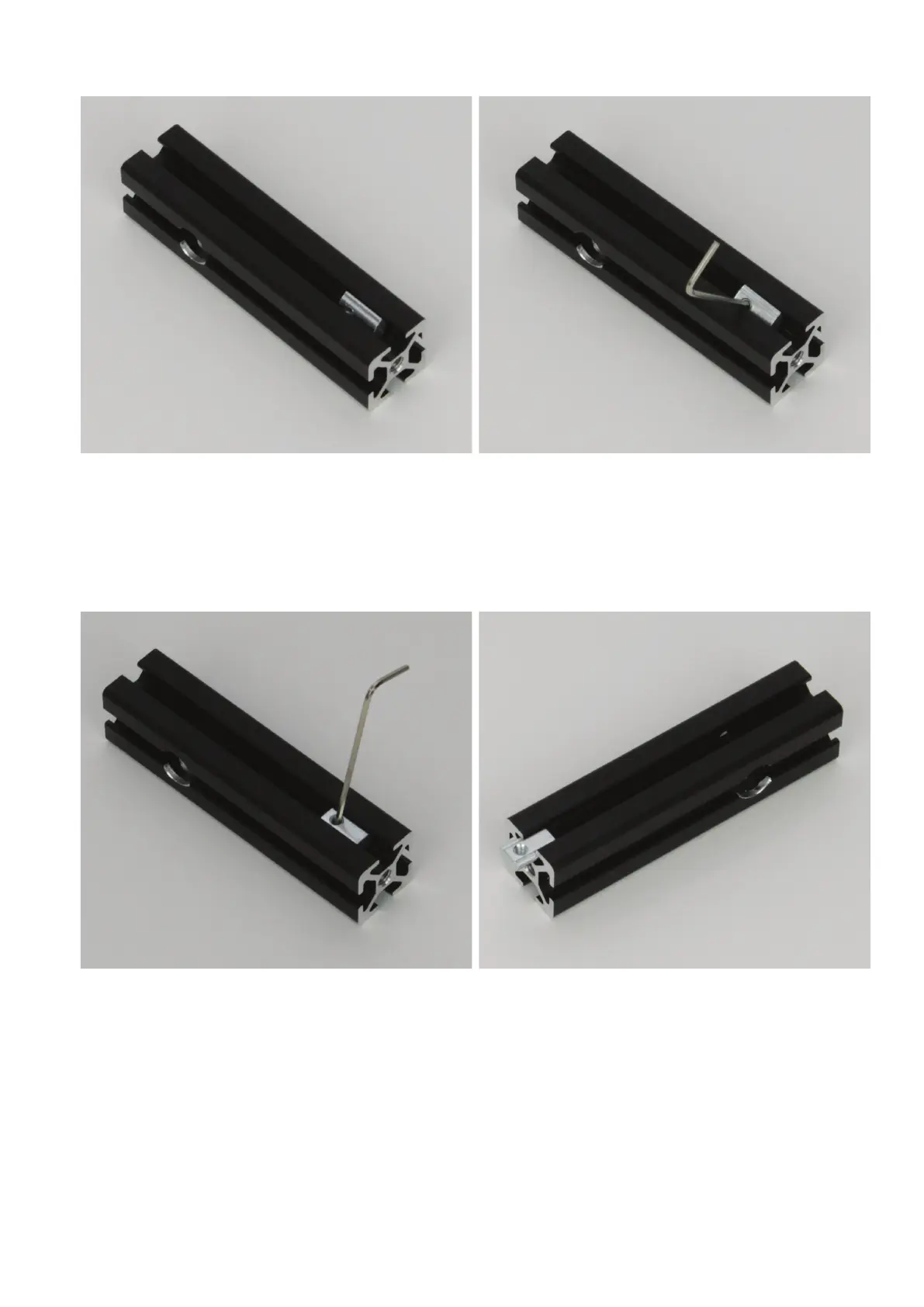
Useoftheslotnuts
Pushtheslotnutintothealuminiumproleslotturnedby90°longi-
tudinally.
Push, e.g., a small hexagon socket wrench or a similar tool carefully
into the slot nut's thread.
Turn the slot nut up until it "latches" and is held cleanly in the guide.
Now you can move it back and forth as desired.
When you tighten the respective screw in the slot nut, always make
sure that the slot nut is placed cleanly in the nut.
If you have to take out the slot nut, push it to the side so that it slips
from the guide. Then turn it as when inserting. If the slot nut has the
position shown in the 1st picture on this page, tip the thread up by
90°.Ifthenutprotrudesfromtheslot,justpullitout.
Alternatively,andwhiletheslotofthealuminiumproleisstillacces-
sible, you can also push the slot nut into the slot from the side or pull
it out that way.



 To Next Page