105
5.1.2 Emergency switch
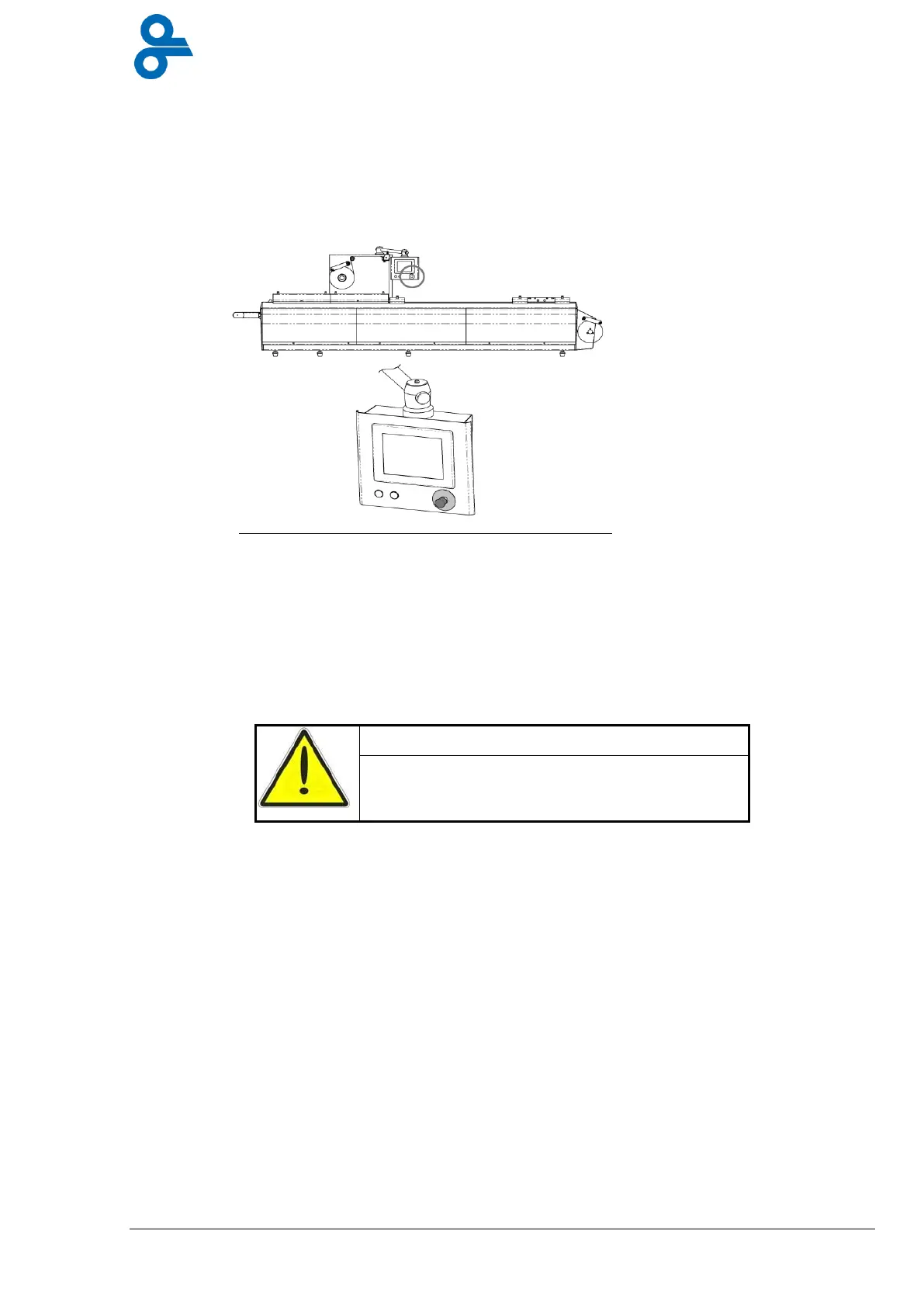
When danger threatens, always press the emergency switch immediately. The emergency
switch is on the front of the control panel and can be recognized by its red color with a yellow
edge below (see Figure 5.1). There may also be emergency switches at other points on the
machine. You should familiarise yourself with their locations.
When the emergency switch is pressed, The machine process is immediately halted and all
equipment opens. Note: the cylinders of the lifting systems and the film punch keep their
position when the emergency switch is activated! Once the dangerous situation has been
corrected, the machine can be re-set by turning the red button of the emergency switch to the
right. Then re-start the machine, using the start-up procedure specific for after an emergency
stop (see paragraph 5.2.5).
When the emergency switch halts the machine.
The machine main power is not switched off
Figure 5.1 Emergency switch


 To Next Page