73
4.3.8 Overview menu
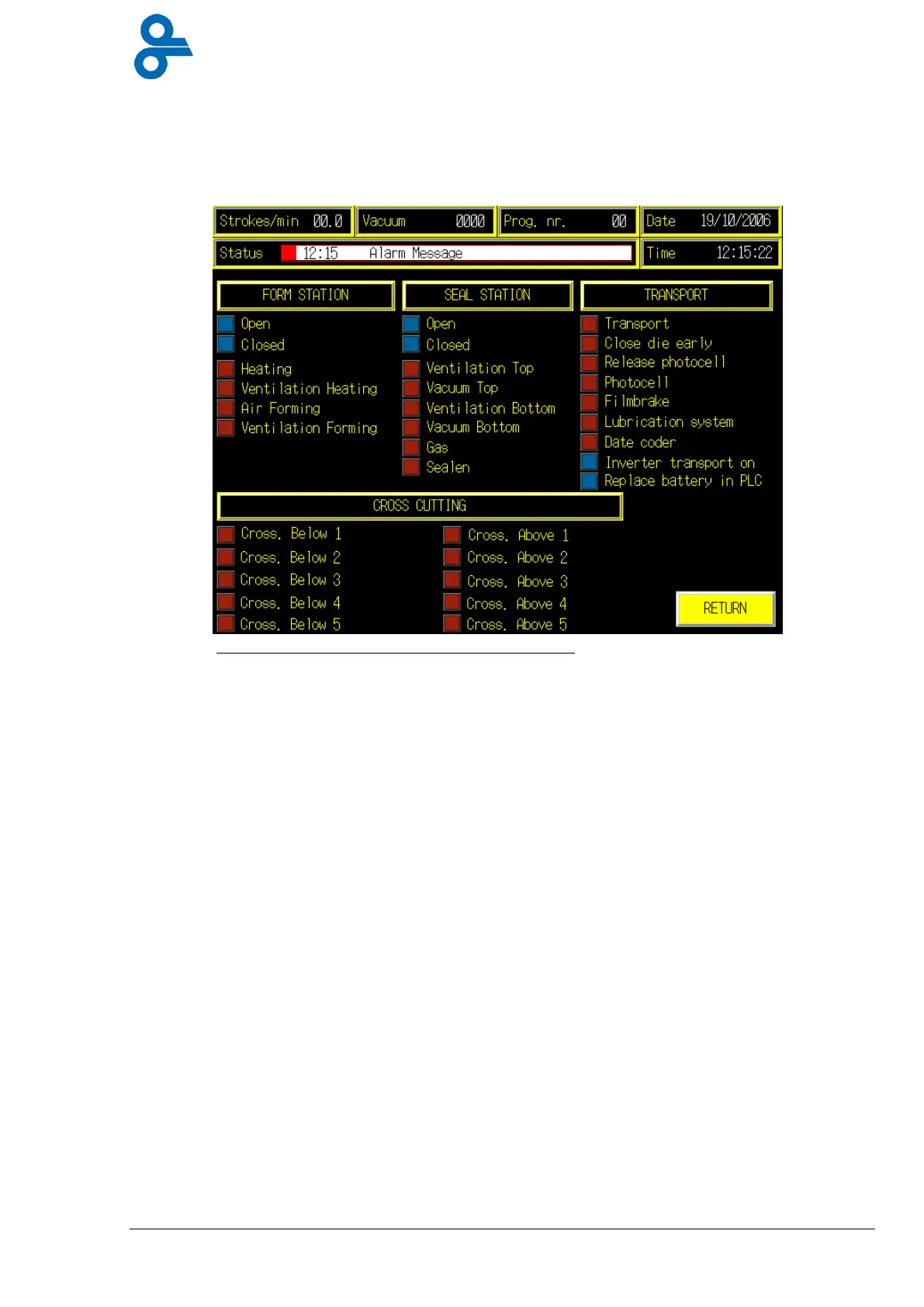
This menu is accessed by pressing the ‘OVERVIEW’ button in the operator submenu and in
the main menu(see Figure 4.17).
The Overview menu (see Figure 4.17) shows the status of the forming station, the sealing
station, the cross cutter and the film transport.
In addition the menu states whether the inverter is turned on and whether the PLC battery
needs to be changed. This screen is intended to check the machine’s functions. If there are
any problems, the technical department should be contacted.
Figure 4.17 Overview menu


 To Next Page