88
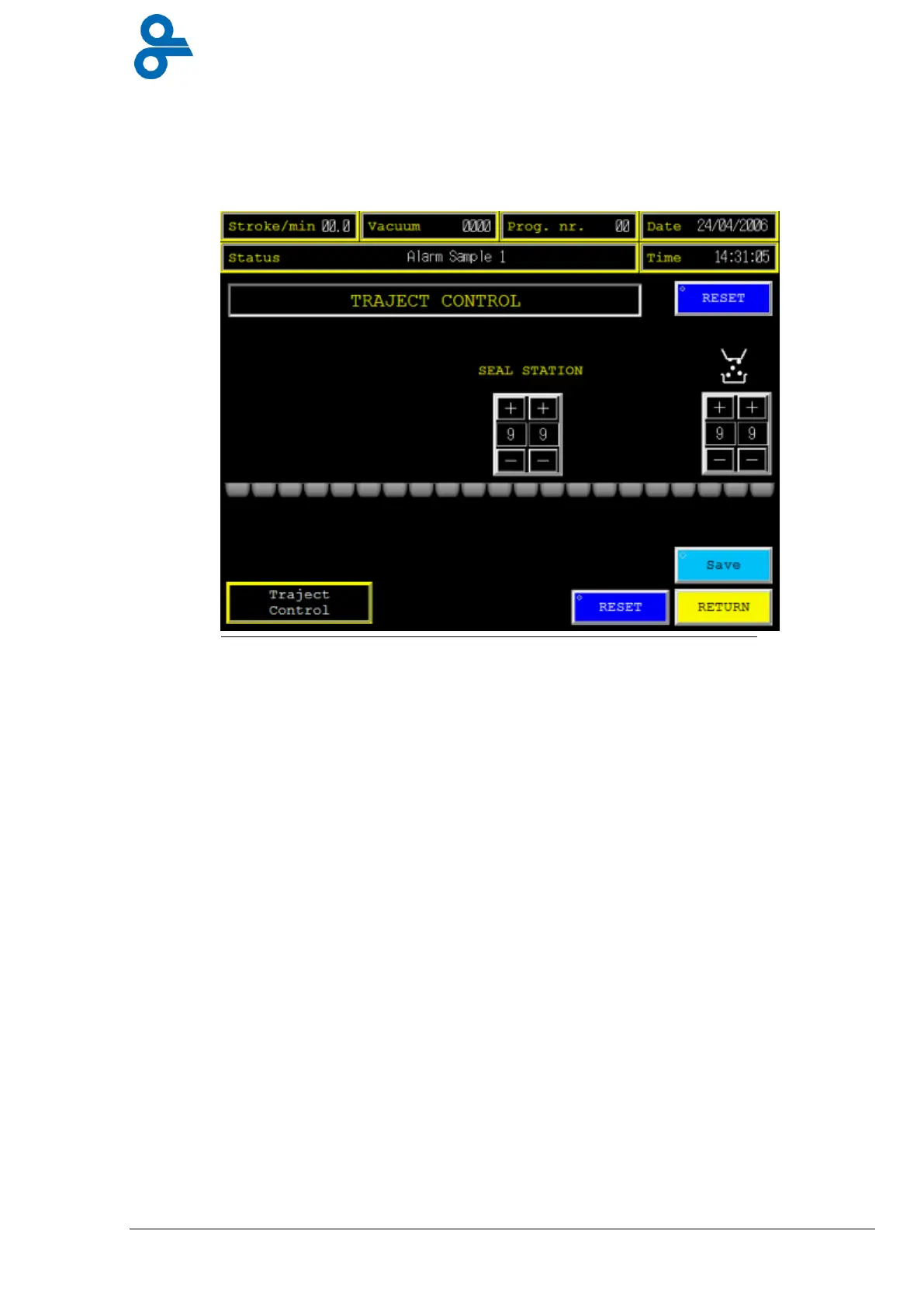
4.4.12 Traject control*
This menu is accessed by pressing the ‘TRAJECT CONTROL’ button in the main menu (see
Figure 4.31)
Traject control is a special option in the RE20 to control the packages all through the machine
It starts at the forming station in combination with “Leak detection” (see Figure 4.30).
In this menu the positions for filler and sealing station has to be set, the input value has to be
the number of strokes between forming chamber and filler position, and forming chamber and
sealing station. The count starts with the first stroke after forming station.
This function is only active if button “Traject Control” is activated, (lights up in green color).
If activated, the filler signal will be blocked when a leaking pack is at the filler position to
prevent filling and the sealing station will only seal the pack. The pack will not be vacuumed
and no gas will be injected.
*
Optional
Figure 4.31 Alarm History


 To Next Page