63
4.2.2.1 Numeric Keypad
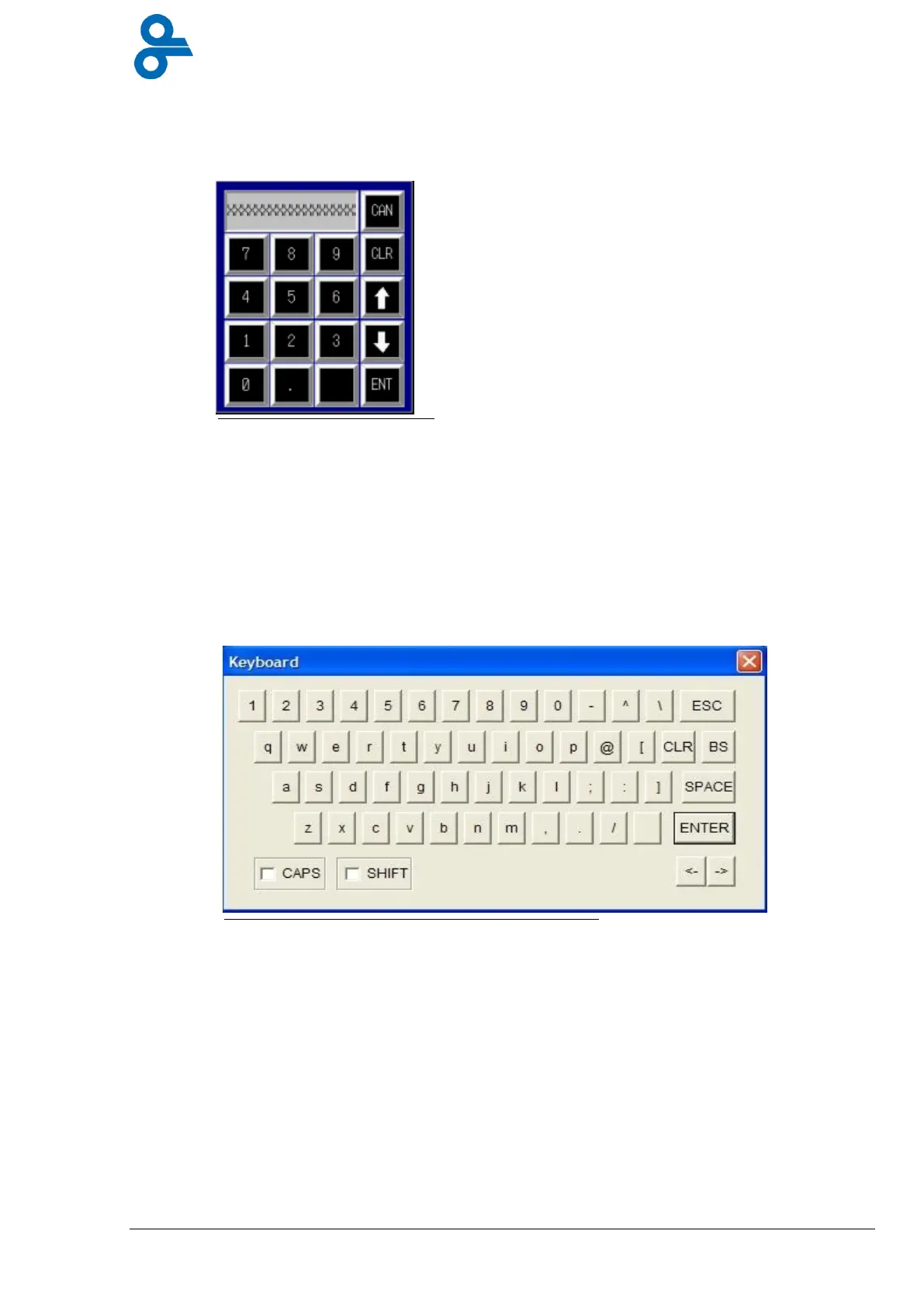
In addition to the main menu, the Keypad is available in every menu where numeric input is
required. When this button is pressed, the keypad shown below is displayed (see Figure 4.6).
The value displayed in the input field selected can now be changed. The arrow keys enable the
user to navigate from the current input field to other input fields. ‘CLR’ deletes the last shown
value; ‘Enter’ gives to the input field the value displayed and the keypad disappears.
4.2.2.2 QWERTY Keypad
In different menus you can change names or descriptions for example, the program names can
be changed this way, and therefore the QWERTY keypad can be used. (See Figure 4.7)
Figure 4.6 Numeric keypad


 To Next Page