71
4.3.6 Miscellaneous menu
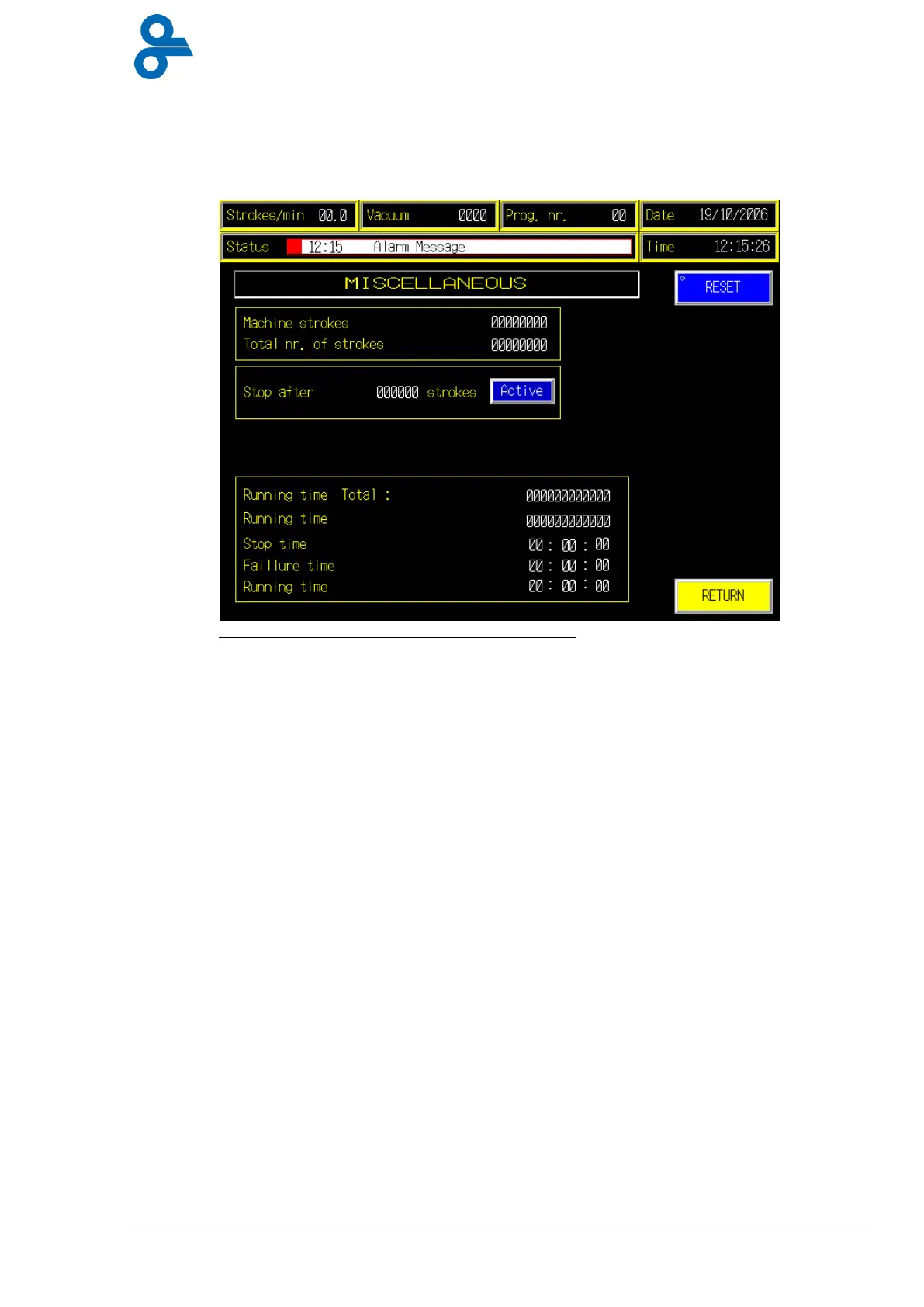
This menu is accessed by pressing the ‘MISC’ button in the operator submenu (see Figure
4.15).
The ‘Miscellaneous’ menu (see Figure 4.15) displays the number of strokes in the current
production session and the total number of strokes performed by the machine.
The numeric keypad (see Figure 4.6) can be used to set the number of production strokes in
the current production session. The machine stops automatically after the set number of
strokes has been reached.
The machine total production time and the duration of the current production session are
displayed in the bottom field. In addition the stop time, the total time that the machine failed
and the time per production stroke are all displayed.
Figure 4.15 Menu miscellaneous


 To Next Page