82
4.4.6 Forming times
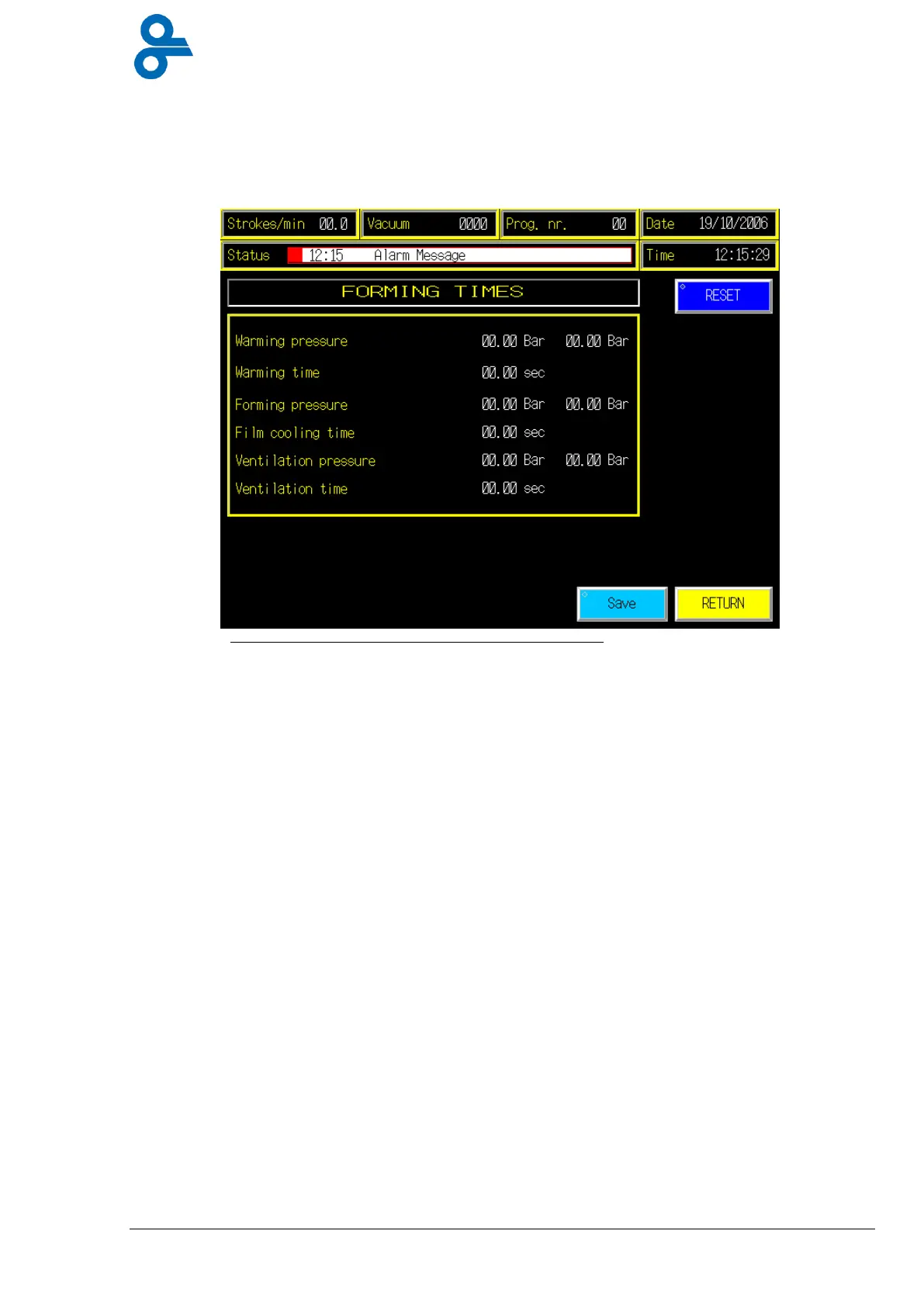
This menu is accessed by pressing the ‘FORMING TIMES’ button in the main menu
(See Figure 4.25)
In this screen you can see the time
set points (SP)
, and the pressure
set points
for the
forming chamber (forming station)
The value of the
set points
can be changed by pressing the numbers in the left column; a
numeric keypad (Figure 4.6) will appear, fill in the desired settings, press enter, now the
numeric keypad will disappear and the value for the SP has changed.
Press
Save
to store the settings in the current program.
Warming pressure
= pressure needed to warm up the bottom film. After reaching the
“SP” the warming time will start.
Warming time
= time needed to warm up the film throughout. When the time has
passed the forming valve will open.
Forming pressure
= pressure needed to bring the heated film as fast as possible
down to the forming plate. After reaching the “SP” the film
cooling time will start.
Film cooling time
= time needed to cool down the film. The bottom die is cooled so
the heat can be transferred quickly to the forming plates until
the temperature is decreased by ~30°C to freeze the shape into
the film.
Ventilation pressure
= before we can open the die set, we need to balance the inside
and outside pressure by ventilating, here the pressure level for
opening can be set.
Ventilation time
= ventilation controlled by time.
Air pressure from below
*
= Compressed air from below to release the formed package out
of the forming chamber.
*Optional function!
Figure 4.25 Forming times


 To Next Page