74
4.3.9 Safety guards
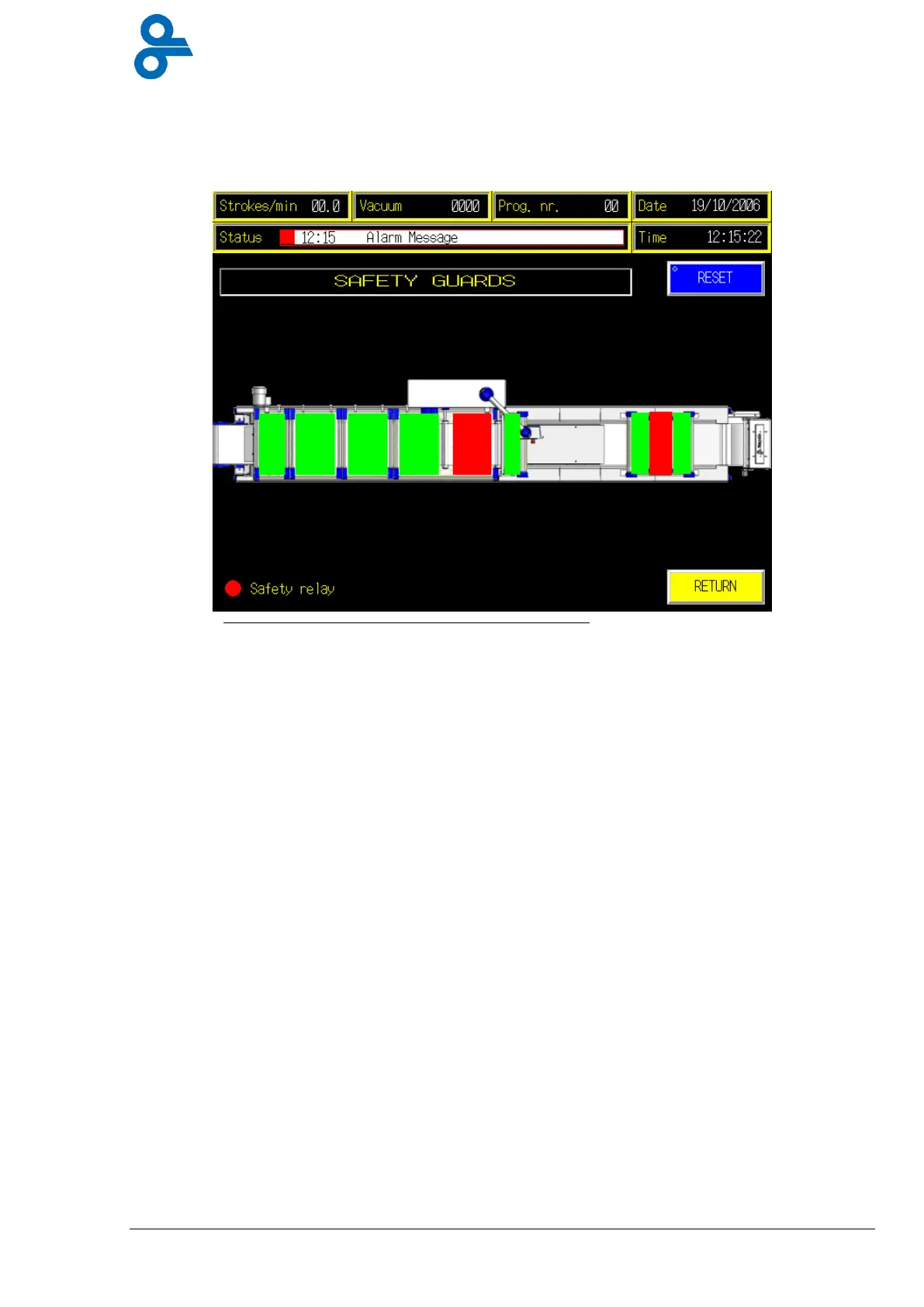
This menu is accessed by pressing the ‘SAFETY COVERS’ button in the operator submenu
(see Figure 4.18).
The Safety covers menu has indicators showing the various safety guards. When an indicator
lights up green, this means that the guard is properly in place.
If a guard has been incorrectly placed, the machine displays an error message, which signals
which guard it is. Once the guard has been properly placed the error can be corrected with the
reset button.
Figure 4.18 Safety guards


 To Next Page