89
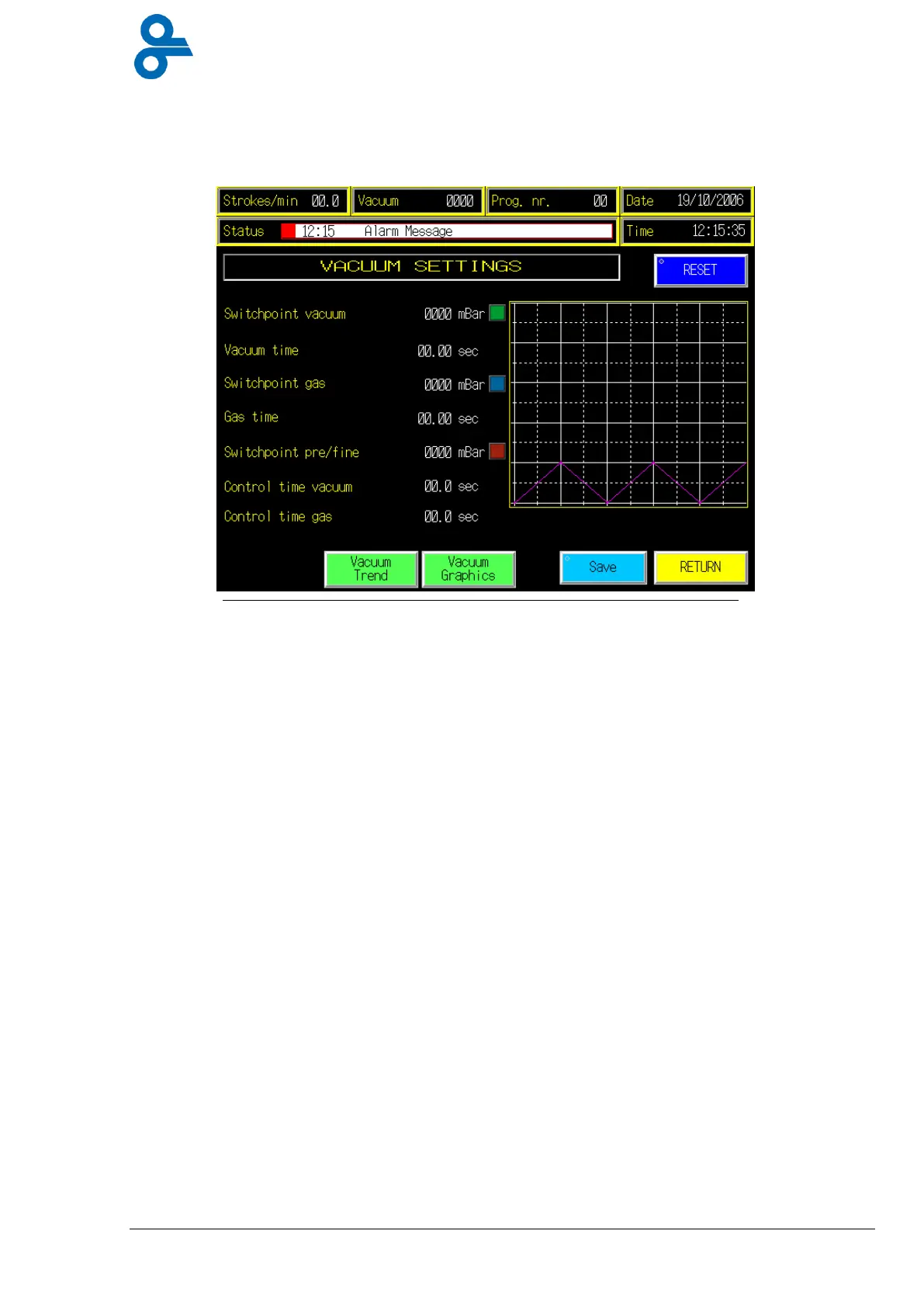
4.4.13 Vacuum Settings
This menu is accessed by pressing the ‘VACUUM SETTINGS’ button in the main menu (see
Figure 4.32)
Here you can change all vacuum settings for sealing station.
Switch point vacuum:
=The vacuum pressure switch level in
mbar
for machine
operation. 0 mbar is absolute vacuum, which means a pressure
of ~1013 mbar below atmosphere pressure.
Vacuum time:
=Extra time after switch point vacuum is reached. This will be
used in combination with switch point vacuum if selected for
vacuum sensor and time in operation menu.
Switch point gas:
=The gas pressure switch level in
mba
r that is injected into the
package. Only used for gas packages. The higher the number,
the higher the gas pressure into the package.
Gas time:
=Extra time after switch point gas is reached. This will be used in
combination with switch point gas.
Switch point pre/fine:
=This is used with a two way central vacuum system.
Control time vacuum:
=If the vacuum pressure does not reach the switch point vacuum
level within this time, the machine will give an alarm and stop.
Control time gas:
=If the gas does not reach the achieved pressure within this time,
the machine will give an alarm and stop.
The value of the
set points
can be changed by pressing the numbers. A numeric keypad
(Figure 4.6) will appear, fill in the desired settings, press enter, now the numeric keypad will
disappear and the value for the SP has changed.
Press
Save
to store the settings in the current program.
Press
return
and the screen goes back to the previous menu.
Figure 4.32 vacuum settings


 To Next Page