Chapter 6
6-14 BiPAP® Focus™ Ventilator Service Manual © Respironics, Inc. REF 1029568 Rev A
Ventilator Communications
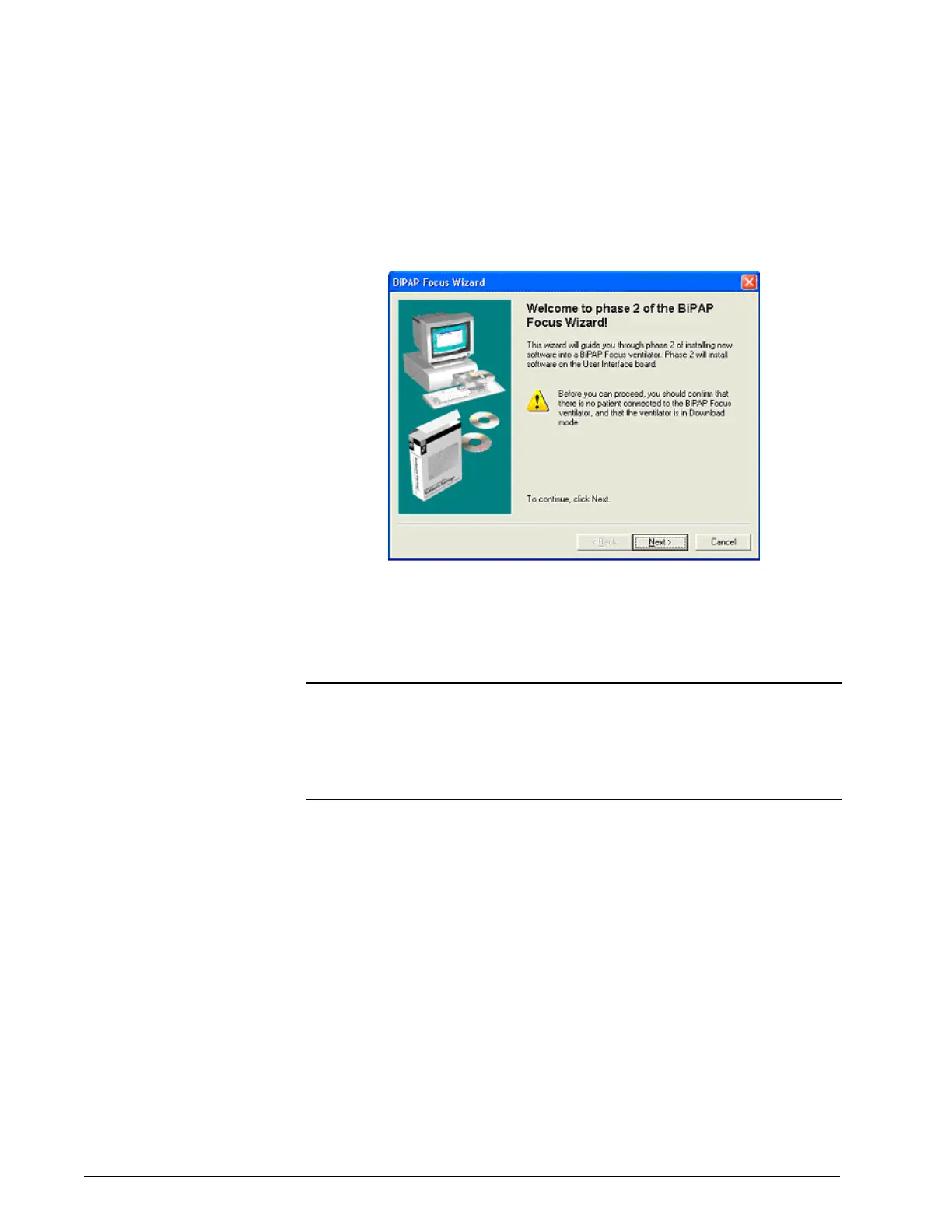
1. Follow the onscreen instructions to install the software: confirm that
no patient is connected to the ventilator and that the ventilator is in
download mode (Figure 6-20). Click Next.
Figure 6-20: Phase 2 welcome
2. Connect a universal serial bus (USB) cable between the service PC
and ventilator. If necessary choose the option to display more detailed
connection instructions (Figure 6-21). Click Next.
NOTE: Do not connect the USB cable through a hub or docking station. Using
an intermediate connection causes communication errors.
NOTE: The female end of the serial communications cable should be connected
to the service PC. The male end, labeled Software/Rasp, should be
connected to the ventilator.




 To Next Page