Home Setup
38
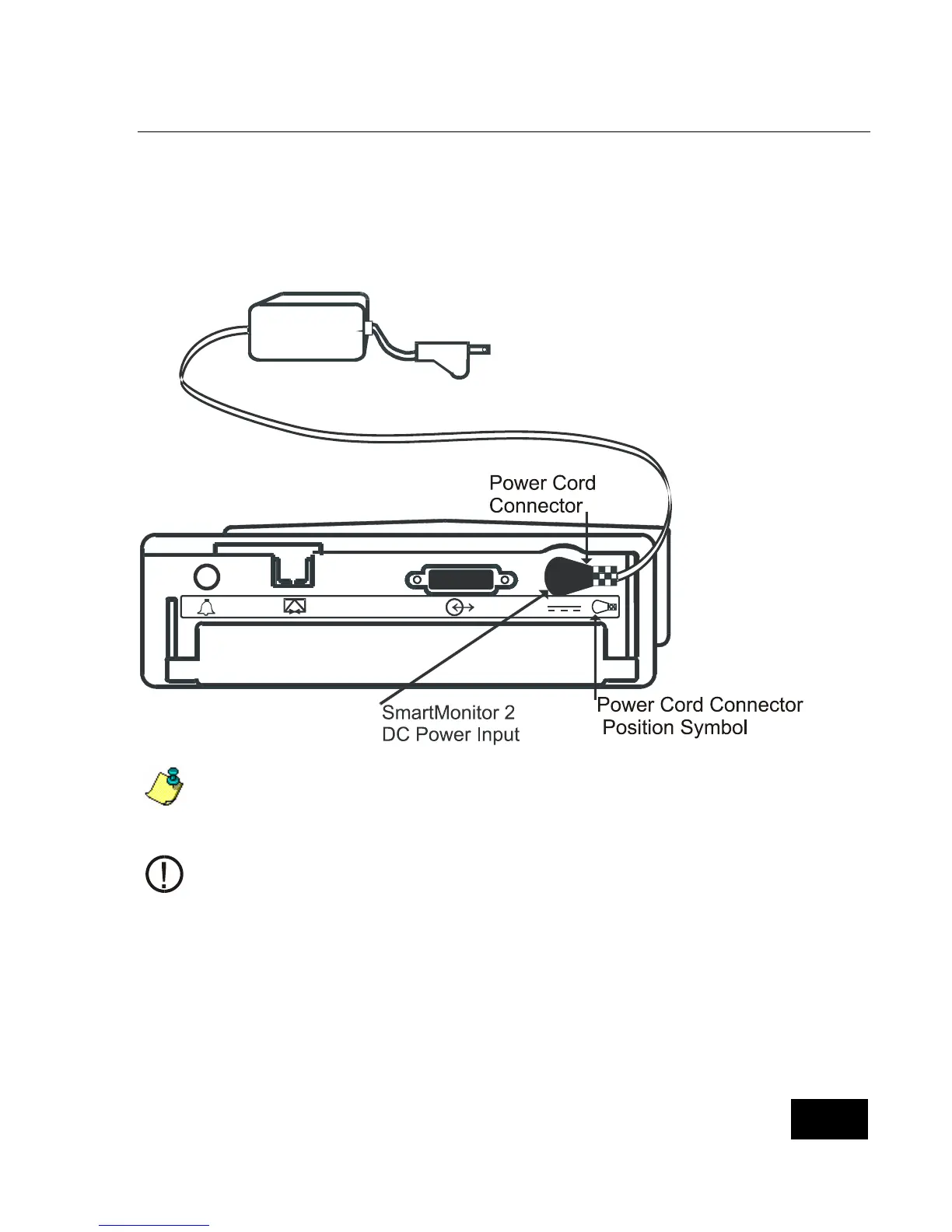
Step 7: Connect the Power Cord/Battery Charger.
Insert the round connector of the power cord/battery charger into the socket on the back
panel of the SmartMonitor 2 (see illustration).
Push until the connector is fully inserted into place.
Then plug the power cord/battery charger into a power outlet. The green charger light on the
monitor will now come on.
When the SmartMonitor 2 is not operating portably, keep the power cord/battery
charger connected and plugged into an AC outlet at all times. Insure that the AC outlet
has been installed to conform to the National Electrical Code (NEC). The batteries
cannot be overcharged. The green charger light stays on as long as the charger is
connected.
The Power Cord Connector must be plugged into the SmartMonitor 2 DC Power Input
as shown in the illustration above. The Power Cord Connector can only be inserted as
shown above.















 To Next Page