Portable Operation of the SmartMonitor 2
49
Portable Operation of the SmartMonitor 2
The SmartMonitor 2 is designed for portable use. When the power cord is not used, the monitor relies on
a previously charged internal battery for power.
Respironics recommends that the SmartMonitor 2 be used with the power cord/battery charger whenever
possible. However, when the monitor is used without the power cord/battery charger the SmartMonitor 2
is fully functional. All alarms are operational. With a fully charged battery, the monitor will run for 15
hours. The amount of time to completely recharge a fully depleted battery is 6 hours.
Charging the SmartMonitor 2 Battery
As a rule, a fully charged battery can operate for 15 hours. This may vary, however, depending on the
level of use, number of alarms, and other factors. When the low battery light comes on, you should
recharge the battery immediately. A fully drained battery should be recharged for 6 hours. When you
need to recharge the SmartMonitor 2 battery, follow the steps below.
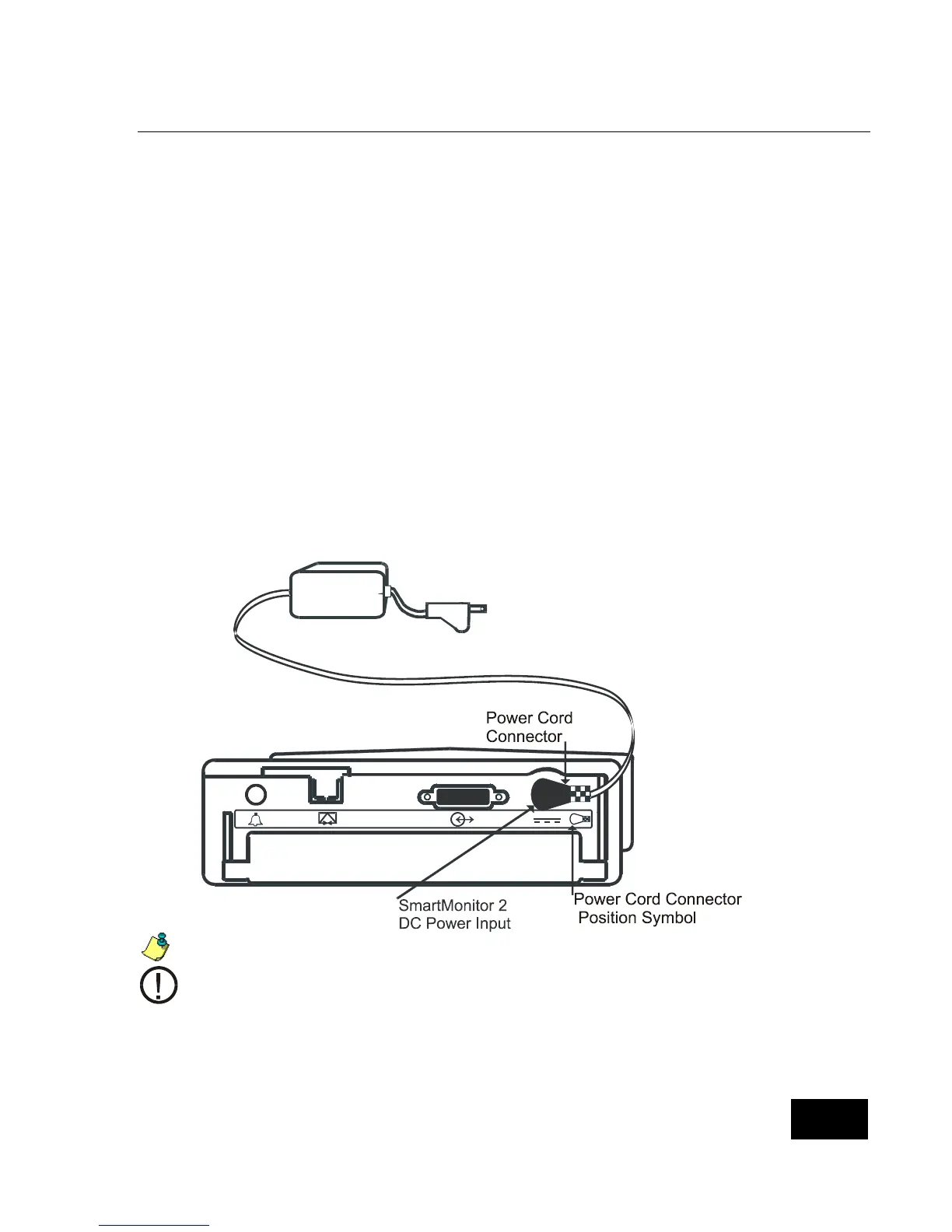
Connect the power cord/battery charger to the back panel of the SmartMonitor 2.
Plug the power cord/battery charger into a power outlet. The green charger light comes on.
If the SmartMonitor 2 is turned on, the yellow low battery light blinks until the minimum
charge level is reached. Then, the yellow light goes off.
Fully drained batteries need about 6 hours to recharge.
Unit should be at room temperature 65°F to 85°F while charging or batteries may not
reach a full charge. Only use Respironics batteries.
The Power Cord Connector must be plugged into the SmartMonitor 2 DC Power
Input as shown in the illustration above. The Power Cord Connector can only be
inserted as shown above.















 To Next Page