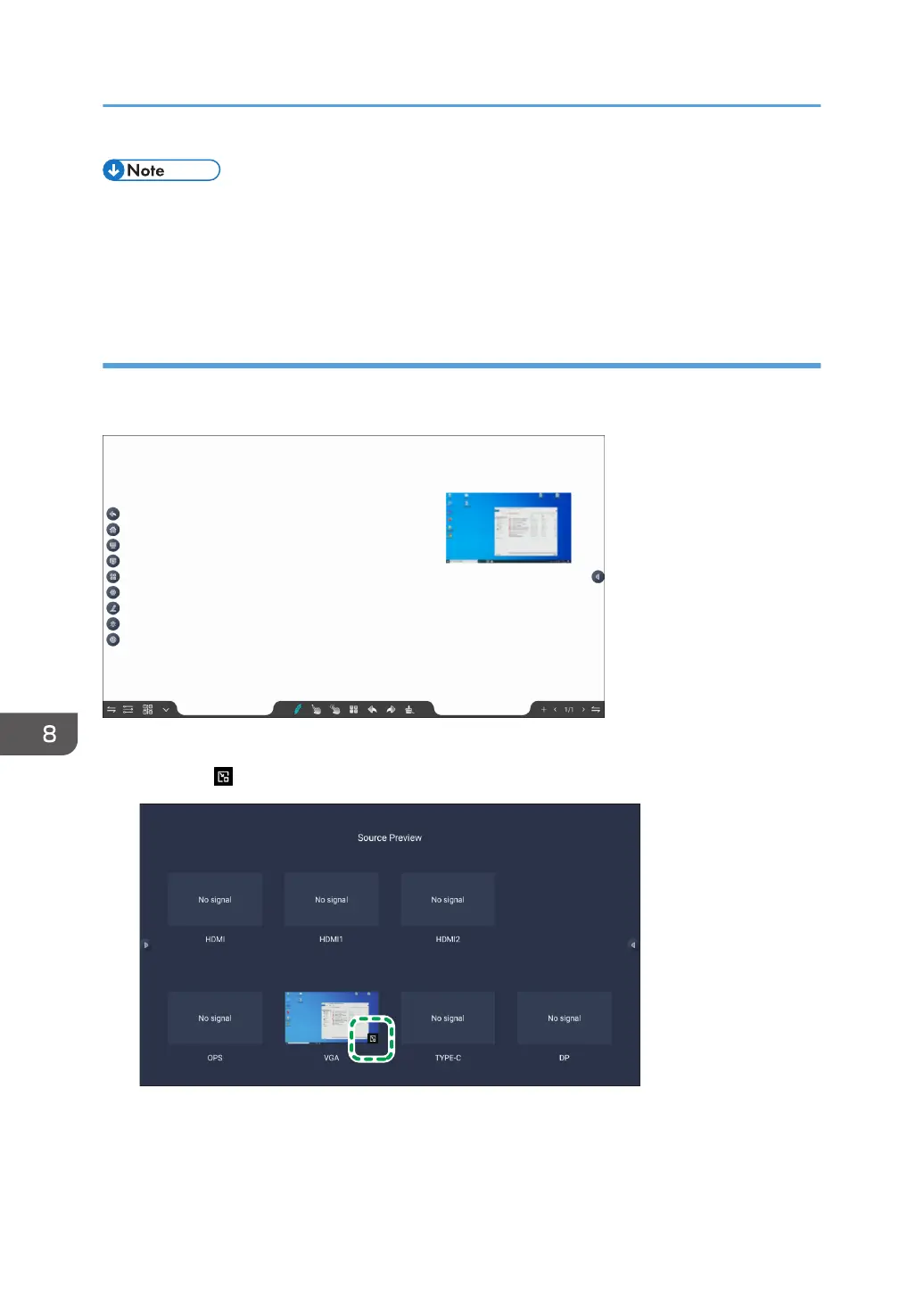
• If no external device is connected to the video input (source), "No signal" will be displayed in the
preview.
• If "No signal" is displayed in the preview of a video input (source) to which an external device is
connected, the external device might not be connected properly. Please check the connection.
Displaying source previews in picture-in-picture mode
You can select any video input (source) in the source preview and display a picture-in-picture preview
on the screen, such as on the home screen or on the screen of each app.
1. Touch [Source Preview] in the Source Settings.
2. Touch the at the bottom right of the video input (source) preview.
The preview displays "Floating window generated", and the preview is displayed in picture-in-
picture mode.
8. Changing the Settings for Video Input
114



 To Next Page