Playing with Media Player
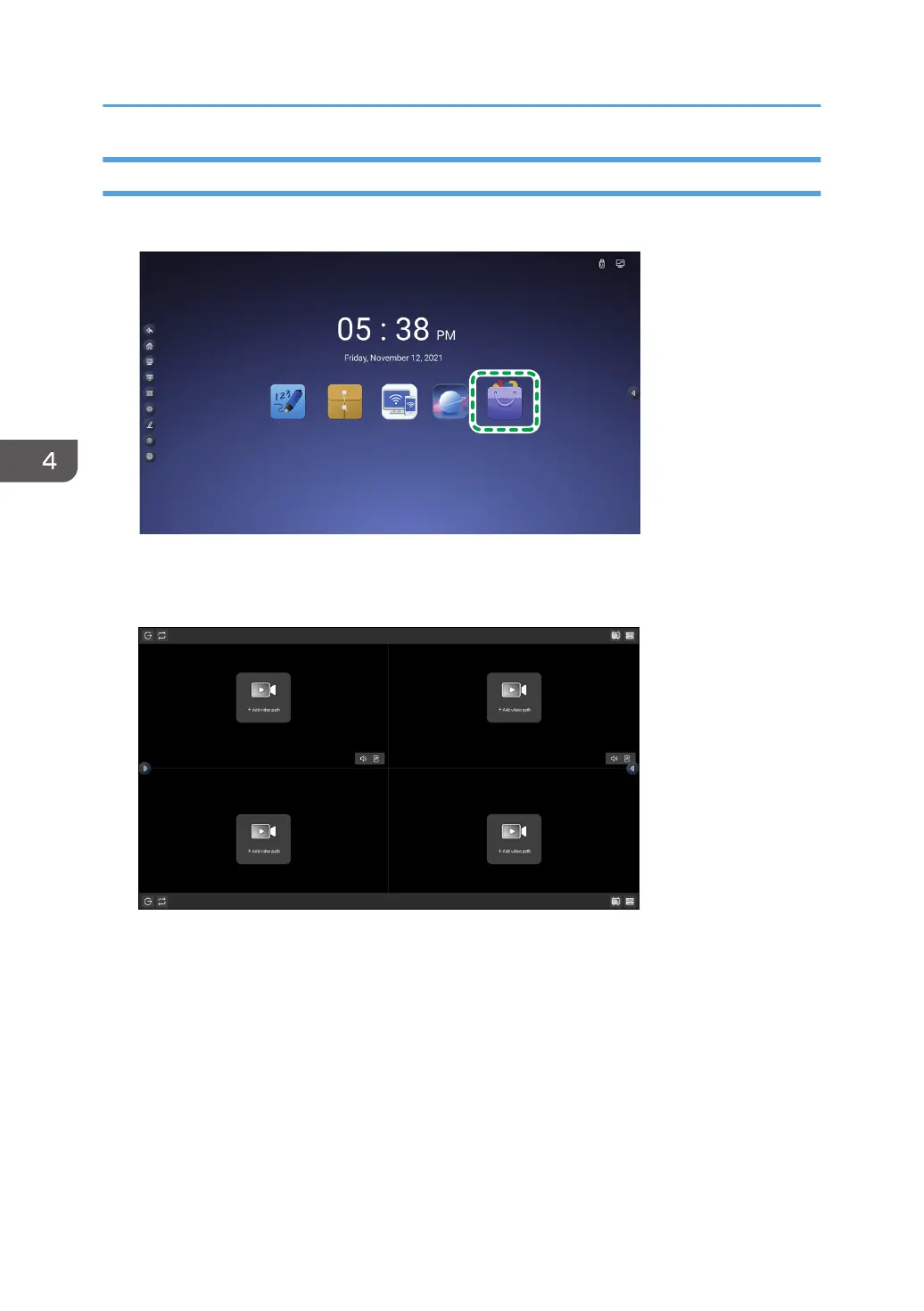
1. Touch the Application box icon on the home screen.
2. Touch the media player icon.
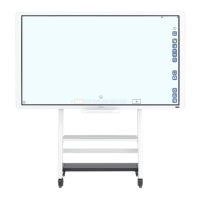
Media player starts.
3. Touch [+Add video path].
File Manager appears.
4. Touch "Videos" or "Audio" from the file category.
5. Touch the checkbox of the video or audio file that you want to play to place a checkmark
on it.
6. Touch [Insert].
7. Repeat steps 3 to 6 to add more files, as necessary.
8. Touch the play button for each video.
The videos will start playing.
4. Using the Various Functions
86


 To Next Page