1. Off
2. On
When the toggle button is turned on, "Erasing using thick stylus" will be enabled.
3. Touch the outside of the annotation writing setting.
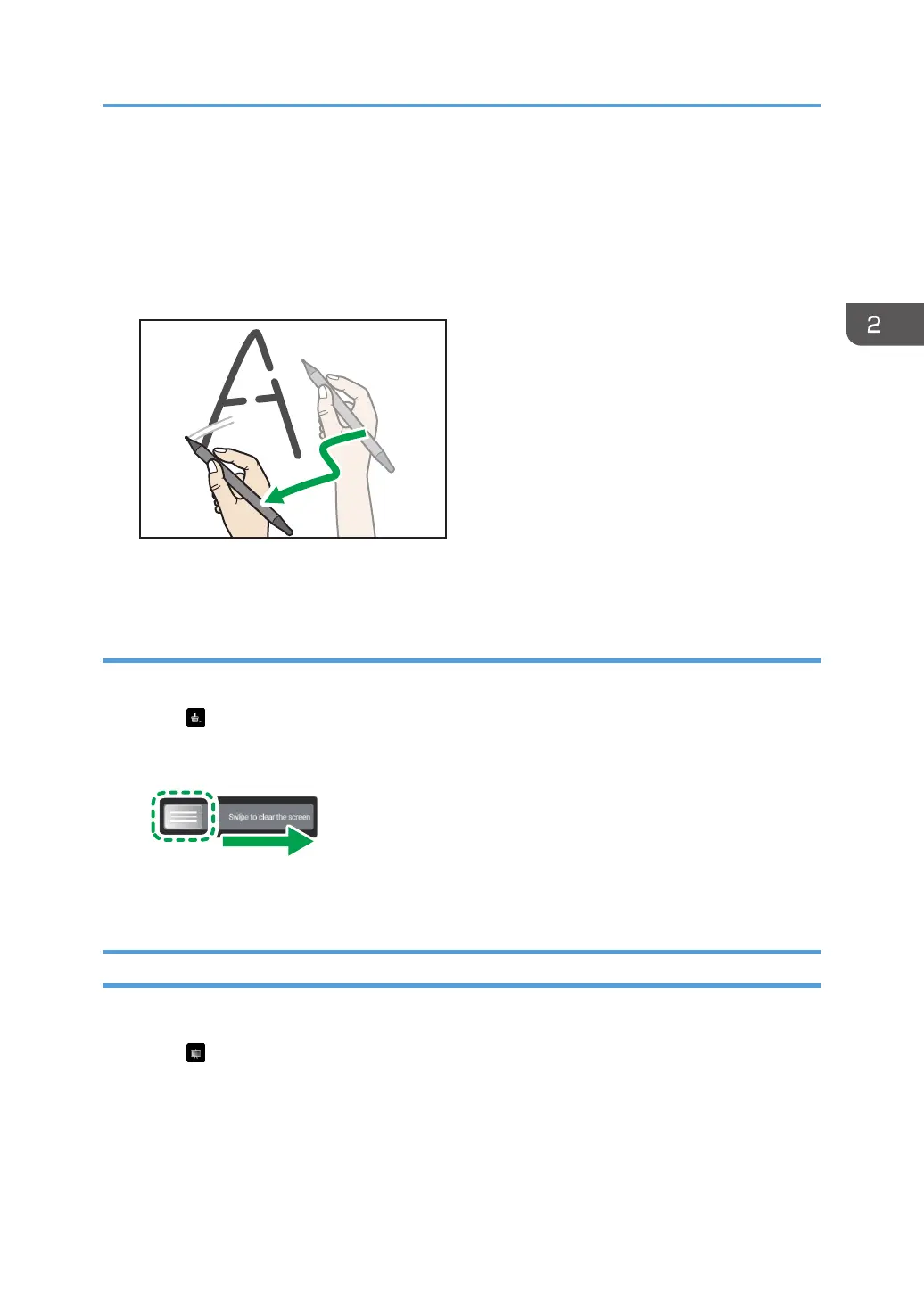
4. Move the pen over the written content.
Only the portions of the written content touched by the pen nib are erased.
Erasing all the writing on the current view
Erase all written content of the currently displayed view.
1. Touch .
2. Slide the left part of the bar to the right.
All written content of the displayed view are erased.
Capturing the Screen and Pasting to the Whiteboard Page
Capture the written content or screen display and paste it into the whiteboard page.
1. Touch .
The capture range is displayed.
Writing on a Screen Other Than the Whiteboard App
71



 To Next Page