Item Specifications
Page size • IWB/PNG
3840 × 2160 px
• PDF
210 × 297 mm (8.27 × 11.69 inches)
Importing a Saved Page
You can import a page saved in IWB format, and you write or edit.
• Files in PDF or PNG format cannot be imported.
1. To save pages in a USB flash memory device, insert the flash memory device into the USB
port.
Insert only one USB flash memory device.
For details about how to connect a USB flash memory device, see page 21 "Inserting a USB Flash
Memory Device".
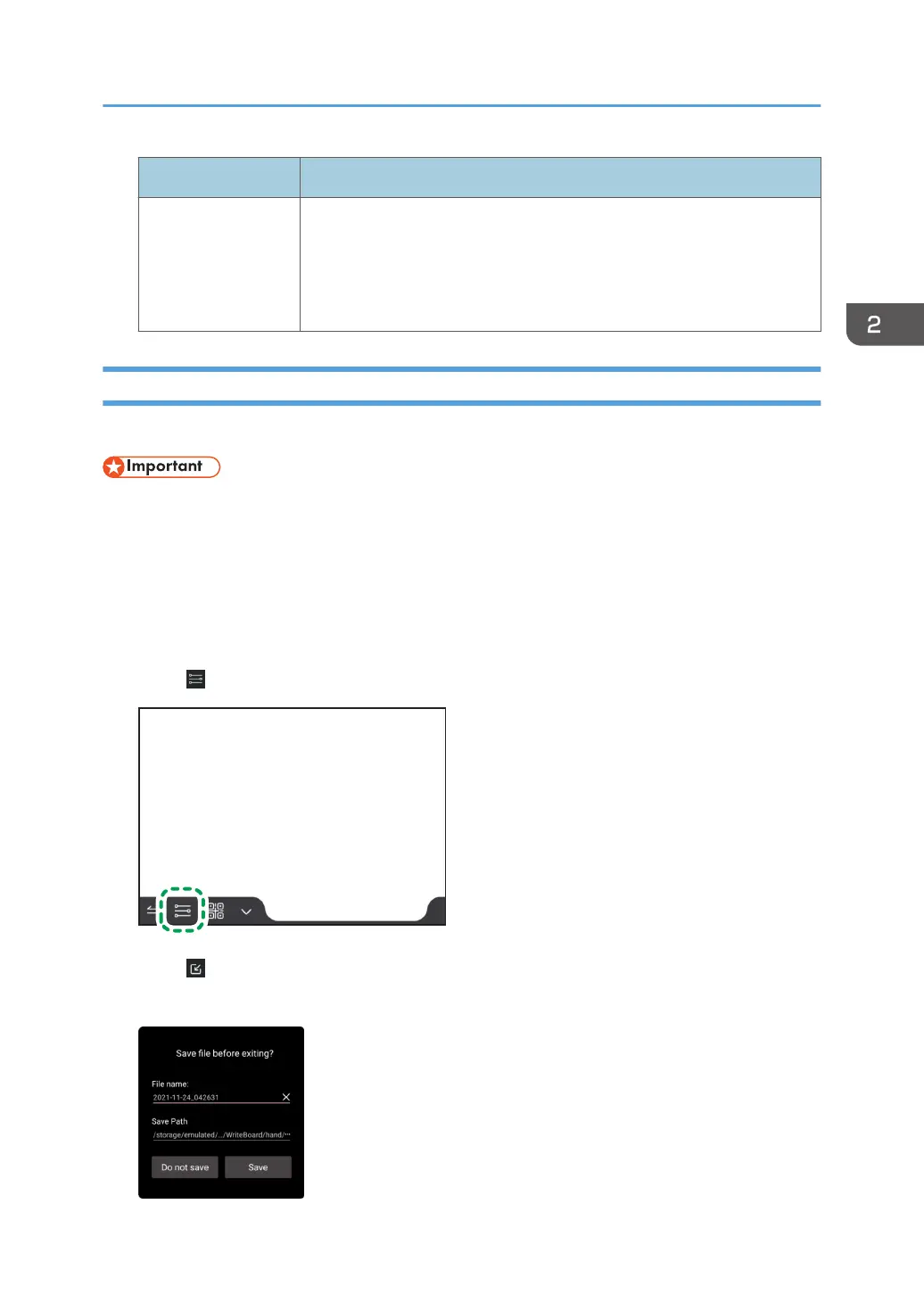
2. Touch .
3. Touch [Import notes].
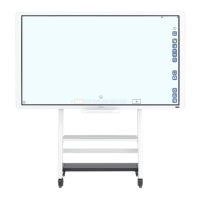
A confirmation dialog box appears asking if you want to save the currently displayed page.
Operating a File
59


 To Next Page