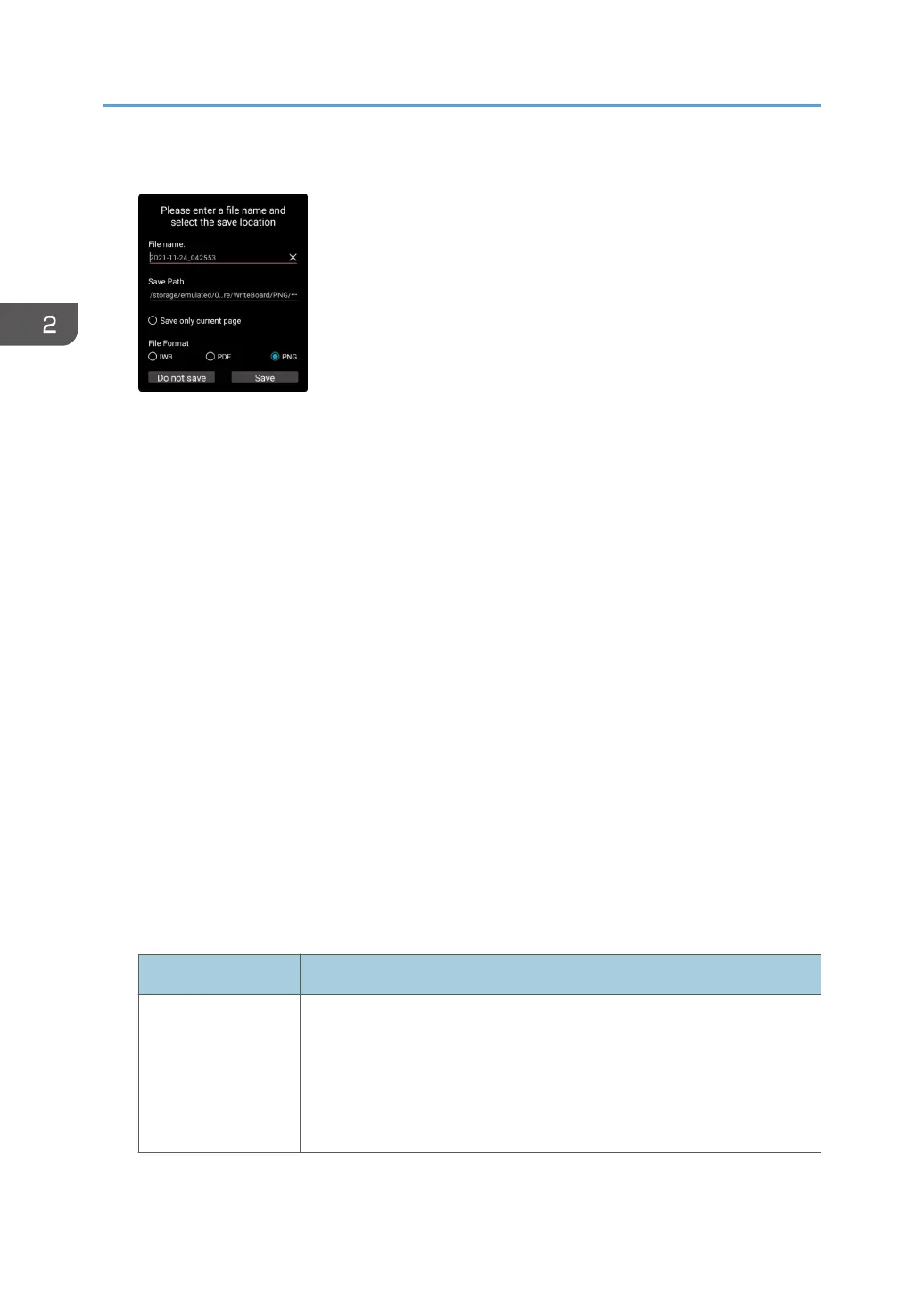
4. Change the settings as necessary.
• File name
To change the file name, touch the file name.
Enter a new file name (up to 100 alphanumeric Unicode characters [UTF-8], excluding
\ / ? : * " > <) using the software keyboard.
• Save Path
To change the folder to be saved, touch the path.
In the displayed File Manager, select the destination folder, and then touch [Save].
If you want to save the file to a USB flash memory device, select the USB flash memory device
as the destination.
For details about how to use File Manager, see page 95 "Managing Files".
• Save only current page
When using multiple pages, select whether you want to save only the currently displayed
page or all pages.
To save only the currently displayed page, select this option.
• File Format
Select the format of the file to be saved.
5. Touch [Save].
The files are saved as shown below.
Item Specifications
File name (when not
changing the file
name)
Year-Month-Day_Time.iwb
Year-Month-Day_Time.png
Year-Month-Day_Time.pdf
• The name of a file saved on January 23, 2022, at 4:56:07 is
"2022-01-23_045607.pdf".
2. Using a Whiteboard
58



 To Next Page