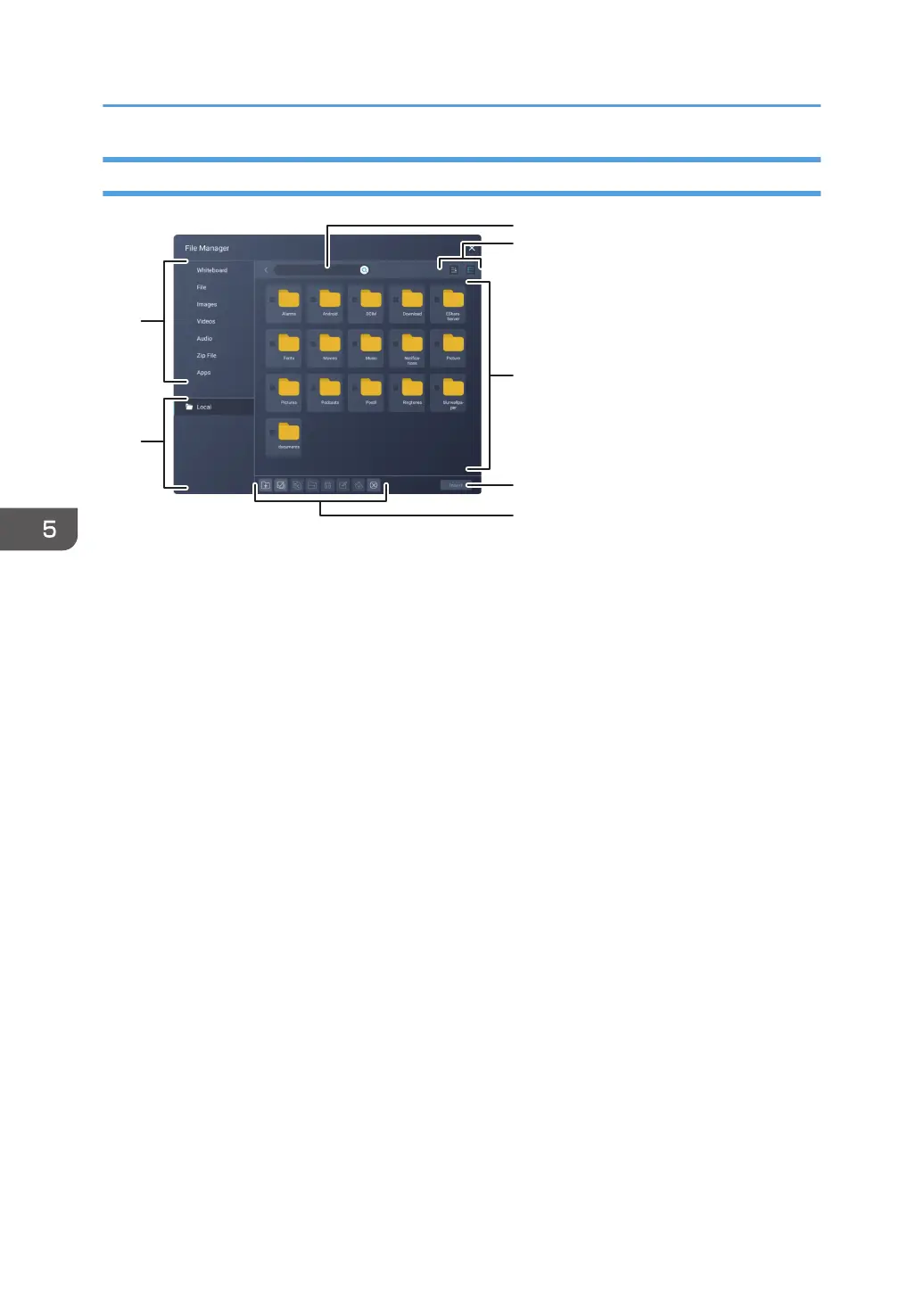
How to Use the File Manager Screen
1. File Categories
Displays only the files related to each of the categories
2. Drive
Selects the drive
When a USB flash memory device is loaded, select the USB flash memory device here.
3. Search
Searches for folders and files
4. Sort and Display Format
Sorts folders and files, and changes the display format
• Sorting
Sorts folders and files by name, creation date and time, or file size
• Display format
Displays folders and files in a list or thumbnail view
5. Folders and Files
Displays the folders and files corresponding to the selected drive and category
6. Operation icons
Operates the selected folder or file.
7. Operation buttons
Determines operations such as saving and inserting when used from an app or tool
5. Using File Manager
96



 To Next Page