Basic Operations
Operation by the Touch Pen or Your Fingers
• Handwritten entry
• Stamp entry
• Erase/Reduce/Enlarge/Move
• Cut/Copy/Paste
• Changing the display magnification/moving the display area
Operation by the Touch Pen or Your Fingers or Palm
• Erase
In this manual, the touch pen or your fingers are referred to as the "pen" if the operational procedure is
the same for all those methods.
Writing on the Screen
Write text or draw figures using your fingers or touch pen.
• When writing is done by multiple users at the same time, be sure to enable multiple user writing
before doing so. If multiple users are writing at the same time when enabling single-user writing,
unintended actions such as enlargement or movement can occur. For details about writing by
multiple users at the same time, see page 35 "Writing by Multiple Users at the Same Time".
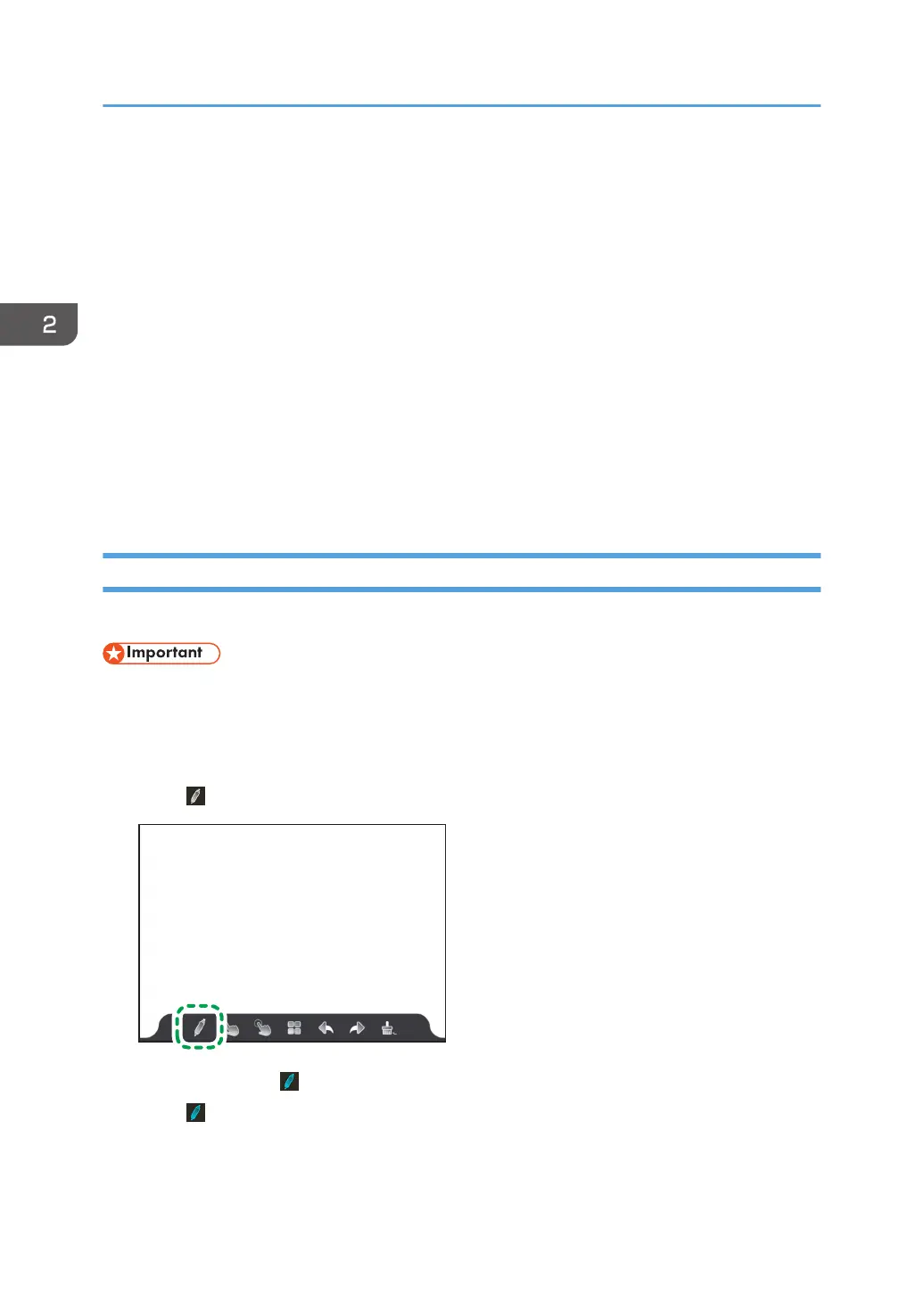
1. Touch
.
The icon changes to , indicating that it is ready to write.
2. Touch
.
The writing settings appears.
2. Using a Whiteboard
30



 To Next Page