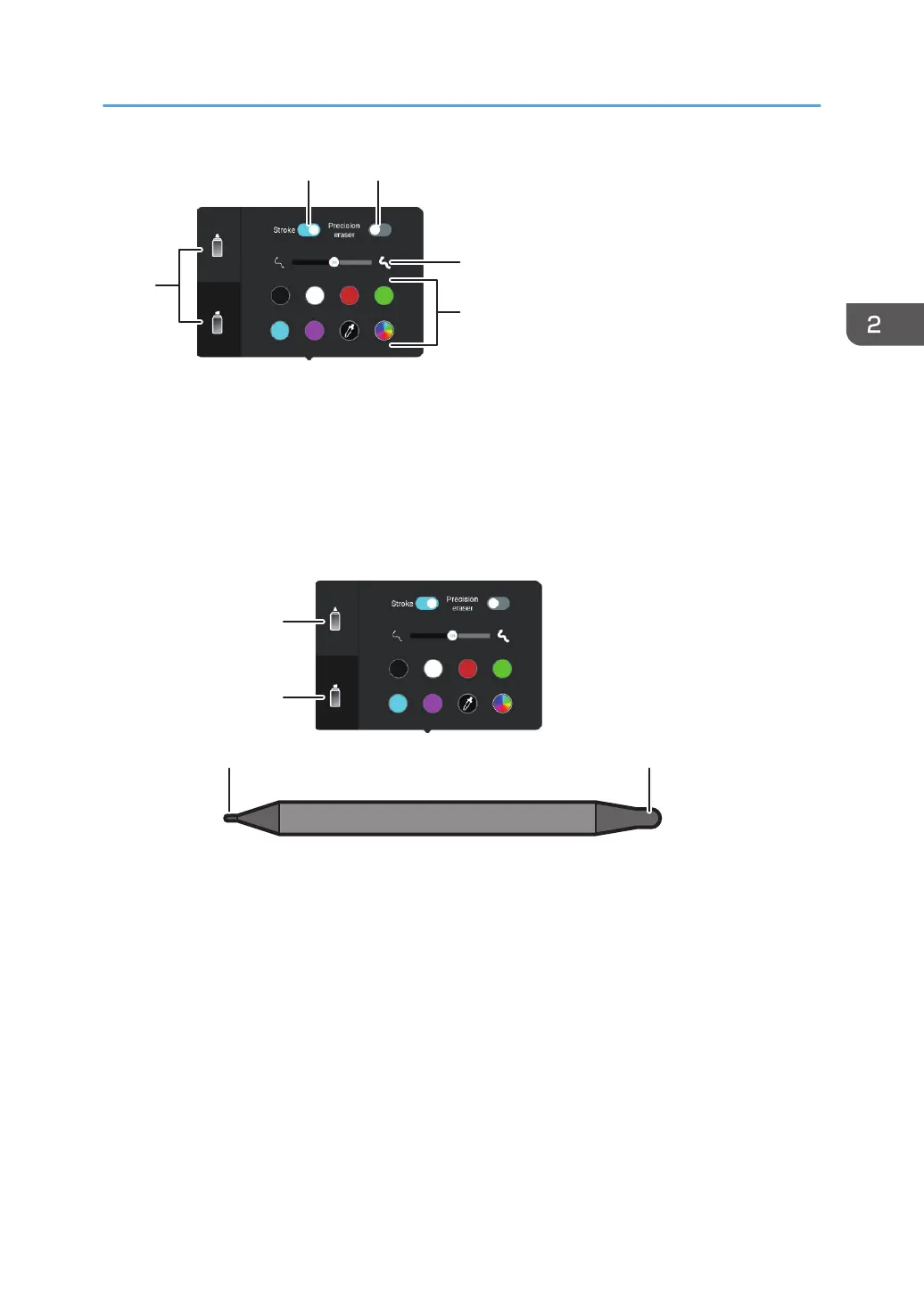
1. Pen nib type
Selects a pen nib
The thickness and color of the line can be set for each pen nib, and two different writing settings can be
used by using different nibs.
• When writing with a pen
Each setting is associated with a pen nib and switches automatically depending on the pen nib
being used when writing.
A: Thin pen
B: Thick pen
• When writing with the finger
Select the pen nib that you want to use and then start writing.
2. Stroke
The thickness of the lines that you write automatically changes as the pen moves, so that you can write as
if you were writing with a brush.
For details, see page 32 "Enabling the stroke".
3. Precision eraser
Erases the written content
For details, see page 41 "Erasing with a pen or finger".
It appears only for the thick pen setting.
Basic Operations
31



 To Next Page