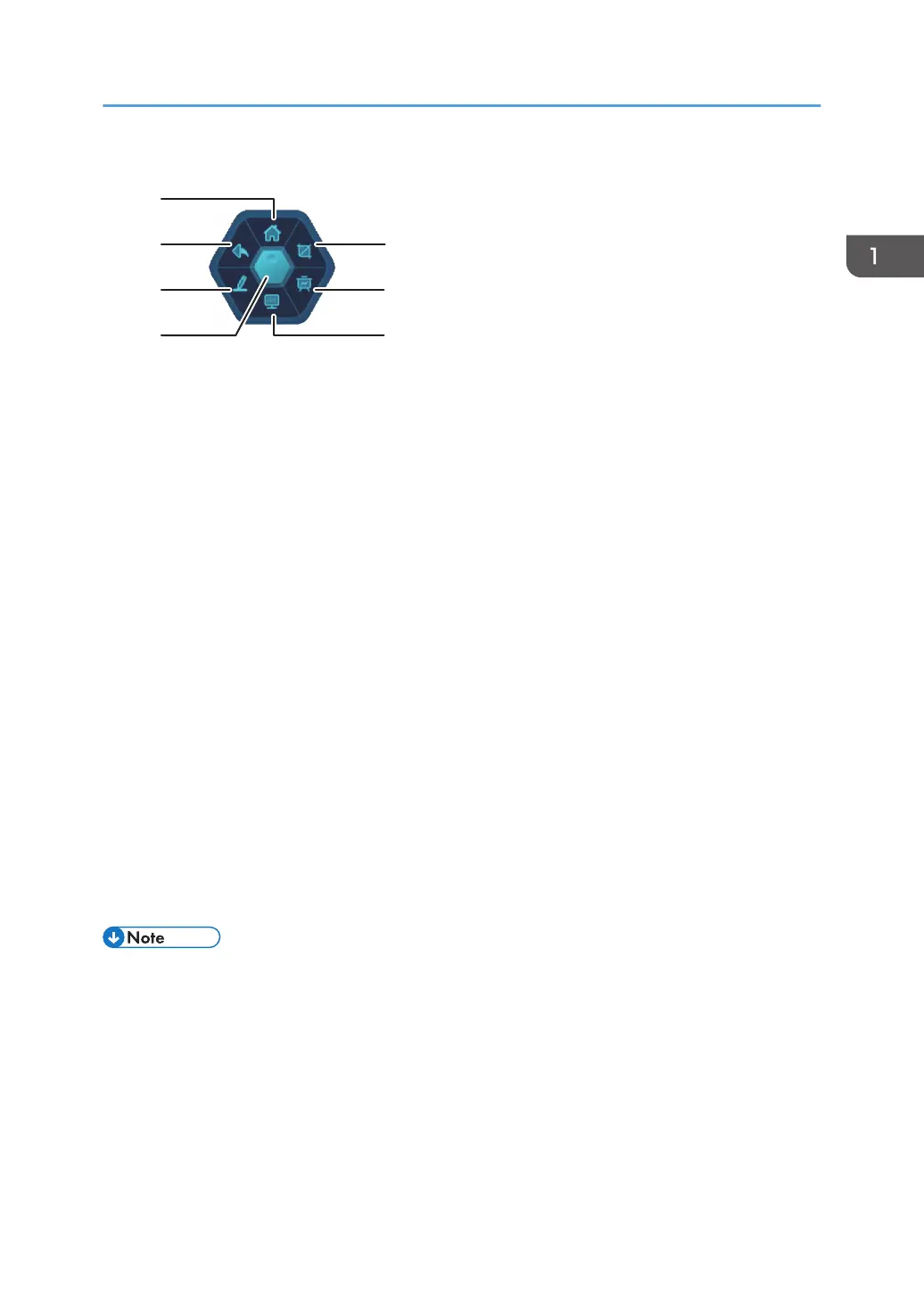
1. Home screen
Displays the home screen
2. Undo operation
Undoes the previous operation
3. Comment tool
Launches the annotation
For details, see page 67 "Writing on a Screen Other Than the Whiteboard App".
4. Float bar
Touch to close the menu. Touch again to display the menu.
Touch and hold to exit the float bar.
5. Screen capture tool
Launches the screen capture tool
For details, see page 87 "Using the Tools in Utilities".
6. Whiteboard app
Launches the whiteboard app
For details, see page 23 "Using a Whiteboard".
7. OPS
This button is only available when a controller that supports the OPS (Open Pluggable Specification) standard
is installed.
• In order to display the float bar menu, the administrator needs to change the settings in the "Other"
section of System Settings. For details, see page 126 "Other".
How to Use the Home Screen
17



 To Next Page