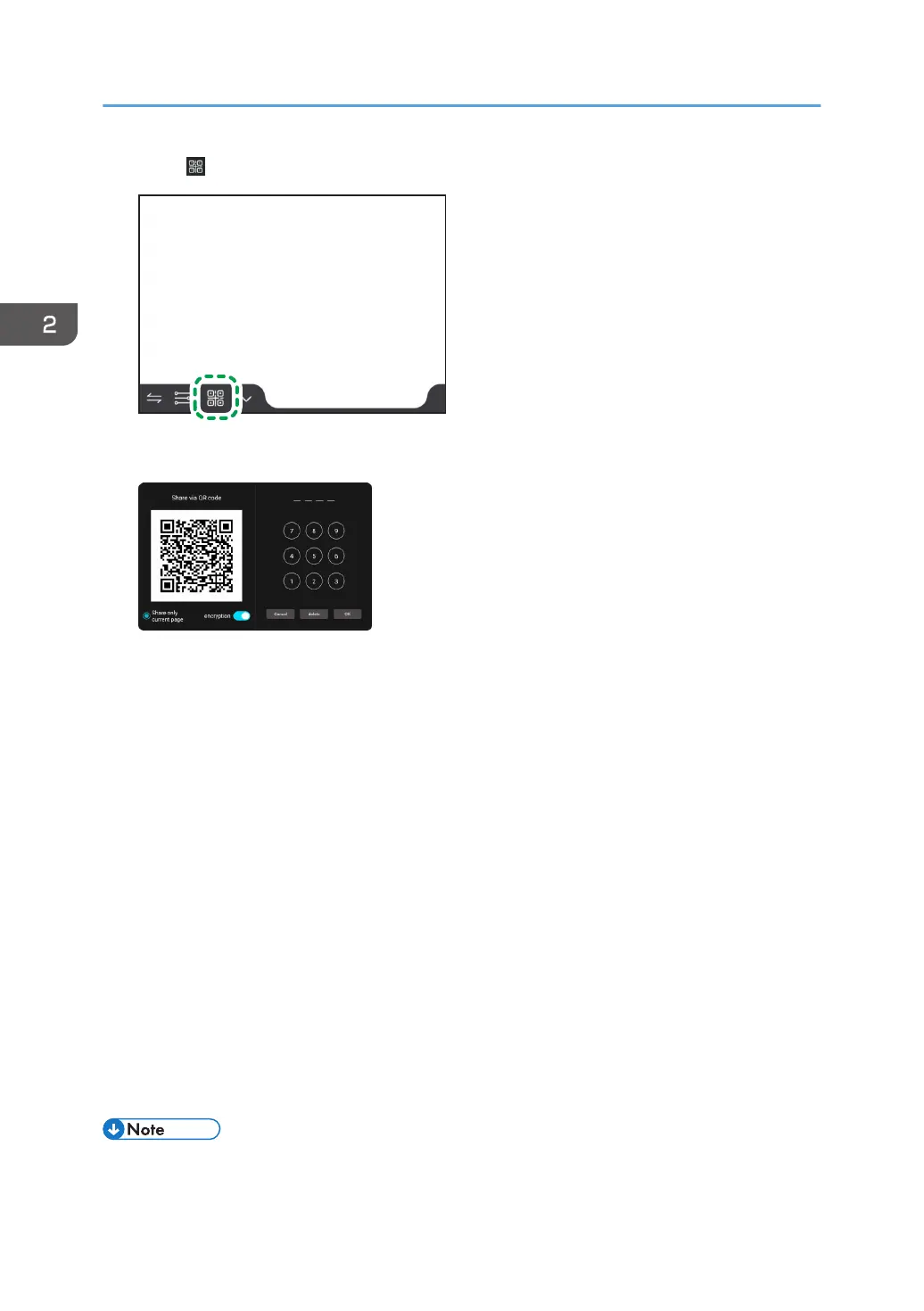
1. Touch .
2. Change the settings as necessary.
• Share only current page
When using multiple pages, select whether you want to share only the currently displayed
page or all pages.
To share only the currently displayed page, touch the button.
• encryption
Select whether or not to encrypt the page to be shared.
When encryption is turned on, set a password for accessing the page to be shared from the
smart device.
• Set password
This option is only displayed when encryption is turned on.
Set a four-digit password, which will be required when you access the page that you want to
share from the smart device. Enter the new password and touch [OK].
3. Scan the QR code on a smart device.
The browser of the smart device will start up, and the shared page will be displayed.
When encryption is enabled, the password entry screen will appear. Enter the password set in this
machine and press [Sign in].
• The machine must be connected to the Internet.
2. Using a Whiteboard
62



 To Next Page