PRINTING SECTION 1 March, 2000
6-14
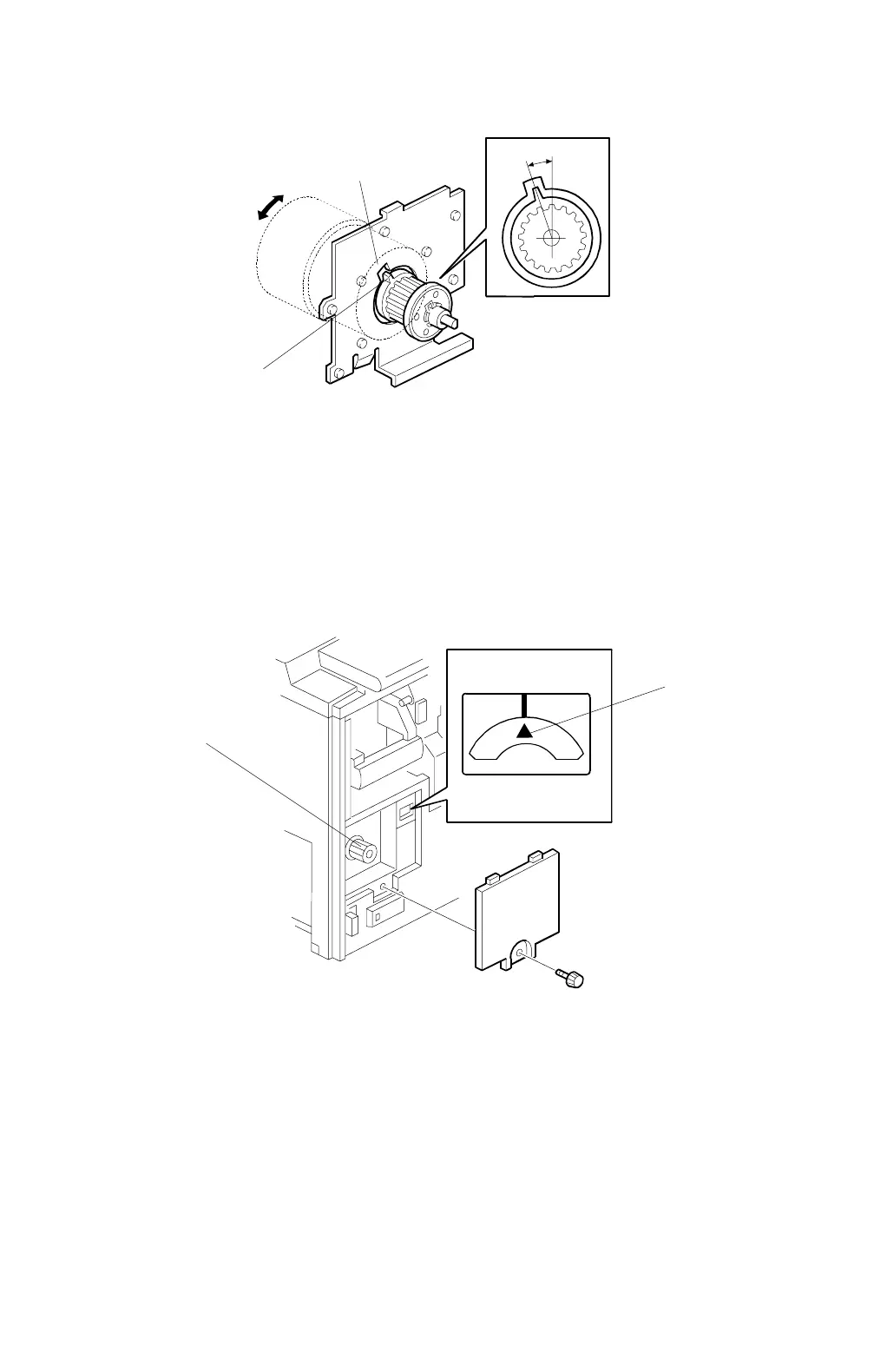
17. Align the cutout in the bracket [Q] with the pawl on the torque limiter [R] as
shown.
18. Install the spring.
CAUTION:
If the cutout and pawl are in line, the main motor drive timing is OK.
If they are not, remove the spring, then make sure that the cutout
and pawl are in line again.
19. Install the timing belt and pulley bracket.
CAUTION:
When you install the pulley bracket, adjust with the knob [S] until the
line and arrow on the indicator disk are in line [T].
C232R509.WMF
C232R510.WMF
[T]
[S]
[Q]
[R]



 To Next Page