Registering Addresses and Users for Facsimile/Scanner Functions
172
7
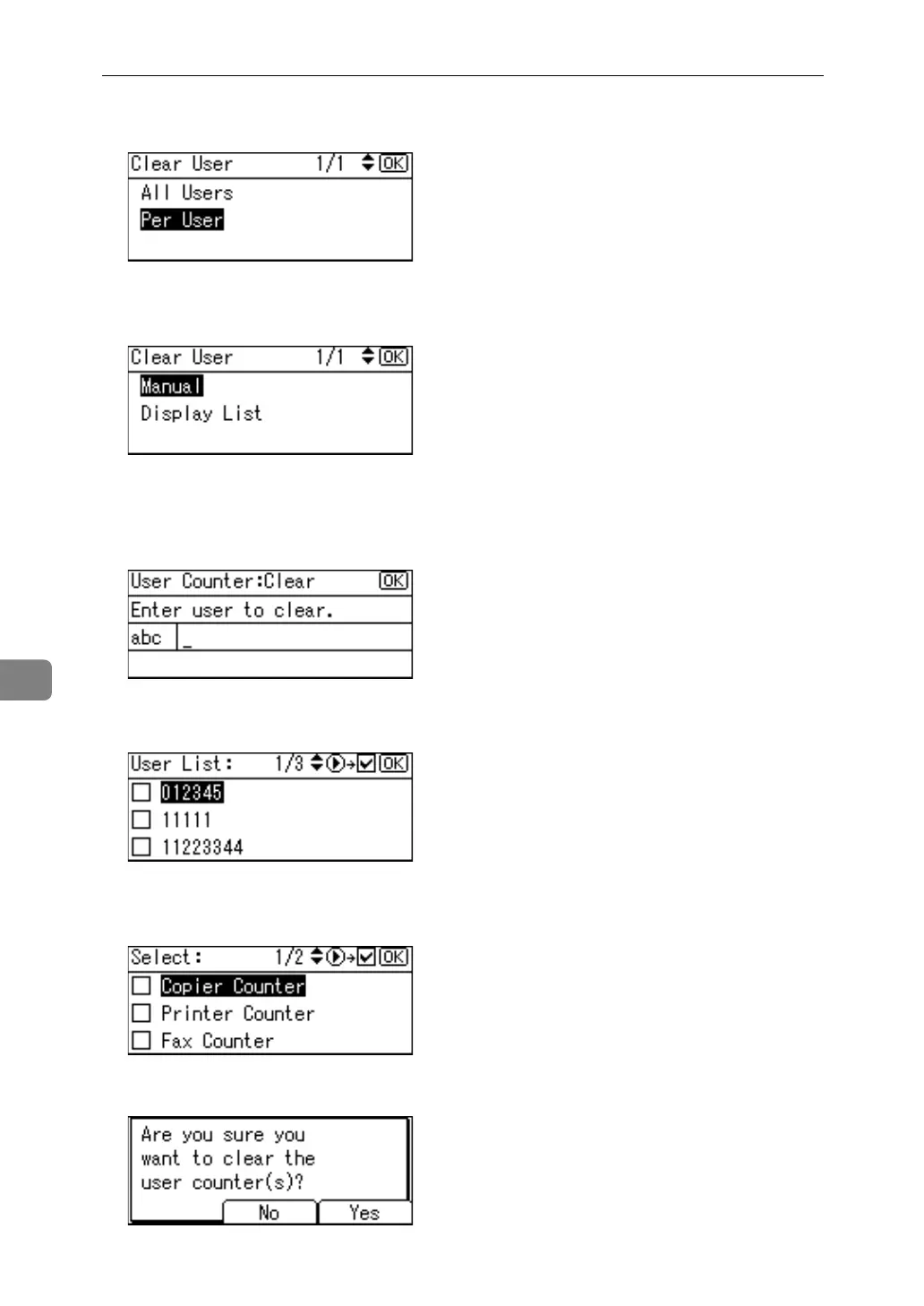
E Select [Per User] using {U} or {T}, and then press the {OK} key.
F Select the path destination procedure using {U} or {T}, and then press the
{OK} key.
G Select the user to clear
If you select [Manual] in step
F
, enter the user code and then press the {OK}
key.
If you select [Display List] in step
F
, confirm the user code using {V} and then
press the {OK} key.
H Select the function you want to clear the counter for using {U} or {T}, then
confirm it by pressing {V}, and then press the {OK} key.
I Press [Yes].



 To Next Page