1.Replacement and Adjustment
16
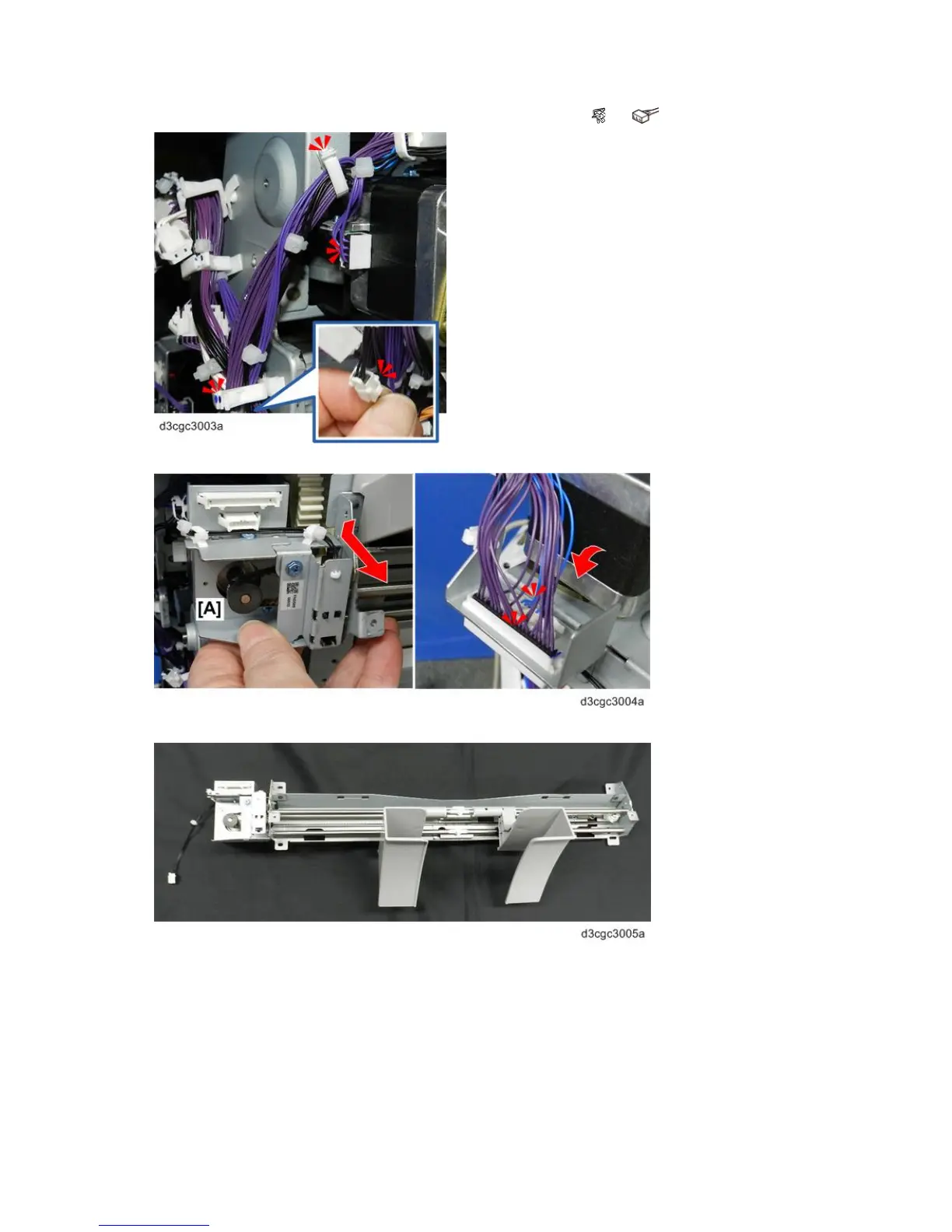
7. At the rear, open the clamp, and then disconnect the motor and sensor ( x2, x2).
8. Tilt the paper guide unit toward you, and then disconnect the harness of motor bracket [A].
9. Remove the paper guide unit and place on a flat, clean surface.



 To Next Page