2.Detailed Descriptions
79
when the last sheet of a job is output (the edge guide HP sensor [C] detects the edge guide).
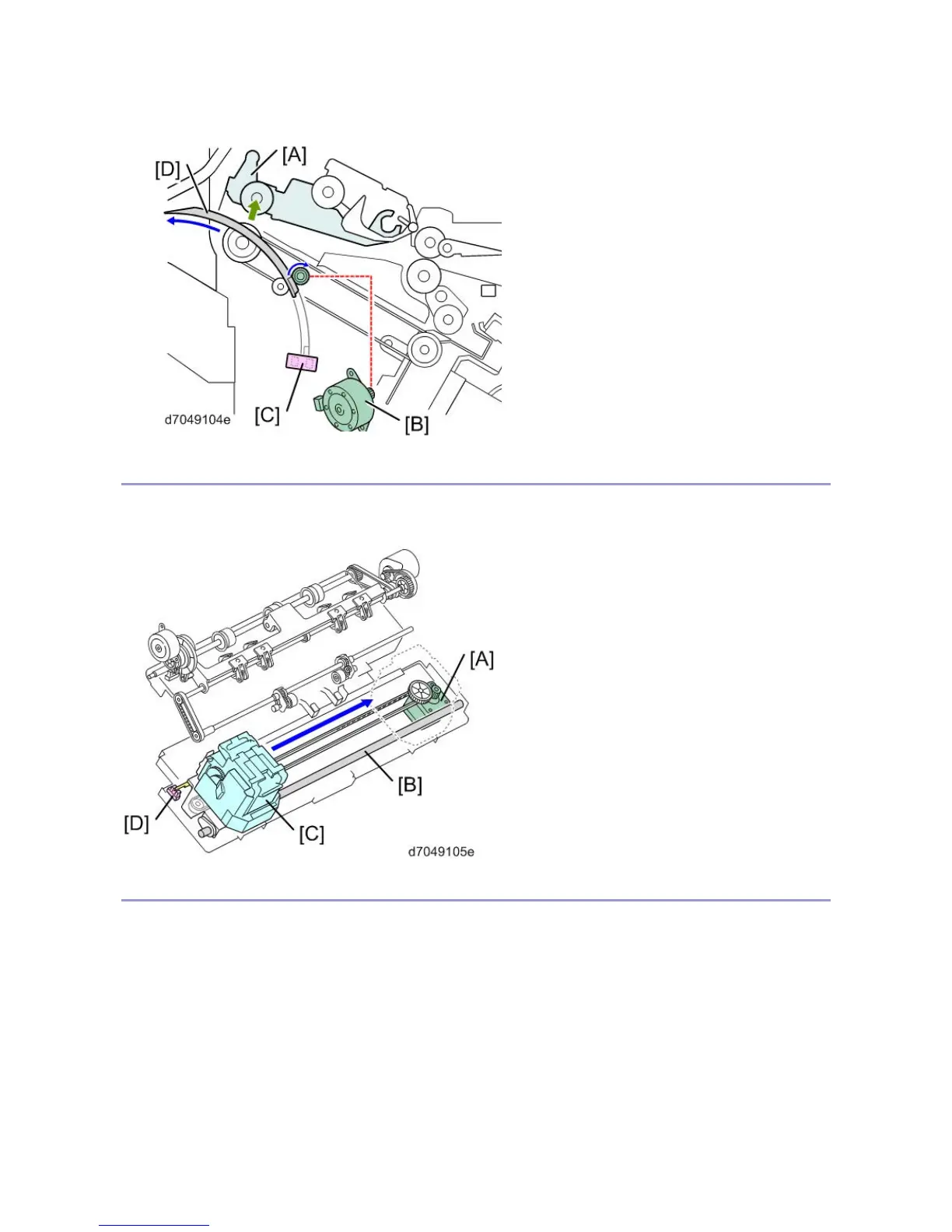
Stapler Move
The staple movement motor [A] moves the stapler [C] along the guide rod [B]. After a job finishes, the stapler [C]
returns to its HP (the stapler HP sensor [D] detects the base of the stapler).
Positioning Roller / Drag Roller
The positioning roller and drag roller operate as follows:
1. The positioning roller shift motor [A] moves the positioning roller [D] down at the start of every job.
1. The positioning roller motor [B] rotates the positioning roller [D] to feed the paper to the stapler tray.
2. The positioning roller motor [B] also rotates the drag roller [C]. The drag roller [C] is a sponge roller



 To Next Page