− 38 −
ME12058B
Maintenance Section
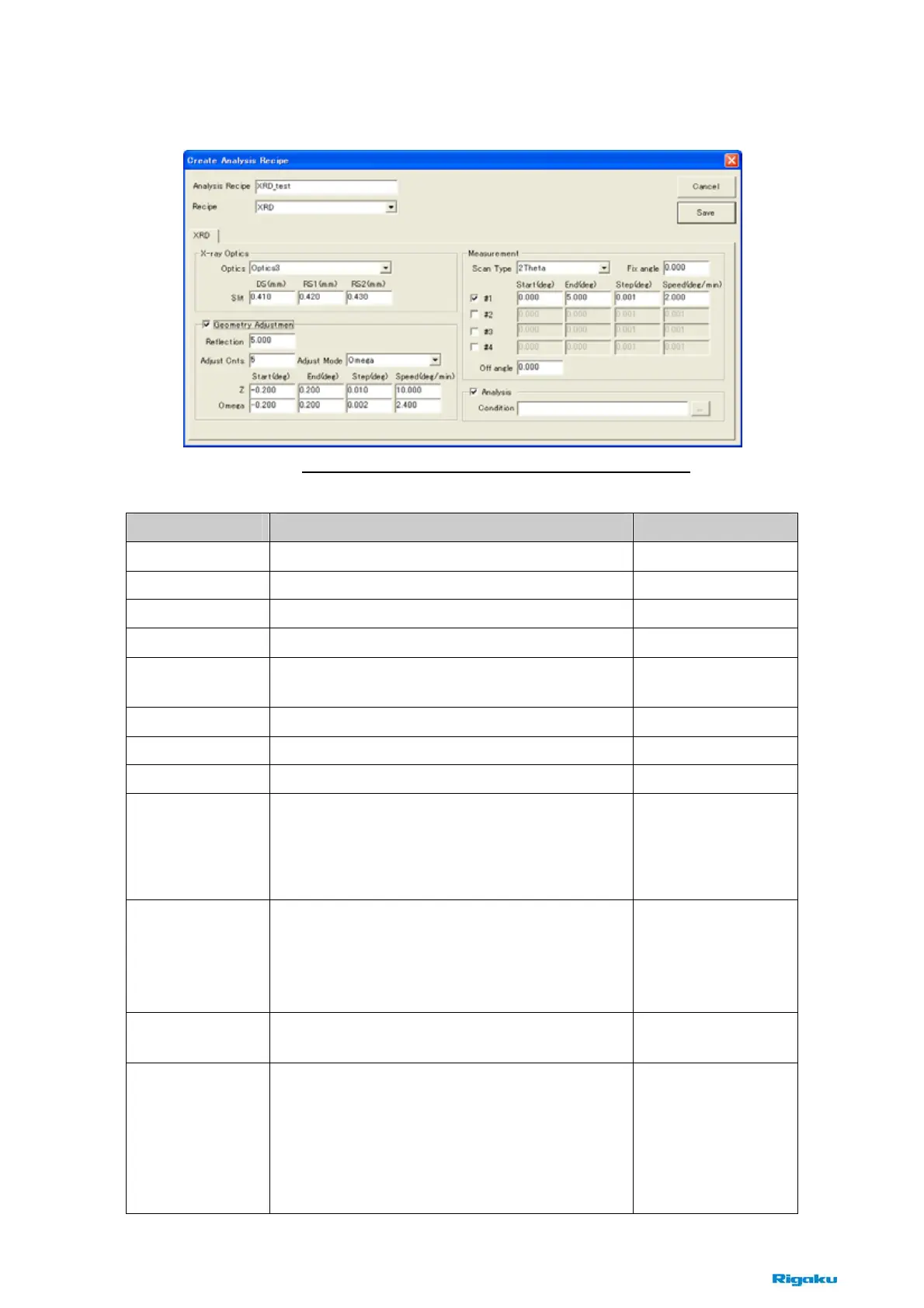
(3) XRD Recipe
Items Contents Notes
Analysis Recipe
Enter the name of analysis recipe.
Recipe
Choose [XRD] to create XRD analysis recipe.
Optics
Choose [Optics2] for XRD measurements.
Slit
Enter slit width ([DS], [RS1], [RS2]). Approx. 0.1
~0.2mm
Geometry
Adjustment
Check this box for XRD measurements.
Reflection
Enter smaller angle than the critical angle of sample. Approx. 0.3 degrees
Adjust Cnts.
Enter the number of adjustments. 1 or 2 times
Adjust Mode
Choose [Omega] for XRD measurements.
Z
Enter scan conditions of z axis.
([Start], [End], [Step], [Speed])
[Start] and [End] are relative positions from the
current position.
If [Adjust Mode] is
chosen [Omega],
these values are
ignored.
Omega
Enter scan conditions of omega axis.
([Start], [End], [Step], [Speed])
[Start] and [End] are relative positions from the
current position.
[Start] : -0.1
~ -0.2
[End] : 0.1
~ 0.2
[Step] : 0.001
~ 0.002
[Speed] : 1
~ 2
Scan Type
Choose scan axis (2Theta/Omega, 2Theta, Omega)
for XRD measurements.
[2Theta/Omega] is
default.
Fix Angle
When [Scan Type] is chosen [2Theta], this angle
means [Omega].
When [Scan Type] is chosen [Omega], this angle
means [2Theta].
When [Scan Type] is chosen [2Theta/Omega], this
angle is ignored.
Fig. 8-2-6 Create Analysis Recipe (XRD) dialog box



 To Next Page