− 43 −
ME12058B
Maintenance Section
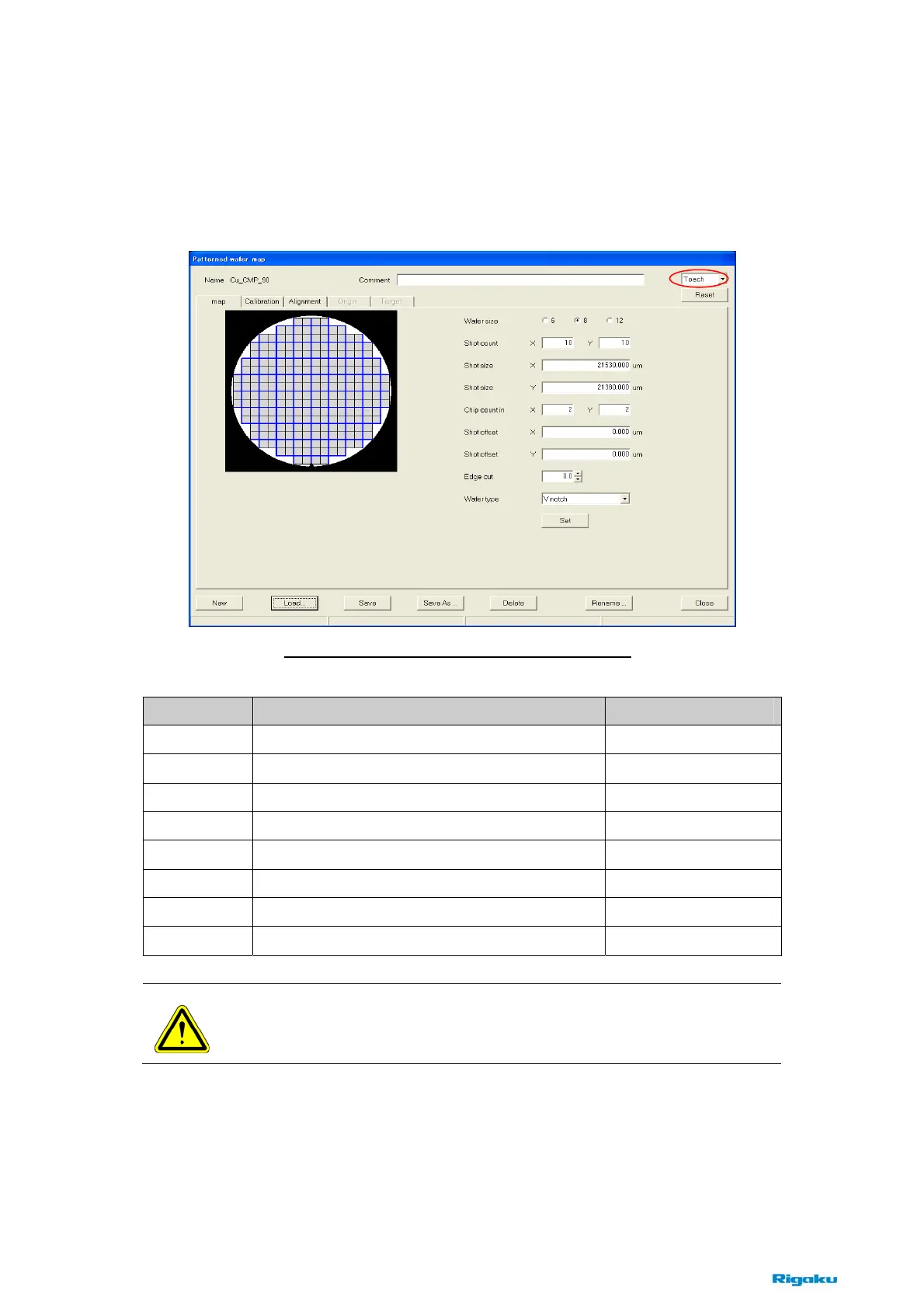
(1) [Patterned Wafer Map] dialog box
The property, [Edit] or [Teach], is displayed as below according to click [Edit] or
[Teaching] button in the main window.
This dialog box has five tabs. Choose each tab from the left to the right, and set conditions in
each tab. Refer to the following pages about each tab.
Items Contents Notes
New
Creates a new pattern map recipe.
Load
Loads an existing pattern map recipe.
Save
Saves the current contents to the same file.
Save As
Saves the current contents to another file.
Delete
Deletes the current recipe file.
Rename
Renames the current recipe file.
Close
Closes the dialog box.
Reset
Resets alarms about Patterned Wafer Map.
NOTE : Click the [Save] or [Save As] button, when editing is completed.
If the dialog box is closed without clicking on these buttons, the recipe is not
changed.
Fig. 8-2-10 [Patterned Wafer Map] dialog box



 To Next Page