− 45 −
ME12058B
Maintenance Section
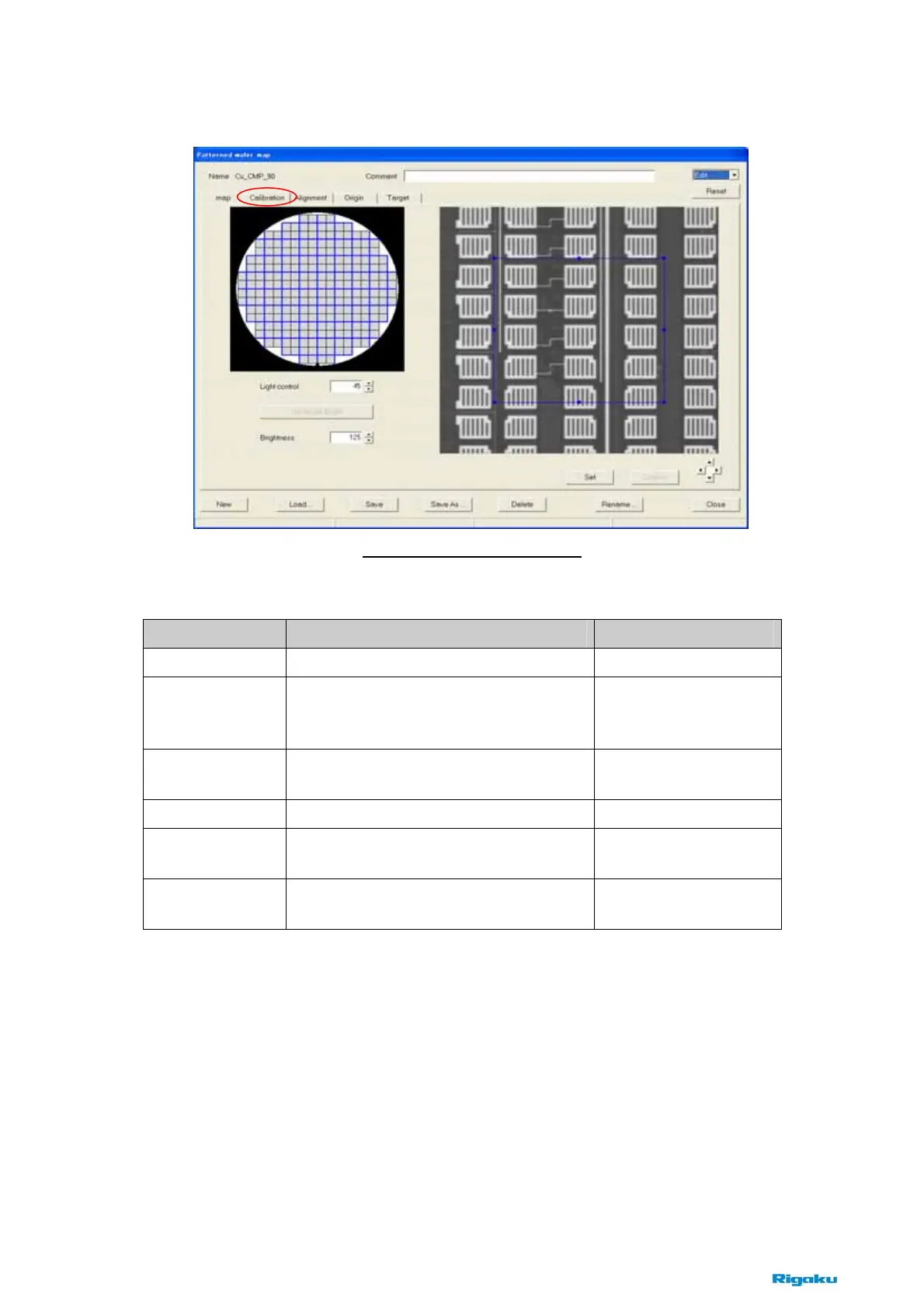
(3) [Calibration] tab
This tab is available to set the brightness conditions on the wafer for the pattern recognition.
Items Contents Notes
Light control
Sets the light power of the lamp. 1 – 255
Get target bright
Gets the average brightness in the blue
rectangle region of the image and displays it
into the [Brightness] box.
The blue rectangle region
is changed by dragging in
the image.
Brightness
Displays the average brightness in the blue
rectangle region of the image.
Read only.
Set
Sets the light control conditions.
Confirm
Changes the light power of the lamp to the
current value of the [Light control].
▲/▼/◄/►
Move the blue rectangle region in the image
finely.
Up/Down/Left/Right
Fig. 8-2-12 [Calibration] tab



 To Next Page